

Share the conversation across browser tabs
When a visitor opens your website in a second tab, they can find their conversation with the bot there instead of an empty widget. They no longer have to ask their question again, and closing a tab no longer loses the conversation.
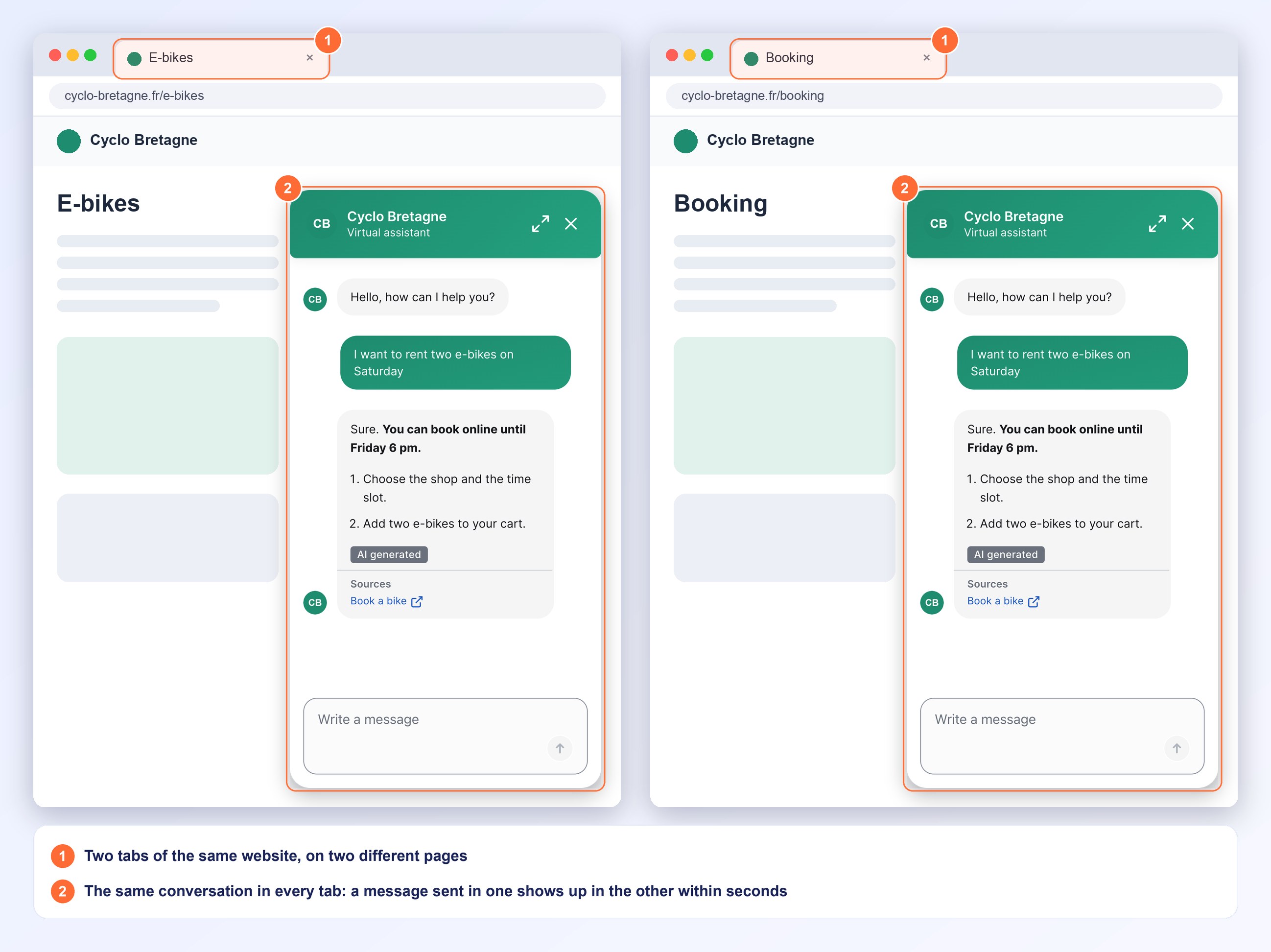
What changes for the visitor
- One thread in every tab: the visitor's messages, the bot's and the agent's replies, files, quick reply buttons and the CSAT survey show up in every open tab within seconds, without reloading the page.
- A new tab picks up the conversation: when the visitor opens the widget, the history is already there.
- Each tab keeps its own display: window open or closed, unread messages badge, text being typed and position in the thread stay specific to each tab. So does the NPS survey.
When the conversation ends
The conversation ends in two cases:
- Your website resets the widget, for example when the visitor logs out (see below).
- 30 minutes go by without any message, from the visitor or from the bot. This duration is fixed.
Every tab then starts again from a blank conversation, and the bot does not remember the previous one. Closing a tab no longer ends the conversation.
Turn on sharing
The setting is off by default and only ViaSay admins can change it: ask your ViaSay contact. It applies to every widget of the instance, and each widget keeps its own conversation.
- In Settings, open the Instance tab.
- Under Share the conversation across browser tabs, turn on Enable shared conversation.
- Click Save.
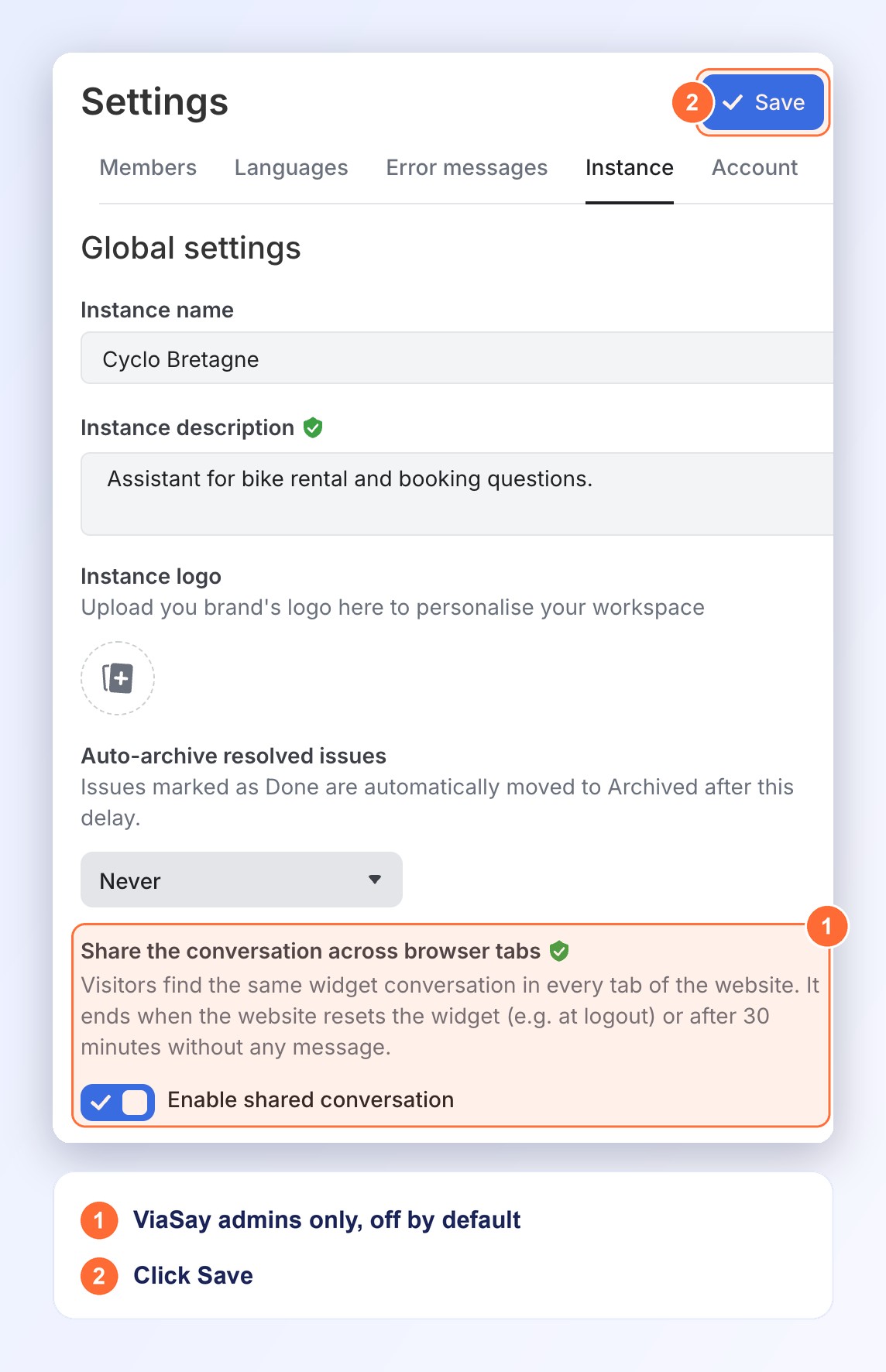
Conversations in progress when you turn it on start over at the next page load. With the setting off, the widget works as before: one conversation per tab.
End the conversation at logout
If your website has a customer account area, reset the widget when the visitor logs out, so that the next person on the same browser does not see their conversation. Use the silent reset:
window.DestygoChat.ResetWidget({ silent: true });
- It clears the conversation in every open tab, without opening the widget in the tab where you call it. The other tabs keep their window open or closed.
- Call it when the visitor logs out, on a page where the widget is loaded, before your website reloads the page or redirects the visitor.
- Without a parameter,
ResetWidget()also clears the conversation in every tab, but then opens the widget in the tab where you call it. See Available methods.
Good to know
- One website address: the conversation is shared between the tabs of one browser on the same address, for example
www.example.com. It does not move from one subdomain to another (www.example.comandshop.example.com), nor from one browser or device to another. - Browser storage: the conversation is kept in the browser's local storage, not only in the tab. It is erased when your website resets the widget, or the next time the widget loads after the 30 minutes: one more reason to reset at logout. Mention it in your cookie policy if needed. If the browser blocks this storage, each tab keeps its own conversation, as before.
- Analytics: the number of conversations may drop, since a visitor who opens three tabs now counts as a single conversation.
- Widget in Zendesk mode: sharing does not apply.
Updated 1 day ago