

Condition-based triggers
Condition-based triggers let you build use cases that are only reachable through navigation — for example via a Go to use case step or a persistent menu — instead of being matched by what the user types.
Where to find it
Open any use case in the Flow Builder and click the start node to open its drawer. The trigger mode selector appears at the top.
Trigger modes
Every use case has a trigger mode that determines how it gets activated:
- Intent-based — Triggered by what users type. Requires training phrases. This is the default mode.
- Condition-based — Triggered by predefined steps and logic. Reachable only via Go to use case, persistent menu buttons, or other navigation actions.
Select the mode by clicking one of the two cards at the top of the start node drawer.
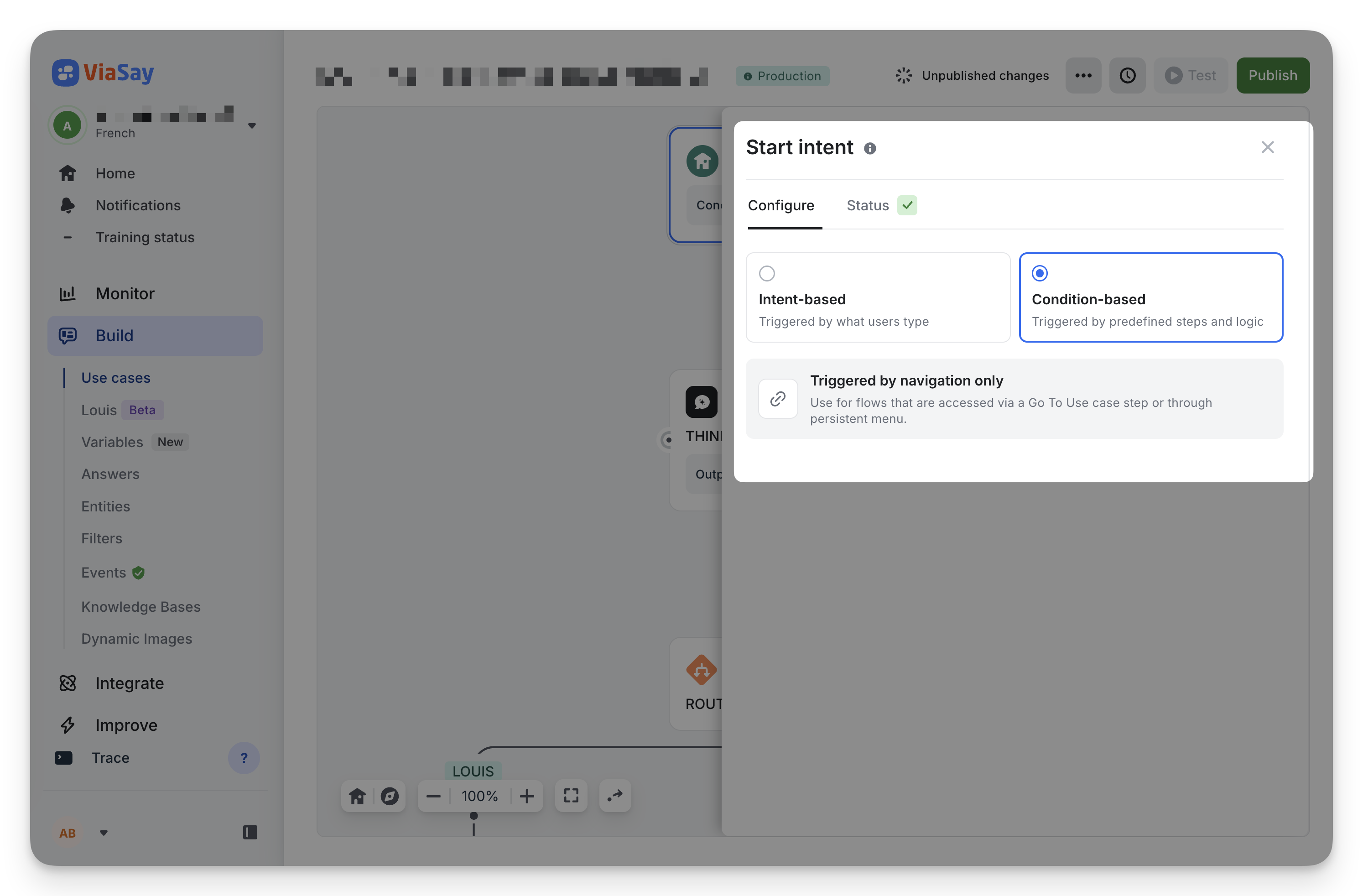
Condition-based use cases
When a use case is set to Condition-based:
- No training phrases are required or displayed
- The start node in the canvas shows the label "Condition-based trigger" instead of the training phrases counter
- A banner in the start node drawer explains: "Triggered by navigation only — Use for flows that are accessed via a Go To Use case step or through persistent menu."
- The use case skips intent matching entirely at runtime
Switching trigger modes
You can switch a use case's trigger mode at any time, but be aware of the consequences:
From Intent-based to Condition-based
If the use case has existing training phrases, a confirmation dialog appears:
Switch to condition-based?
All training phrases will be deleted. This use case will then only be triggered via menu buttons or Go to use case actions.
Click Switch & delete phrases to confirm. If the use case has no training phrases yet, only a simple confirmation is shown.
From Condition-based to Intent-based
Switching back to Intent-based does not delete data, but you will need to add training phrases (minimum required by the platform) before the use case can be deployed.
When to use Condition-based triggers
Use condition-based triggers for flows that should never be matched by free-text input, such as:
- Sub-flows reached only via a Go to use case step from a parent flow
- Menu items in your persistent menu that lead to specific actions
- Internal utility flows (confirmation screens, error handlers, etc.) that only the bot itself navigates to
This keeps your intent-based use cases focused and avoids accidental triggering of internal flows.
Updated 5 months ago