

Conversations
Analyze how your bot handles conversations: how many are deflected, misunderstood, or escalated to agents.
This dashboard shows how your chatbot is handling real conversations — whether it's solving problems, needing help from a human, or getting stuck.
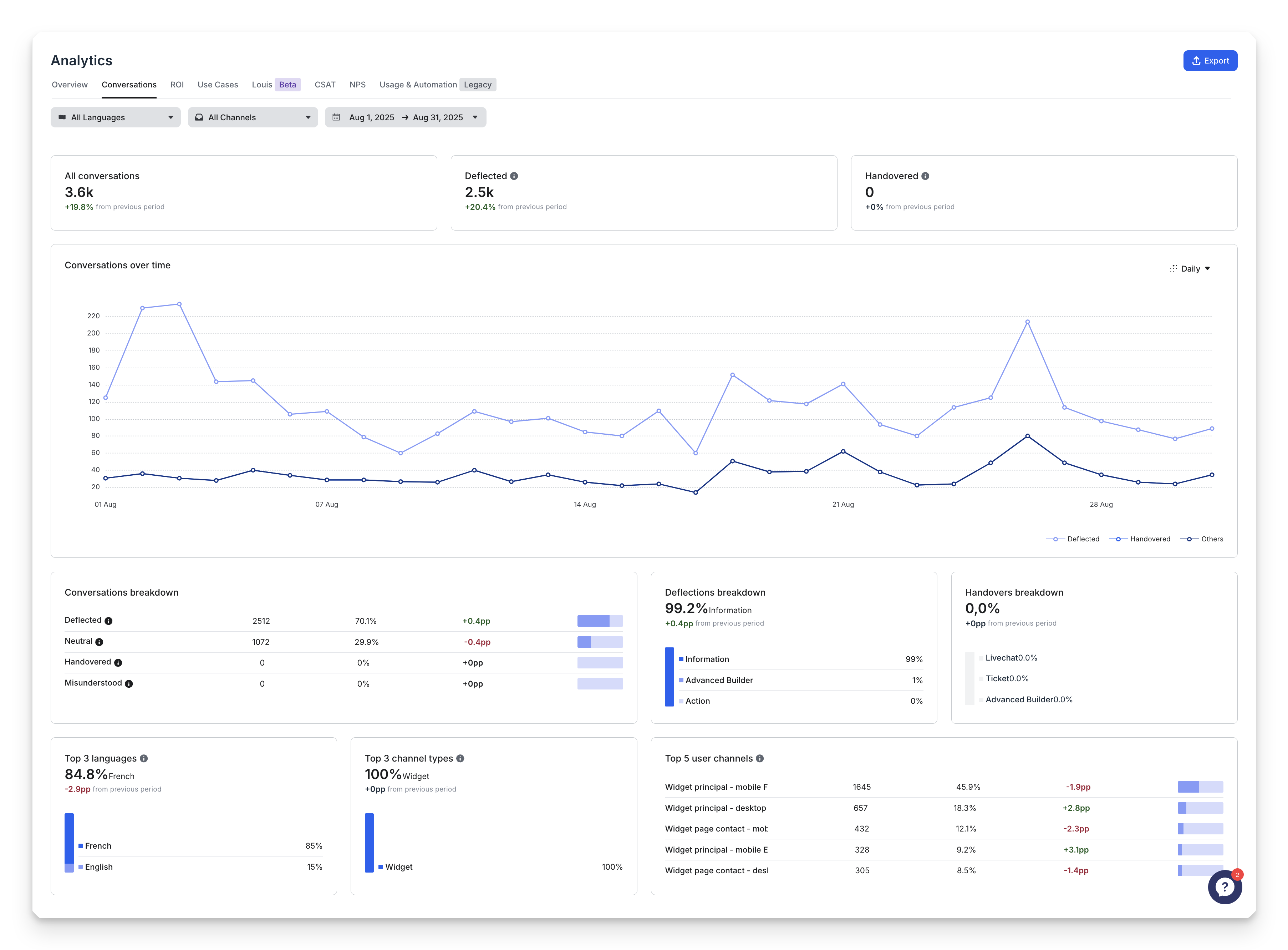
Key Metrics (Last 2 Weeks by Default)
You’ll first see three main numbers that help you understand how well your bot is doing:
Metric | What It Means |
|---|---|
All Conversations | Total number of conversations closed (after 15 minutes of no user activity). |
Deflected Conversations | The bot handled the conversation without any handover to a human — and reached at least one “deflection tag.” |
Handovered Conversations | The bot couldn’t finish the conversation alone and asked a human to take over. |
You can also see how these numbers changed compared to the previous period, and a timeline view (daily, weekly, or monthly).
Conversation Types Breakdown
Every conversation is automatically placed into one of these categories — depending on what happened during the interaction.
Every conversation is tagged with only one type based on what happened — even if multiple things occurred inside it. An unique conversation can not be handovered and deflected at the same time
Updated 11 months ago