

Export & Delete Customer Data
Export & Delete Customer Data
Once you have set up your UCI (Unique Chatter Identifier), you can export or delete a user personal data via API to comply with data protection requests (GDPR).
Prerequisites: You must have a UCI configured and data mapping must be active before using these features. See Recognize Customer Data.
Data Export
Export a user conversation data to your AWS S3 bucket using their UCI value.
Setup
- Set up your Daily Conversations Extract by following the AWS S3 Bucket configuration.
- Use the Data Export API to initiate the export.
How it works
Once completed:
- A folder named chatter_data_exports is created in your AWS S3 bucket.
- Subfolders are named after the UCI value.
- Data export files follow the naming pattern: date_time_conversation_export.csv.
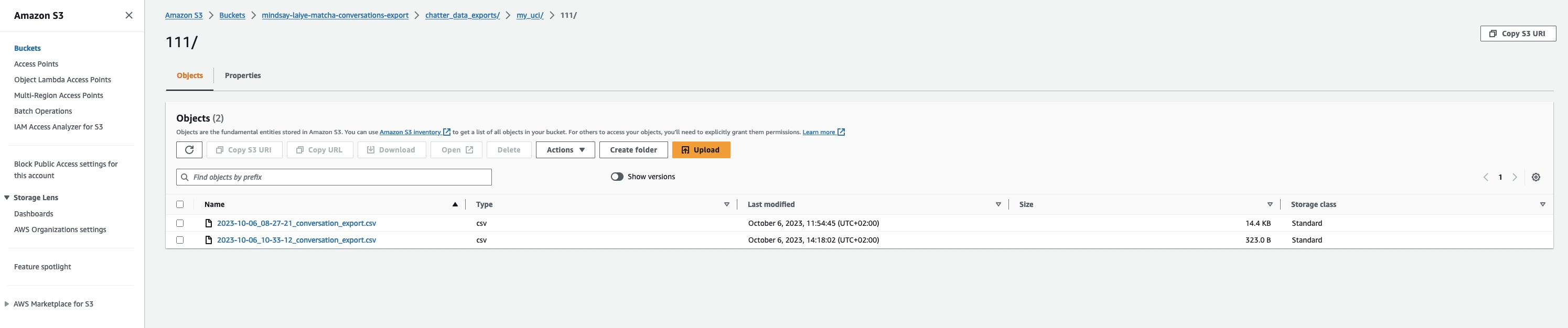
Example: For UCI key my_uci and value 111, two files exported on October 6, 2023, would appear
CSV format
- Column separator: Comma
- String delimiter: Double quote
Storage Information:
- Files stored in ViaSay AWS account are automatically deleted after 40 days.
- Files stored in a customer AWS account are managed by the customer.
Data Deletion
Process data deletion requests using the UCI and the Data Deletion API.
How it works
- Navigate to Settings > User Data > Export or delete customer data.
- Select Delete and submit an API request with the user UCI value.
- Once processed, the conversation data will be permanently deleted from ViaSay servers.
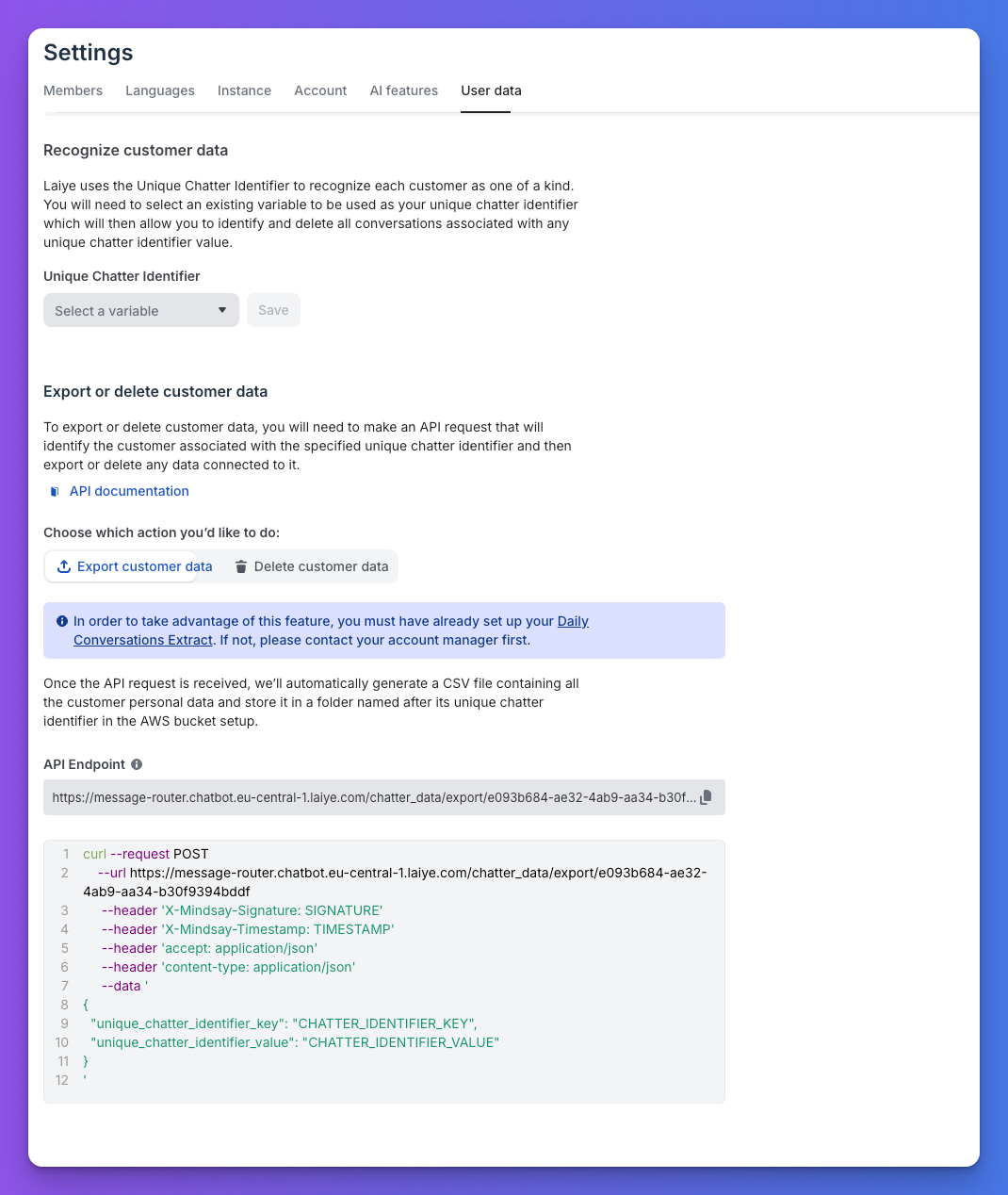
The Export and Delete section with API endpoint and documentation link
Important: Data deletion is non-reversible. Ensure compliance before proceeding.
API Reference
For detailed API documentation on export and delete endpoints, see the API Documentation section.
Updated 6 months ago