

Bulk operations
When you need to update many documents at once — re-sync a batch of URLs, archive last year's content, or promote a set of drafts to Live — the floating action bar is faster than opening each document one by one.
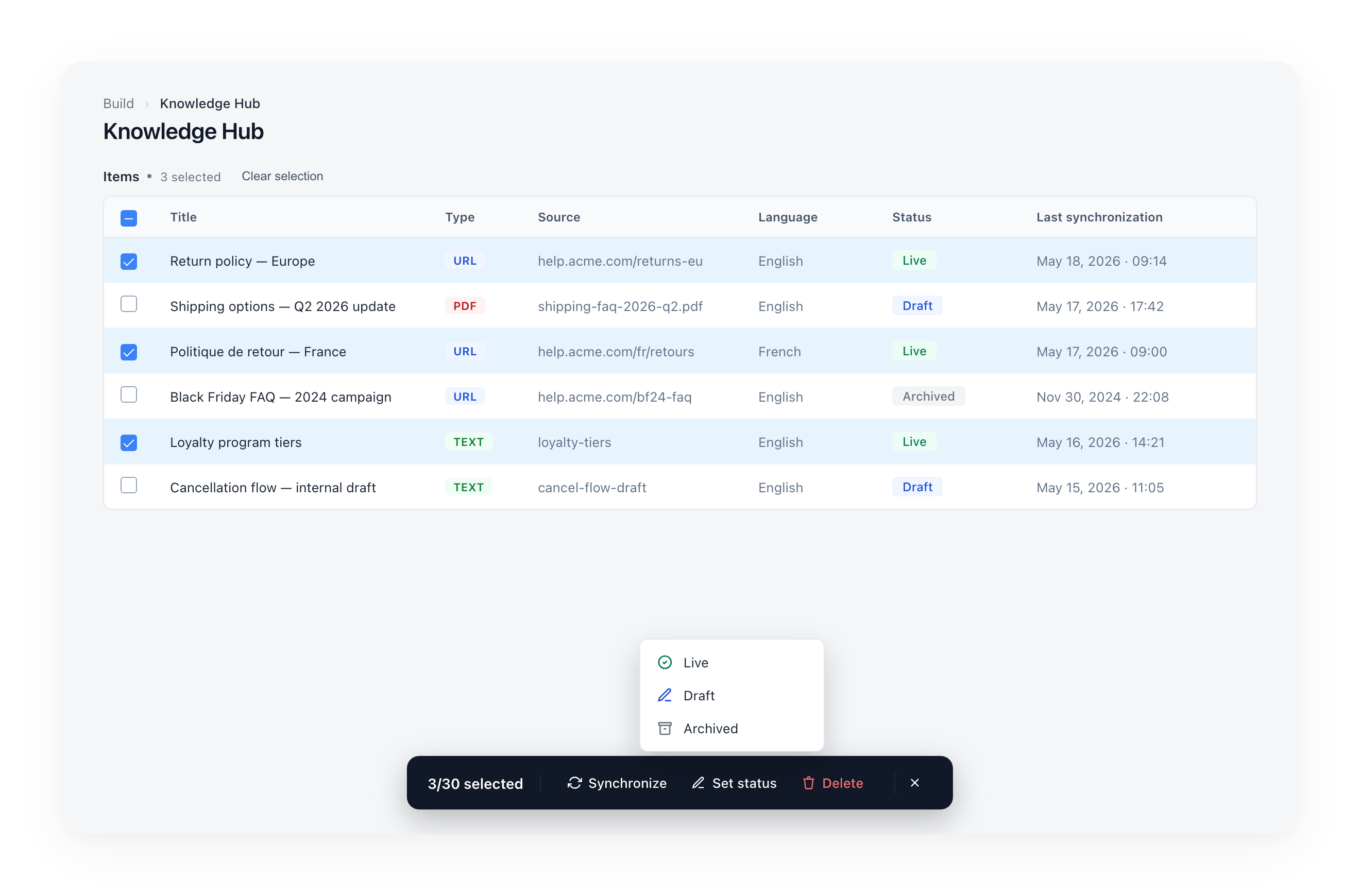
Selecting documents
There are two ways to select:
- Row checkboxes — Click a checkbox on the left of a row. A checkbox appears on hover.
- Header checkbox — Click the checkbox in the table header to select / deselect all visible rows.
The floating action bar appears at the bottom of the screen as soon as the first row is selected. The counter shows {selected}/30 selected.
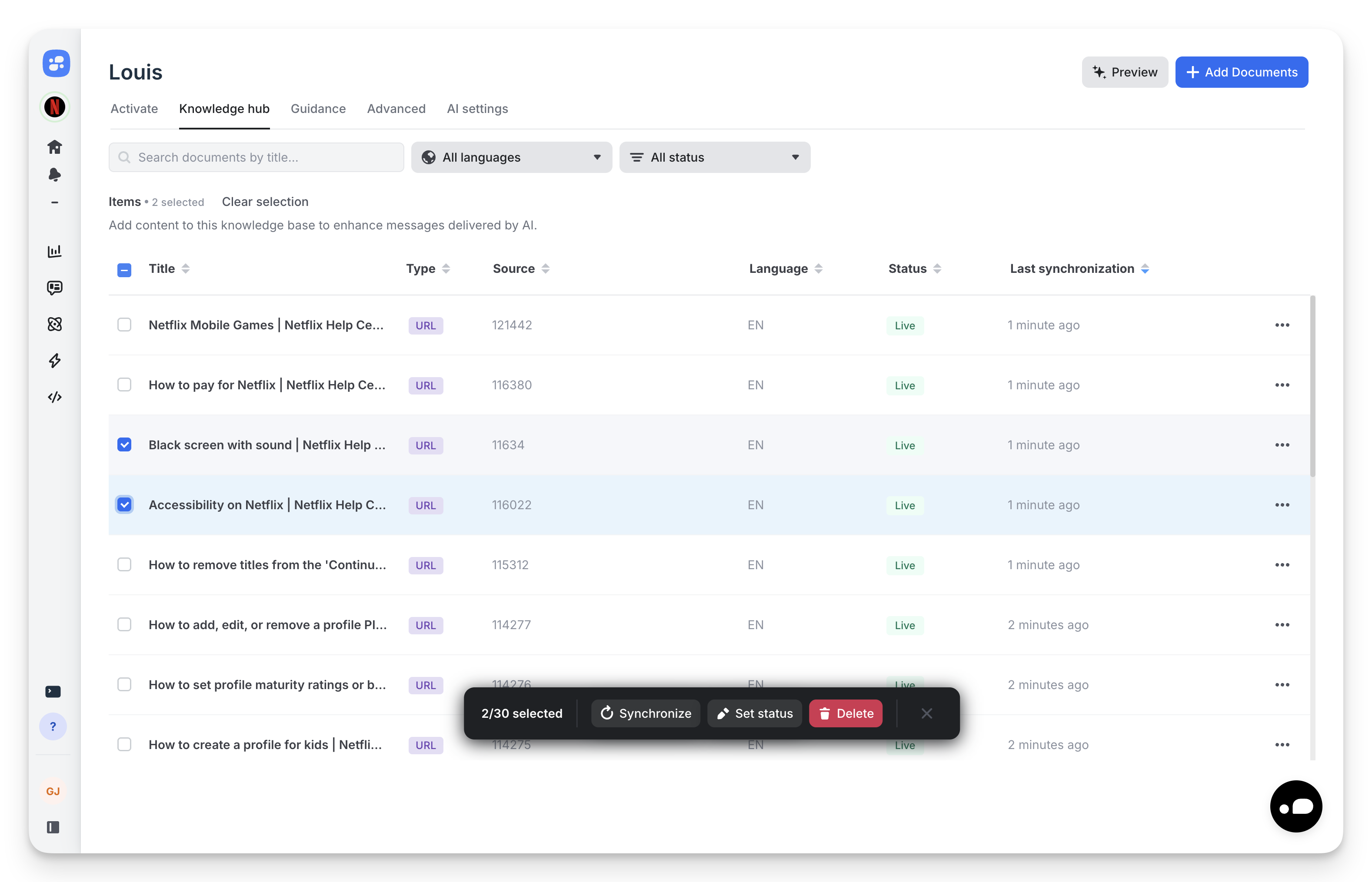
30-document limit per batch
The bulk endpoints process up to 30 documents at a time. The counter shows your progress against this limit. To update more, run the action in batches.
Available bulk actions
Synchronize
Re-pulls the latest content for the selected URL-based documents. Non-URL documents in the selection are skipped silently.
Use Synchronize when:
- A batch of source pages has been updated (e.g. policy refresh, product launch).
- You need a faster refresh than your scheduled rate.
Set status
Opens a popover with Live, Draft, and Archived options. All selected documents move to the chosen state in one API call.
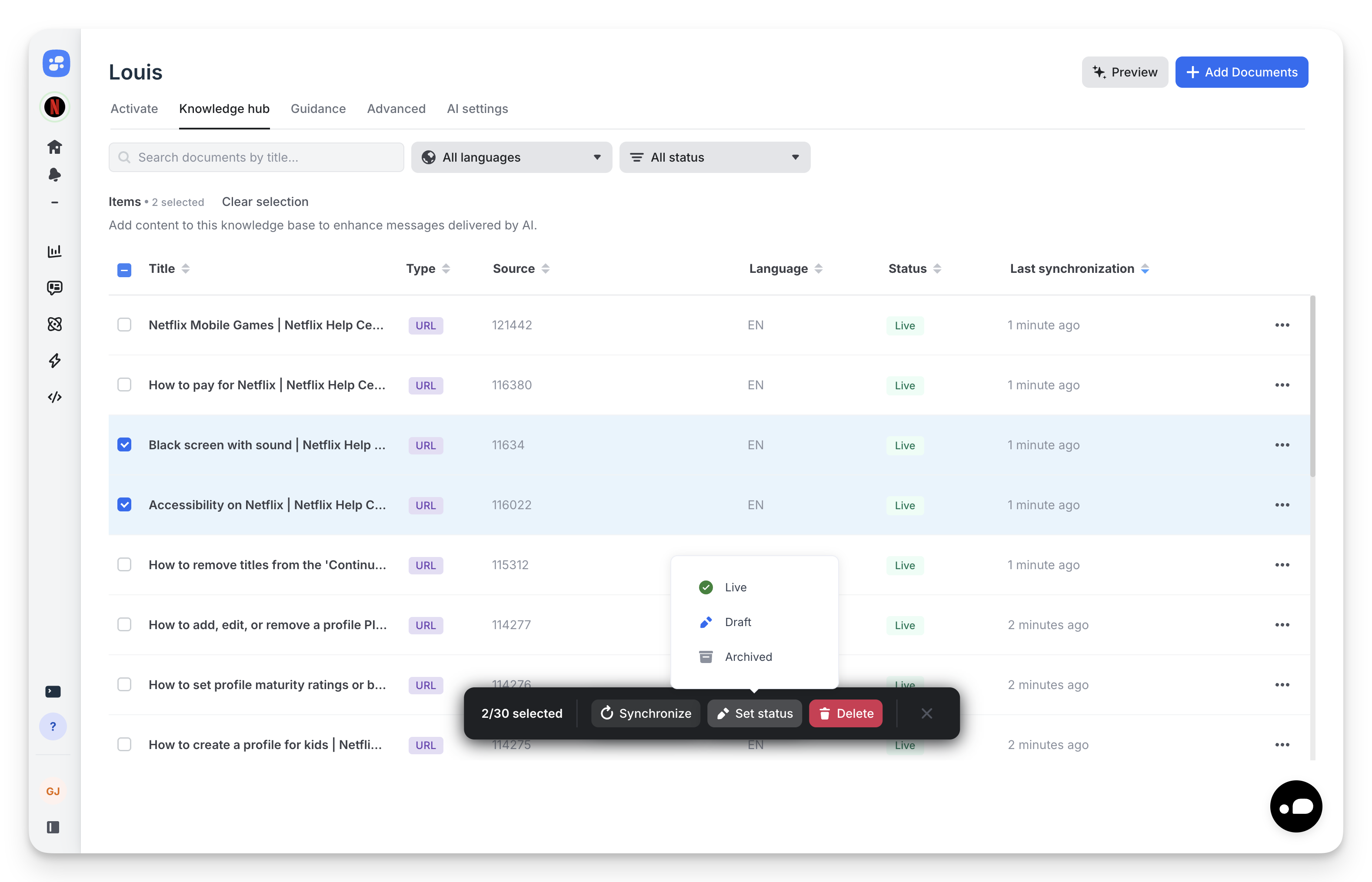
Use Set status when:
- Promoting a batch of drafts to Live after validation.
- Archiving a campaign's content at end-of-life.
- Pausing a set of documents temporarily by moving them to Draft.
Delete
Permanently removes the selected documents from the Knowledge Hub.
Delete is irreversible
Deleted documents are not soft-deleted — they're gone for good. Prefer Archive if you might need the content later.
Clearing the selection
Three ways to clear:
- Click Clear selection next to the items count above the table.
- Click the close (✕) icon on the right of the floating bar.
- Uncheck the header checkbox.
Updated 5 months ago