

Recognize Customer Data
Recognize Customer Data
ViaSay uses the UCI (Unique Chatter Identifier) to associate individuals with their conversation data. This enables you to identify users across conversations and manage their personal data for compliance purposes (e.g., GDPR).
Understanding how Flow Builder variables work is crucial before setting up UCI.
About UCI
The UCI (Unique Chatter Identifier) is a flagged Flow Builder variable that links all conversation records to a specific value, such as a user ID or email address.
Key Points About UCI
- Only one variable can be flagged as UCI, and it must be either a user channel variable or a custom variable.
- Once flagged, the variable value is retained beyond the default 7-day limit of other Flow Builder variables.
- UCI is compatible with Advanced Builder use cases, provided the naming conventions match.
- While it is possible to change the UCI, it is not recommended as it only applies to new conversations.
- For security reasons, transmitting an unencrypted UCI via a user channel variable is discouraged.
Choosing the Right Variable Type
| Specificity | User Channel Variable | Custom Variable |
|---|---|---|
| Color | Yellow | Violet |
| Data Source | User channels (e.g., Widget, WhatsApp) | User input, API output, data manipulation steps |
| Implementation | Integration script | Use case steps |
| Scope | Bot-wide | Use case-specific |
| Data Coverage | Covers all use cases, including flat ones | Can target specific, sensitive use cases |
Selecting and Saving UCI
-
Choose an existing Flow Builder variable from the dropdown menu as your UCI and click Save.
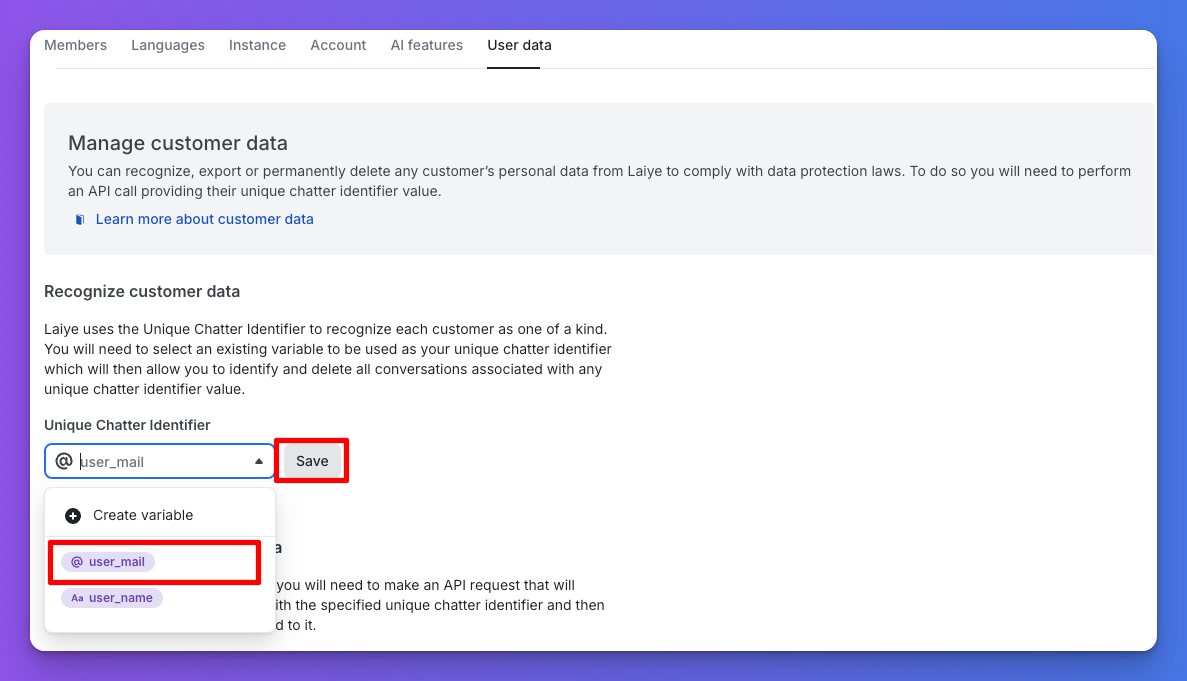
Selecting and Saving UCI
-
Alternatively, create a new Flow Builder variable by clicking Create Variable. Follow the instructions in the pop-up window.
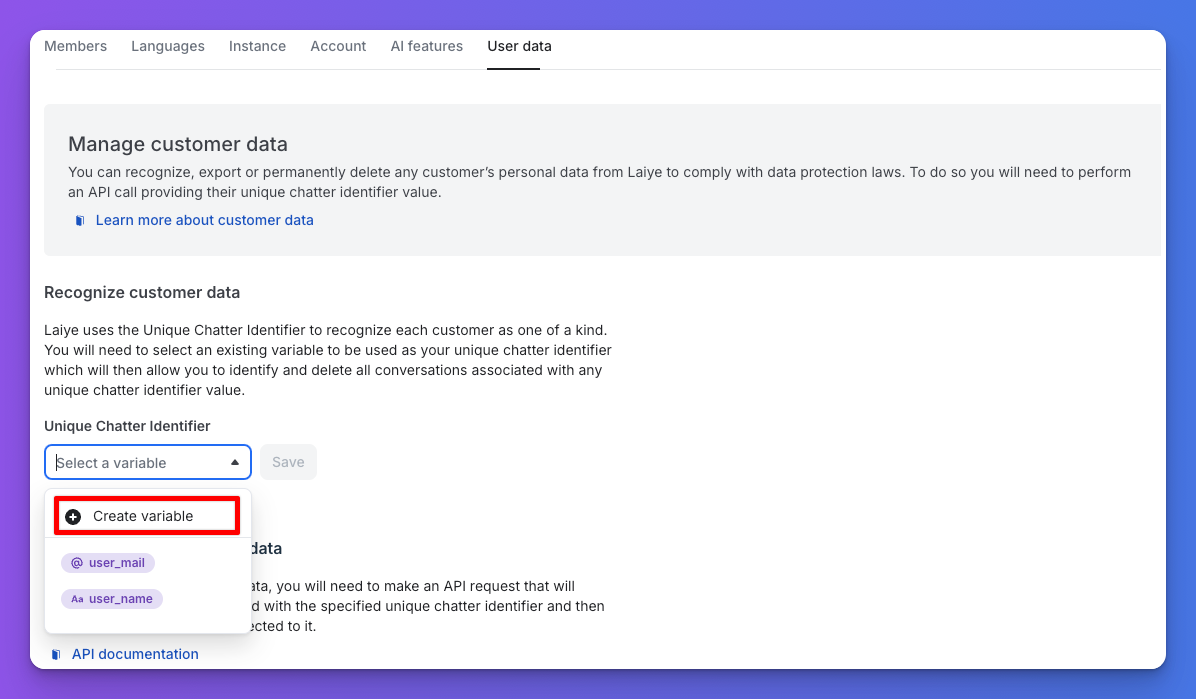
Create a new Flow Builder variable
Note: Data mapping will only begin once a variable is designated as UCI.
Updated 6 months ago