

Applications
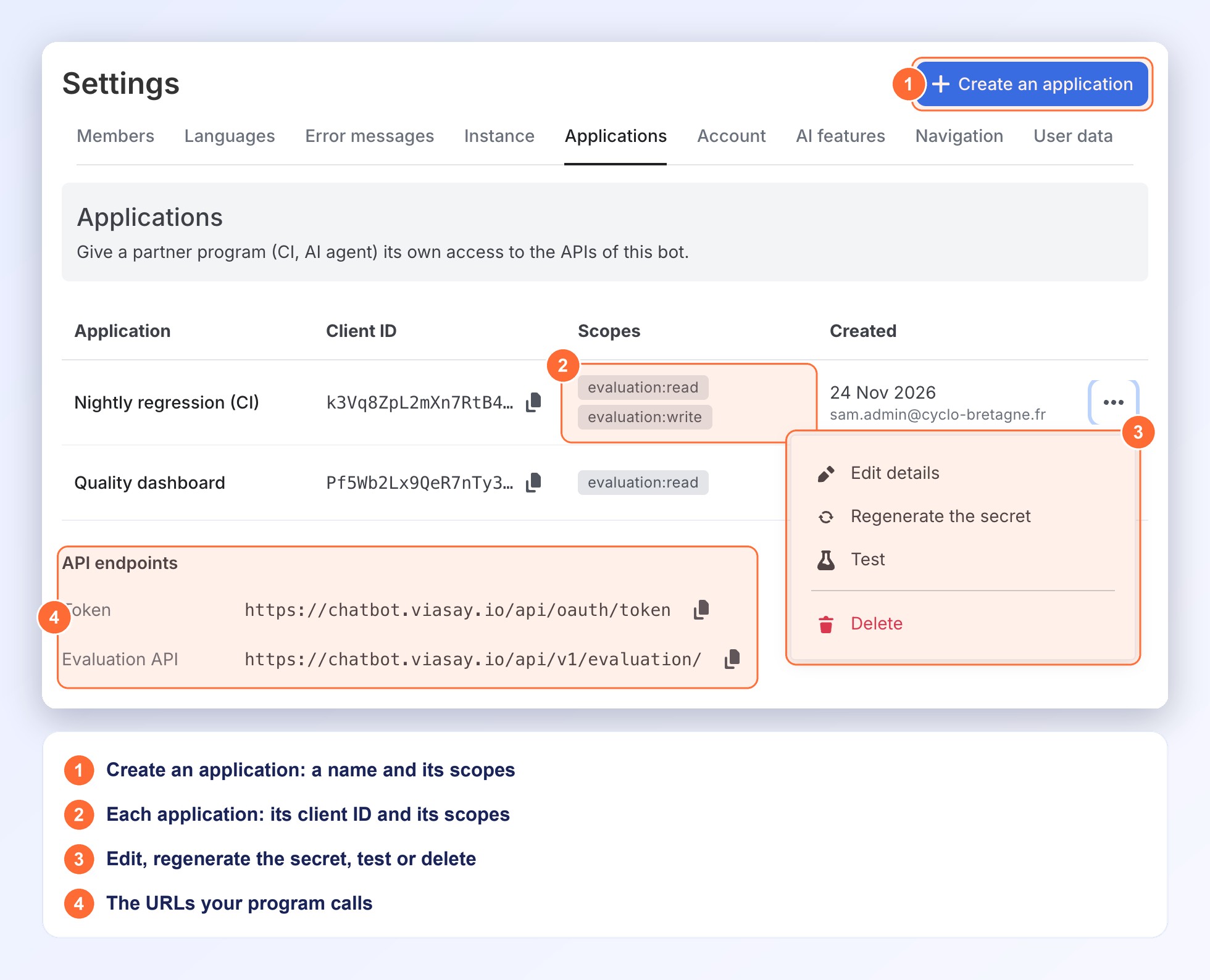
Applications give a program its own access to the APIs of your bot. A partner CI, a test script or an AI agent gets a client ID and a client secret, with only the rights it needs. Today, applications open the Evaluation API v1.0, which plays conversations with your bot to test it.
Managers only
The Applications tab shows for members with the Manager role on the bot, and for the Platform Administrator and Super Admin roles.
Create an application
- Open Settings, then the Applications tab
- Click Create an application
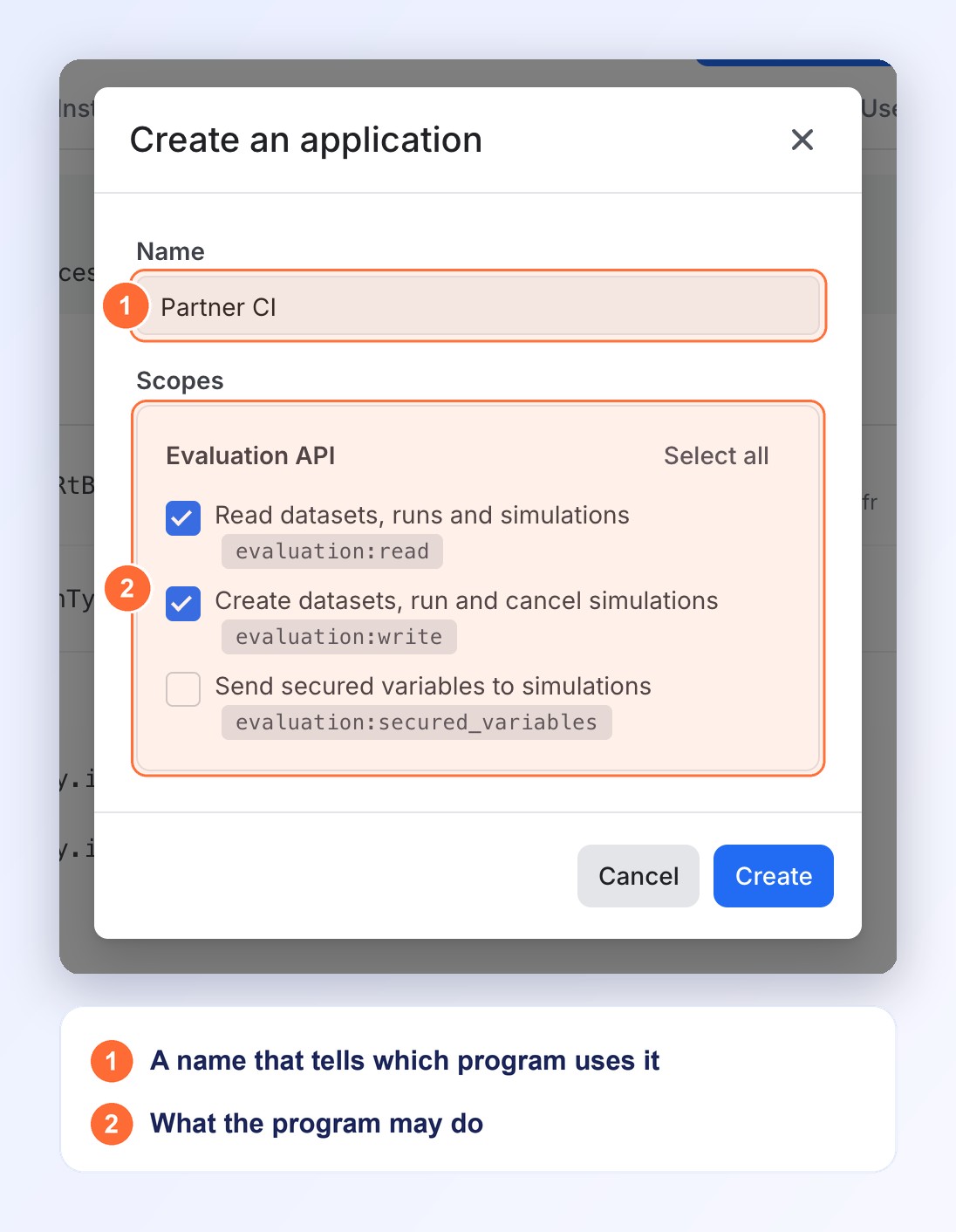
- Give it a Name that tells which program uses it, for example
Partner CI - Tick its Scopes, then click Create
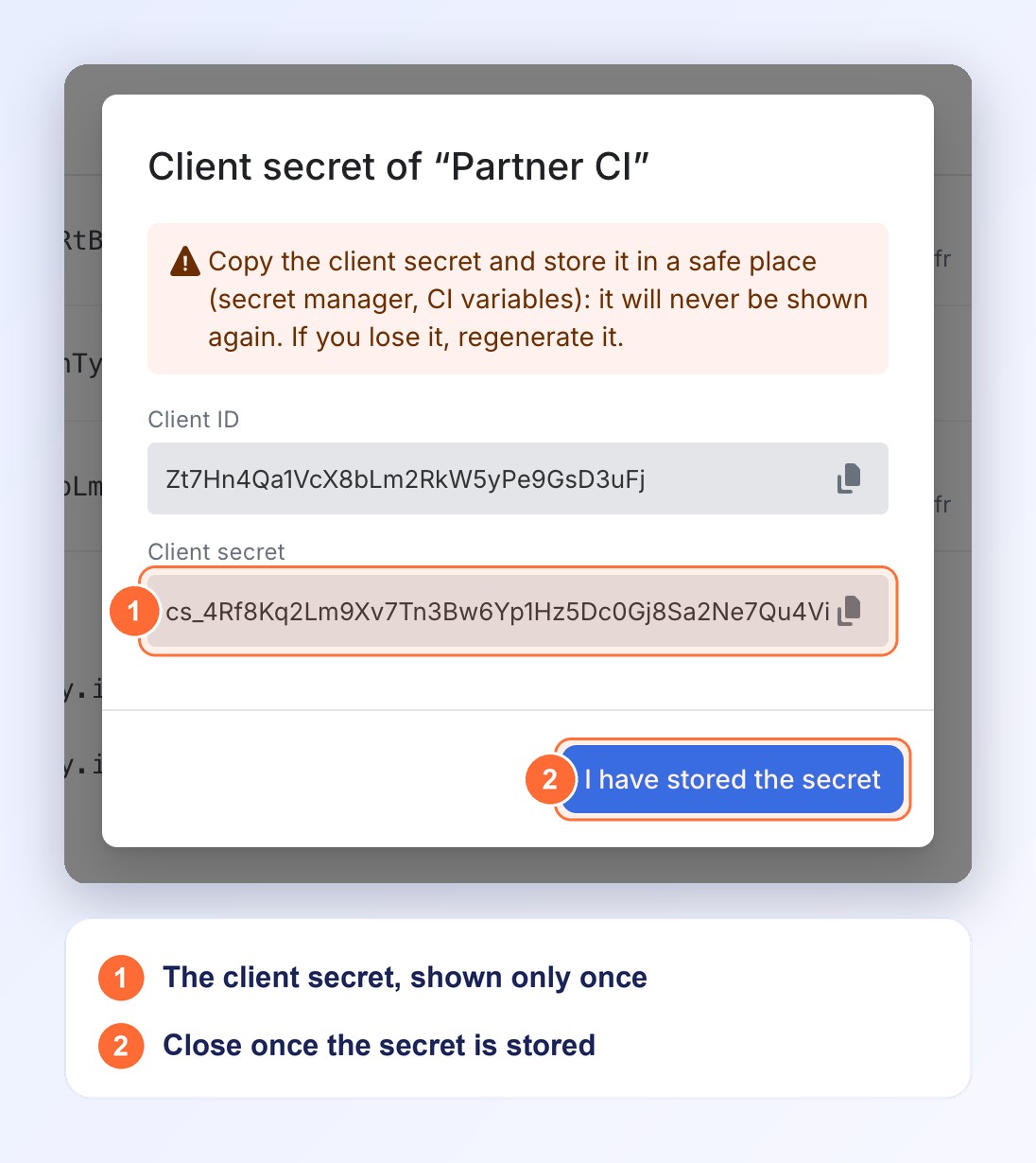
- Copy the Client secret and store it in a safe place (secret manager, CI variables), then click I have stored the secret. The secret is shown this once only
Choose the scopes
| Scope | What the program can do |
|---|---|
evaluation:read | Read datasets, runs and simulations, with their turns and traces. Ticked by default |
evaluation:write | Create, change and archive datasets, start and cancel runs, open, feed and close simulations |
evaluation:secured_variables | With evaluation:write, send secured variables to simulations, accepted as verified without your website's signature. Only give it to a trusted program |
A program that plays simulations and reads the answers needs evaluation:read and evaluation:write. A program that only reads results needs evaluation:read alone.
One application, one environment
An application belongs to the environment of the bot selected in IRIS when you create it: test or production. It only sees the datasets, runs and simulations of that environment. To test both, create one application in each.
Give the access to the program
Give the program:
- the Client ID, shown in the table, with its copy button
- the Client secret, stored when you created the application
- the URLs under API endpoints: Token to get a token, and Evaluation API
The program then gets a token, valid one hour: see Your first test in 5 minutes.
Manage an application
Click ⋯ at the end of its row.
| Action | Effect |
|---|---|
| Edit details | Rename it or change its scopes. Removing a scope revokes the tokens in use: the programs must get a new token |
| Regenerate the secret | Deletes the current secret and shows a new one, once. The programs that use the old secret lose their access at once |
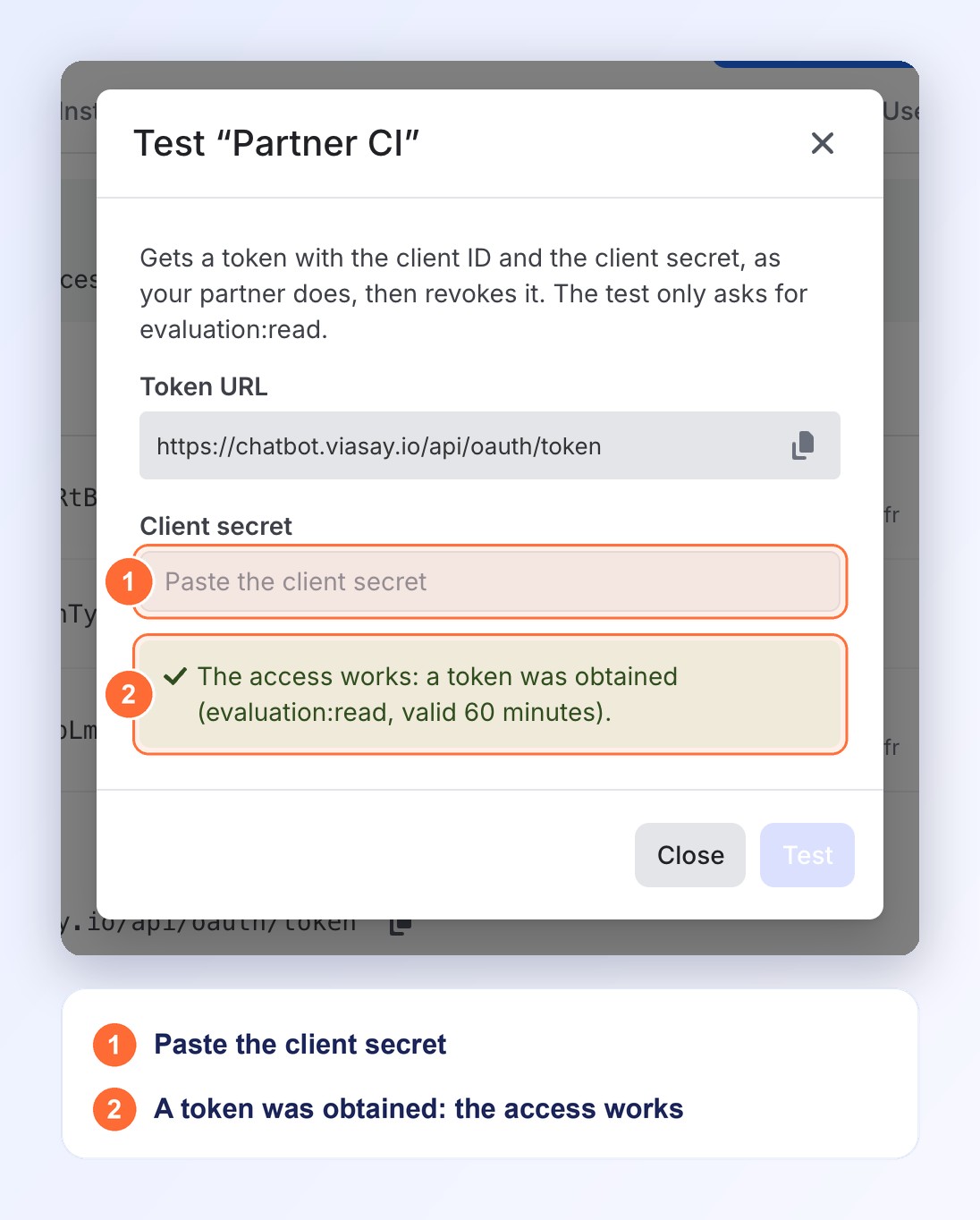
| Test | Paste the client secret: the test gets a token as your program would, then revokes it. It asks for evaluation:read only (or the single scope): it also revokes a program's token that has exactly that scope, which is always the case with a single scope |
| Delete | The programs lose their access at once. Deleting the last application of the environment also cancels the runs and simulations in progress |
Updated about 1 hour ago