

Variables
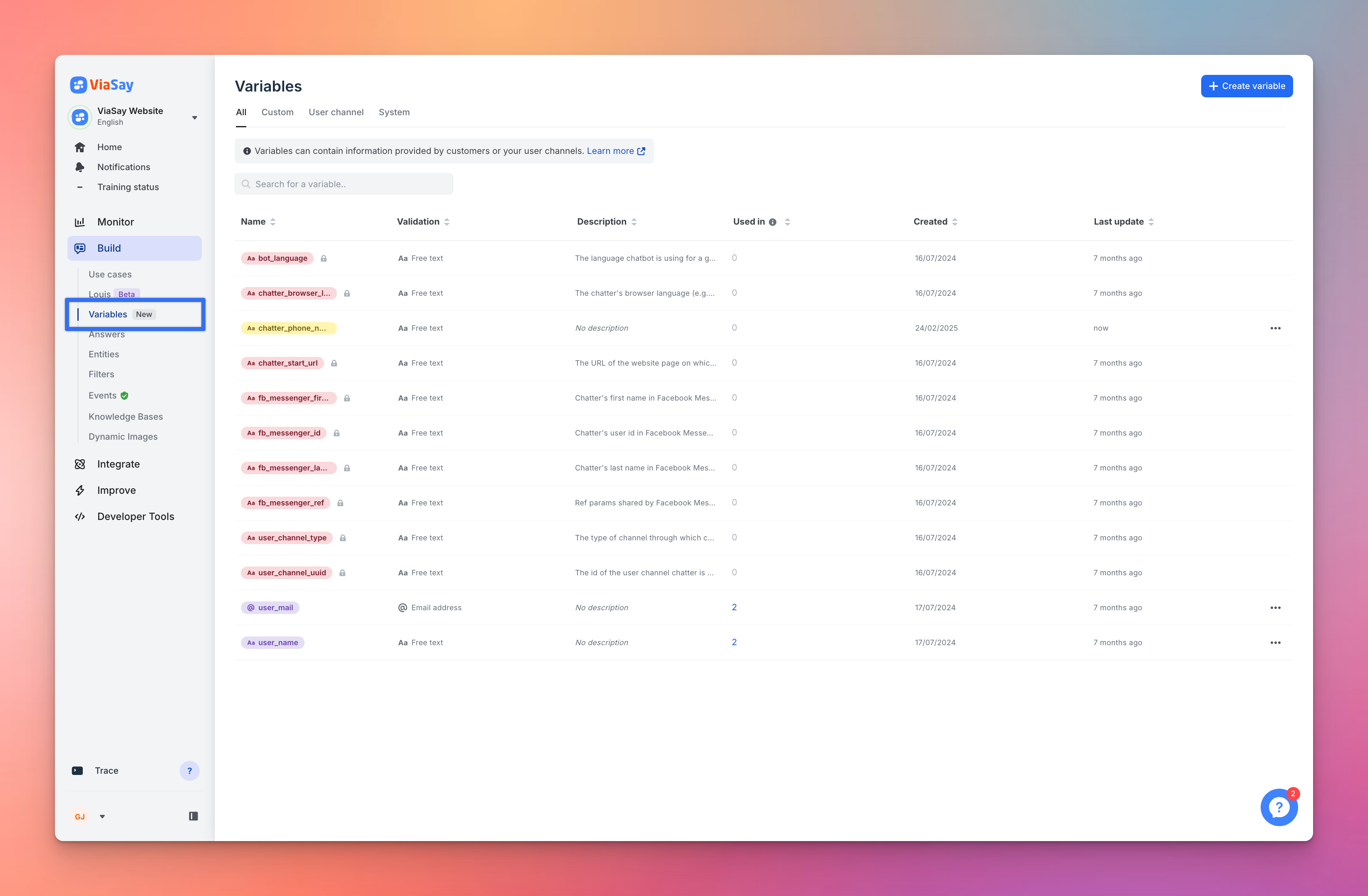
Variables are designed to store information related to a conversation. This information can originate from the chatter, an external API, or the user channel in use.
Details on Variables
- Creation and Management: Flow Builder Variables can be created and edited from the Variable Management page.
- Global Scope: Flow Builder Variables have a global scope within a chatbot. Once a variable is created or imported (via cloning) into a chatbot, it becomes available for use in any Use Case within that chatbot.
- Advanced Builder Integration: Variables collected using Flow Builder can be utilized in the Advanced Builder, including being printed in an answer, used in conditions, or sent via an API connection. If a Flow Builder Variable and an Advanced Builder Variable share the same name, the system will prioritize the Flow Builder Variable.
- One-Way Usage: Variables collected with the Advanced Builder cannot be used in the Flow Builder.
- Deletion: Flow Builder Variables can be deleted as long as they are not in use within a flow (system variables cannot be deleted).
Categories of Variables
Flow Builder Variables are categorized into three types:
1. Custom Variables
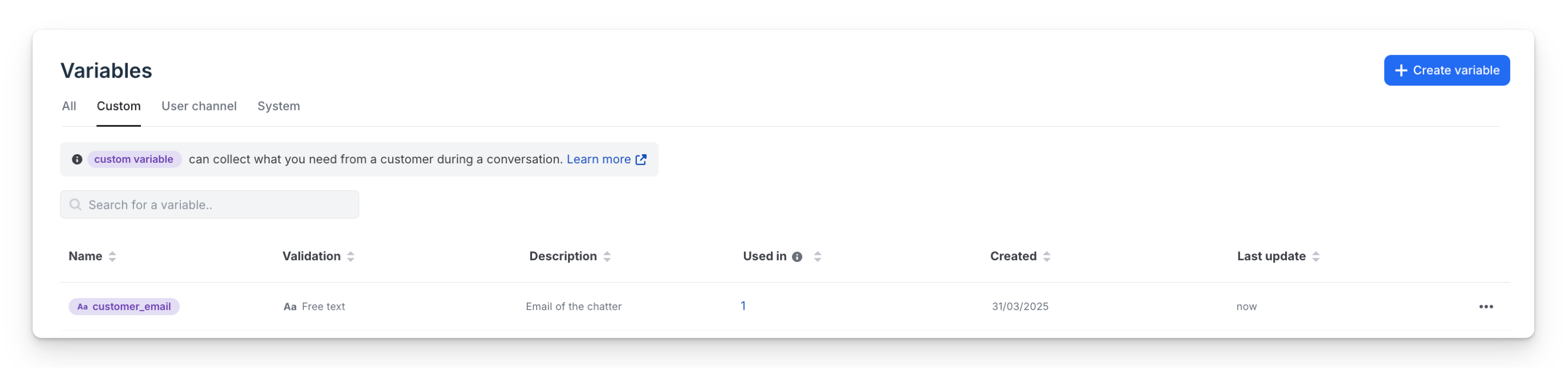
- Color: Purple on ViaSay Platform.
- Creation: Can be declared from the Variable Management page or from User Input, File Upload, and API steps.
- Value Update: Values can be updated from User Input, File Upload, and API steps.
2. User Channel Variables
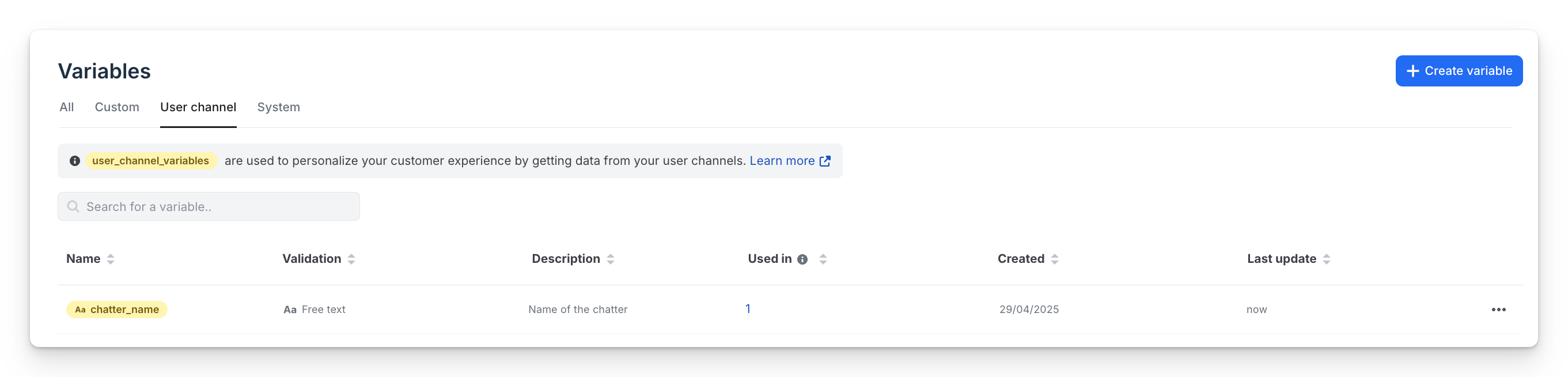
- Color: Yellow on ViaSay Platform.
- Creation: Can only be declared from the Variable Management page.
- Value Update: Values can only be updated from the user channel side (e.g., in the widget integration script or from WhatsApp Push). Flow Builder cannot modify the value of user_channel_variables.
- Example: If a user's status changes during a conversation (e.g., they log in), the website may pass additional variables through the user channel to offer a more personalized experience.
- Naming Constraints: No capital letters, spaces, or symbols (except underscores). The recommended naming convention is lower_snake_case.
- Consistency: The naming in the widget integration script or WhatsApp Push must match exactly with the naming on the platform.
User channel variables are ideal for building quicker and more personalized scenarios for users or for accessing API resources (e.g., passing parameters like user_id or tokens from your website to the chatbot).
Check this page to learn how it works.
3. System Variables
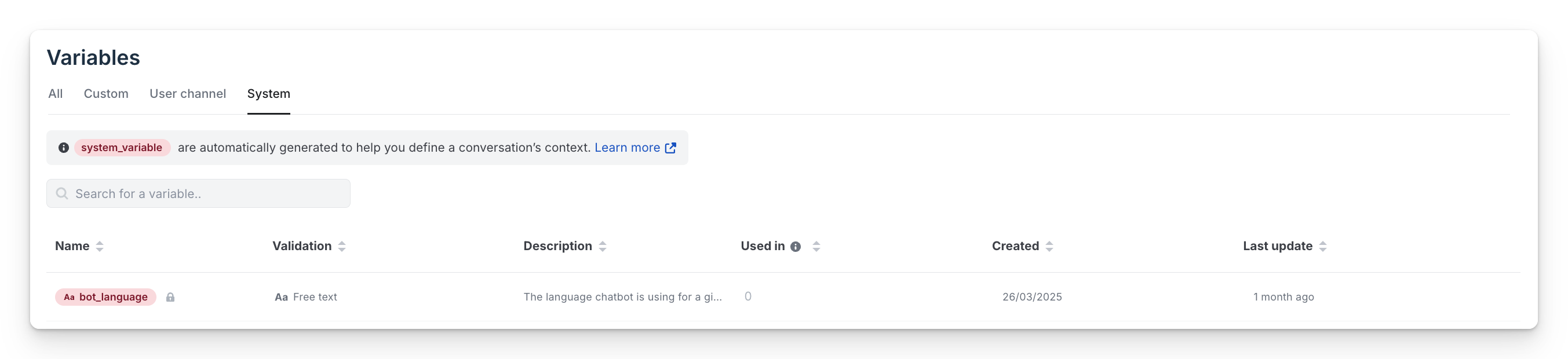
- Color: Red on ViaSay Platform.
- Restrictions: Cannot be edited (renamed or deleted).
- Creation and Update: Can only be declared and updated by ViaSay Teams.
Complete List of System Variables
| Name | Description | Value Format Examples |
|---|---|---|
| bot_language | Language chatbot is using for a given conversation. | "fr_FR"; "en_US" |
| chatter_browser_language | Language configured as preferred in chatter's browser. | "fr_FR"; "en_US" |
| user_channel_type | Type of channel through which chatter is communicating. | "widget"; "whatsapp"; "facebook_messenger"; "message_trigger_interface" |
| user_channel_uuid | ID of the user channel through which chatter is speaking. | "0a3e08d1-1111-48fb-84b6-e22d011573a9" |
| chatter_start_url | URL of the website page where the conversation started. | "https://documentation.chatbot.ViaSay.com/docs" |
| fb_messenger_first_name | Chatter's first name in Facebook Messenger context. | "Mickey" |
| fb_messenger_last_name | Chatter's last name in Facebook Messenger context. | "Mouse" |
| fb_messenger_id | Chatter's user ID in Facebook Messenger context. | "5778711235598645" |
| fb_messenger_ref | URL parameters shared by Facebook Messenger. | Stringified JSON object: "{\"key\":\"value\"}" |
| last_user_message | The user’s most recent message. | "Can I connect from my iPhone?" |
| last_bot_message | The bot most recent message | "Yes — you can log in from your iPhone by tapping 'Sign In' on the home screen." |
| conversation_history | A single concatenated string of the last 10 messages (both agent and user) for richer context retention. | "agent: Hello! user: Hi, I have a question. agent: Sure, what is it? user: ..." (up to 10 exchanges) |
*Memory variables are stringified for API call.
Finding the "user_channel_uuid"
On ViaSay Platform, navigate to Integrate > Channels > User Channels and select the channel. You will find the
user_channel_uuidin the URL, e.g., https://chatbot.ViaSay.com/channels/user_channel_uuid.
Use Variables in Louis AI Guidance
Variables can also be inserted into the rules of the Louis Guidance tab. When Louis prepares an answer, each variable is replaced with its current value in the conversation — so a single rule can adapt to every user.
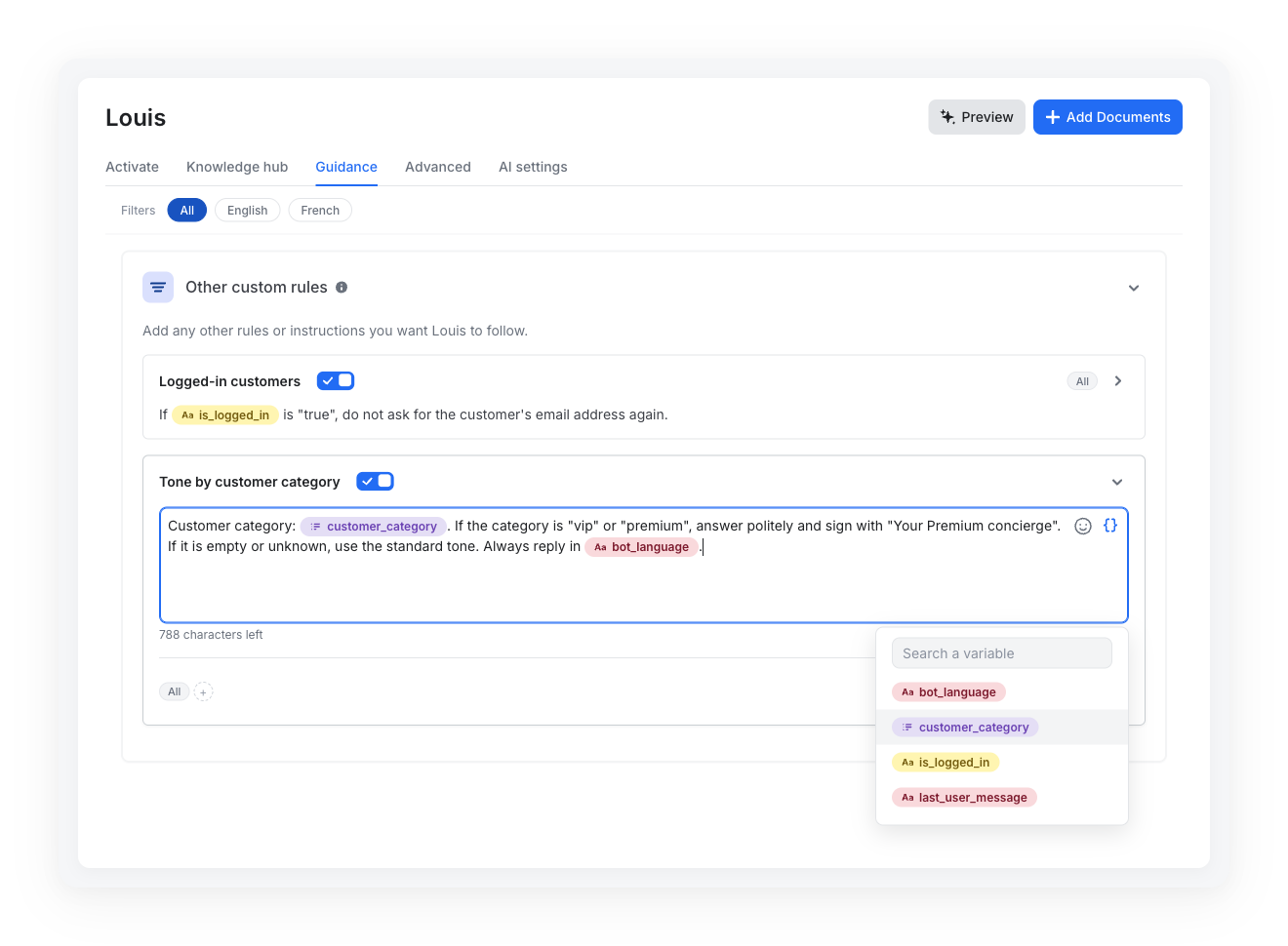
Insert a variable into a rule
- Open Louis and go to the Guidance tab.
- In Conversation Style, Follow-ups questions, Mastering your knowledge or Other custom rules, open a rule or click New.
- In the rule editor, click the Insert a variable icon, search for the variable and select it.
- The variable appears as a colored tag in the text, using the color of its category. Click Save.
Collapsed rules also display variable tags in their preview, so you can spot at a glance which rules depend on a variable.
How values are resolved
- At answer time: values are read when Louis answers, for the current conversation. A variable set earlier in the conversation — by a User Input, API or Data Manipulation step, or by your website through the widget script — is available to the rule.
- Empty values: if a variable has no value, it is left empty and the rest of the rule still applies. Write rules that also make sense without the value (e.g. "If the category is empty or unknown, use the standard tone").
- Character limit: in the 1,000-character limit of a rule, each variable counts as the length of its name.
Example — adapt the tone to a customer category
A Data Manipulation step stores the customer category in a custom variable
customer_category. The rule reads:"Customer category:
customer_category. If the category is "vip" or "premium", answer politely and sign with "Your Premium concierge". If it is empty or unknown, use the standard tone."For a VIP customer, Louis receives the rule with
vipin place of the variable.
User channel variables come from your website
The values of user channel variables are sent by your website's integration script. Use them to personalize answers, not as the only proof of a user's identity or rights.
Updated about 1 month ago