

How to improve your CX Score
CX Score is where "the bot technically worked, but the experience was bad" shows up. This guide is about finding those conversations and fixing what made them painful. Budget about an hour.
Start from what CX is made of
CX Score is 40% resolution + 30% sentiment + 30% effort. That composition tells you exactly where to push:
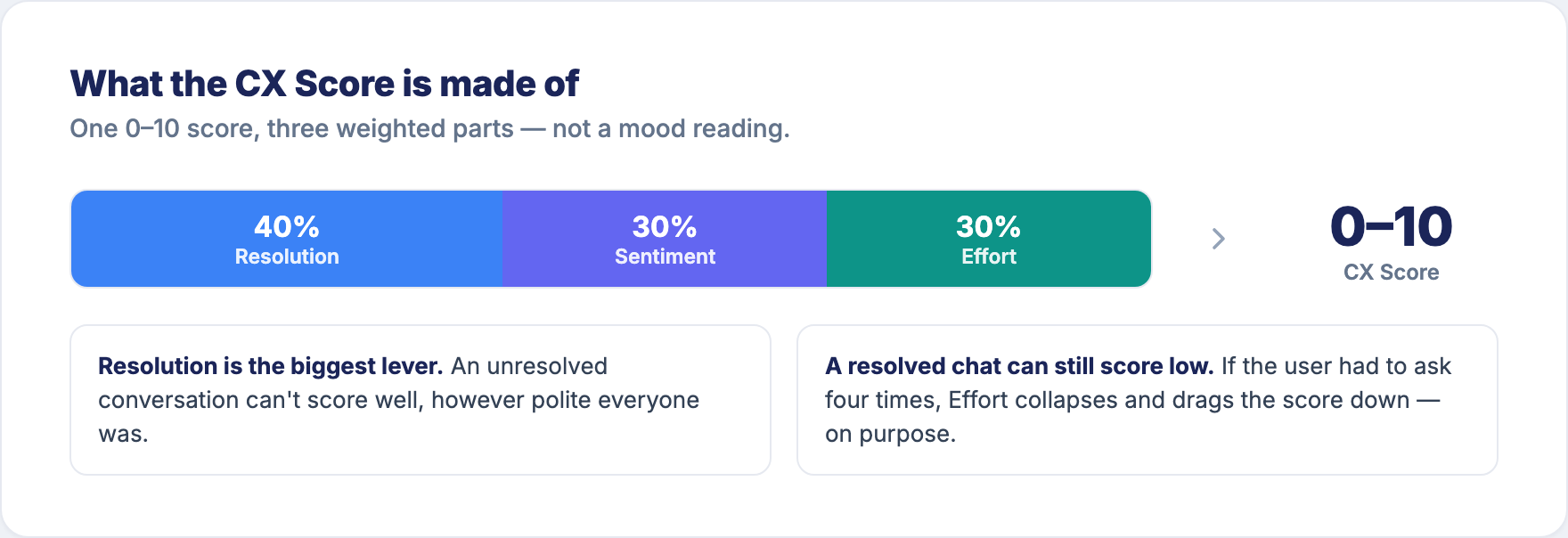
- Resolution (40%) is the biggest lever. An unresolved conversation can't score well. If your CX is low and your resolution is low, fix resolution first — that guide is the real work here, and CX will follow.
- Effort (30%) is the hidden one. A conversation that resolved but made the user ask four times still scores badly. This is the part CX catches that resolution alone misses.
- Sentiment (30%) reflects the user's own words. You rarely fix sentiment directly — it moves when resolution and effort improve, or when a policy that angers people changes.
So "improving CX" is mostly two jobs: resolve more, and make the resolved conversations take less effort.
The workflow
1. Find where the experience is worst
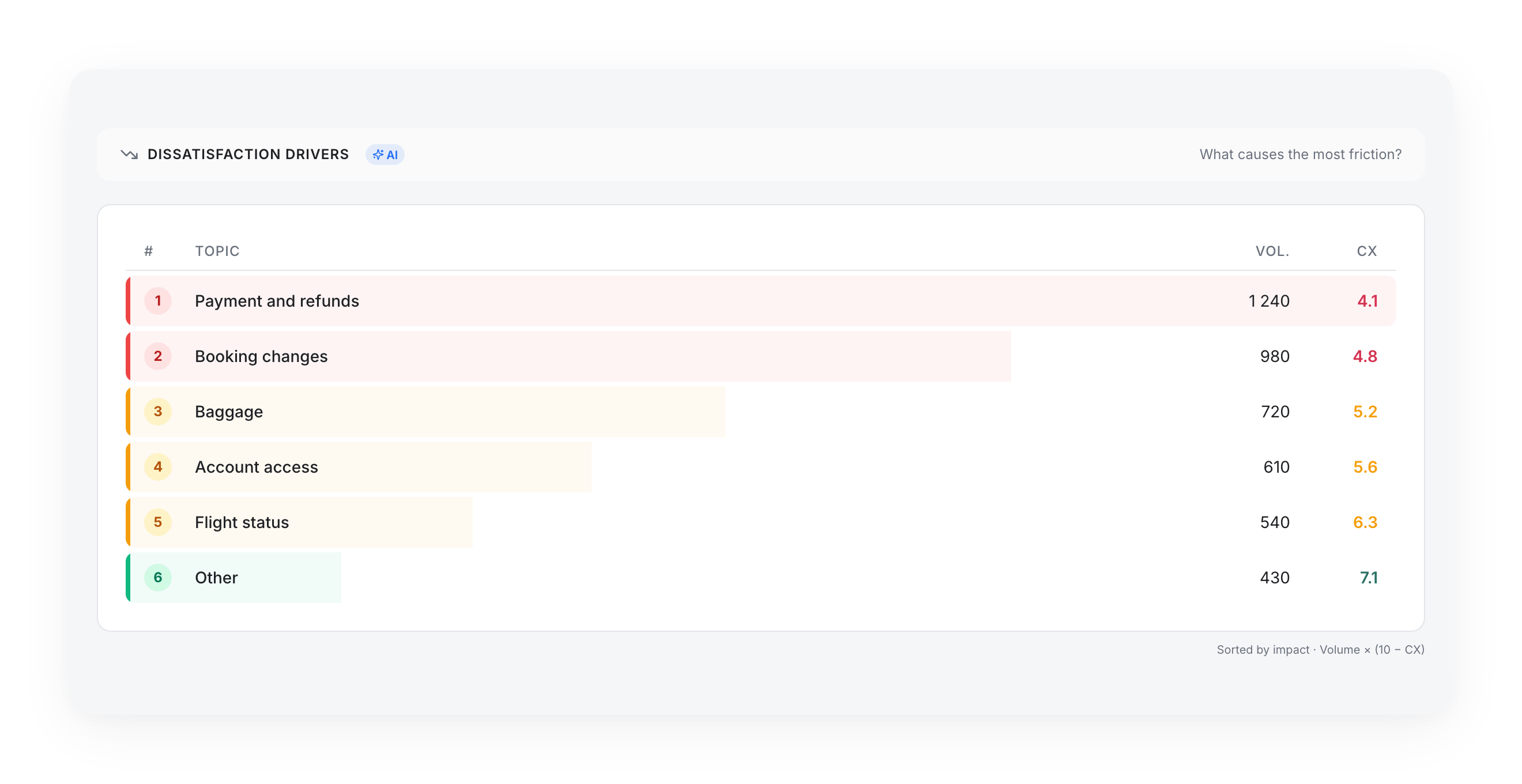
Go to Sentiment → Dissatisfaction Drivers. Question at the top: "What causes the most friction?" The list is sorted by impact = Volume × (10 − CX) — same trick as Unresolved Drivers, applied to experience. It points you at the topic wasting the most goodwill, not the one with the single lowest score on ten conversations.
Two other places sharpen the picture:
- Overview → Topics → Topic details — sort the table by CX Score ascending; the bottom rows are your worst experiences by topic.
- Sentiment → Quality Trends — "How do scores evolve over time?" — tells you whether CX on a segment is drifting up or down, and gives you the average line to compare against.
2. Read the conversations behind the topic
Open the topic and read twenty transcripts. You're diagnosing which of the three components is dragging the score:
- They never got an answer → it's a resolution problem. Go to How to improve your resolution.
- They got there, but only after repeating themselves → it's an effort problem. The bot misunderstood the first two attempts, or the flow made them re-enter information, or it answered a slightly different question each time. This is the classic "resolved but exhausting" case.
- They got a correct answer and were still angry → read who's angry at what. Often the bot is fine and a policy, price, or outage is the real driver. That's not a bot fix — route it to whoever owns the policy.
3. Fix one cause
For an effort problem, the fixes are concrete: tighten the intent so the bot gets it on the first try, shorten a flow that asks for the same thing twice, or replace a wall of text with the one line the user needed. For a resolution problem, fix the content or the flow. For a policy problem, escalate it out of the bot backlog entirely.
One topic, one cause, so the re-measurement means something.
4. Re-measure
Come back in about three weeks to Dissatisfaction Drivers or the Topic details table and find the same topic. Rising CX on that row is the win. If resolution rose too, you fixed a real bottleneck; if only effort-related CX moved, you made a working answer less painful to reach — also a win.
Two patterns worth recognising
Good resolution, low CX. The bot answers, but the experience is bad anyway — almost always effort. Users are working too hard to get a right answer. Look at conversation depth and repeated questions, not at content.
Low CX concentrated on one policy topic. If one topic drags CX down and the transcripts show correct answers, you're measuring dissatisfaction with the policy, not the bot. The CX Score is doing its job: it separated "customers dislike this rule" from "the bot is broken". Send it to the policy owner and stop treating it as a bot defect.
Updated 3 months ago