

Conversation Data Retention
Conversation Data Retention
Conversation Data Retention lets you automatically delete conversation messages after a configurable period. This helps you comply with data protection laws without any manual cleanup.
Once enabled, messages are permanently removed on a rolling basis — but all metadata needed for analytics and reporting is preserved.
What gets deleted vs. what stays?
| Deleted | Preserved |
|---|---|
| User messages (text content) | Conversation metadata (timestamps, duration) |
| Bot messages (text content) | Topic detection results |
| Attached files in messages | Resolution status |
| CSAT / NPS scores | |
| Handover events | |
| Channel information | |
| CX Score | |
| Session count & user message count |
Your analytics are not impacted. All reports (Overview, Conversations, ROI, Use Cases, CSAT) continue to work normally because they rely on metadata, not message content.
How to enable it
Go to Settings > User Data > Conversation Data Retention.
Step 1 — Enable the toggle
Activate the "Enable automatic conversation deletion" toggle.
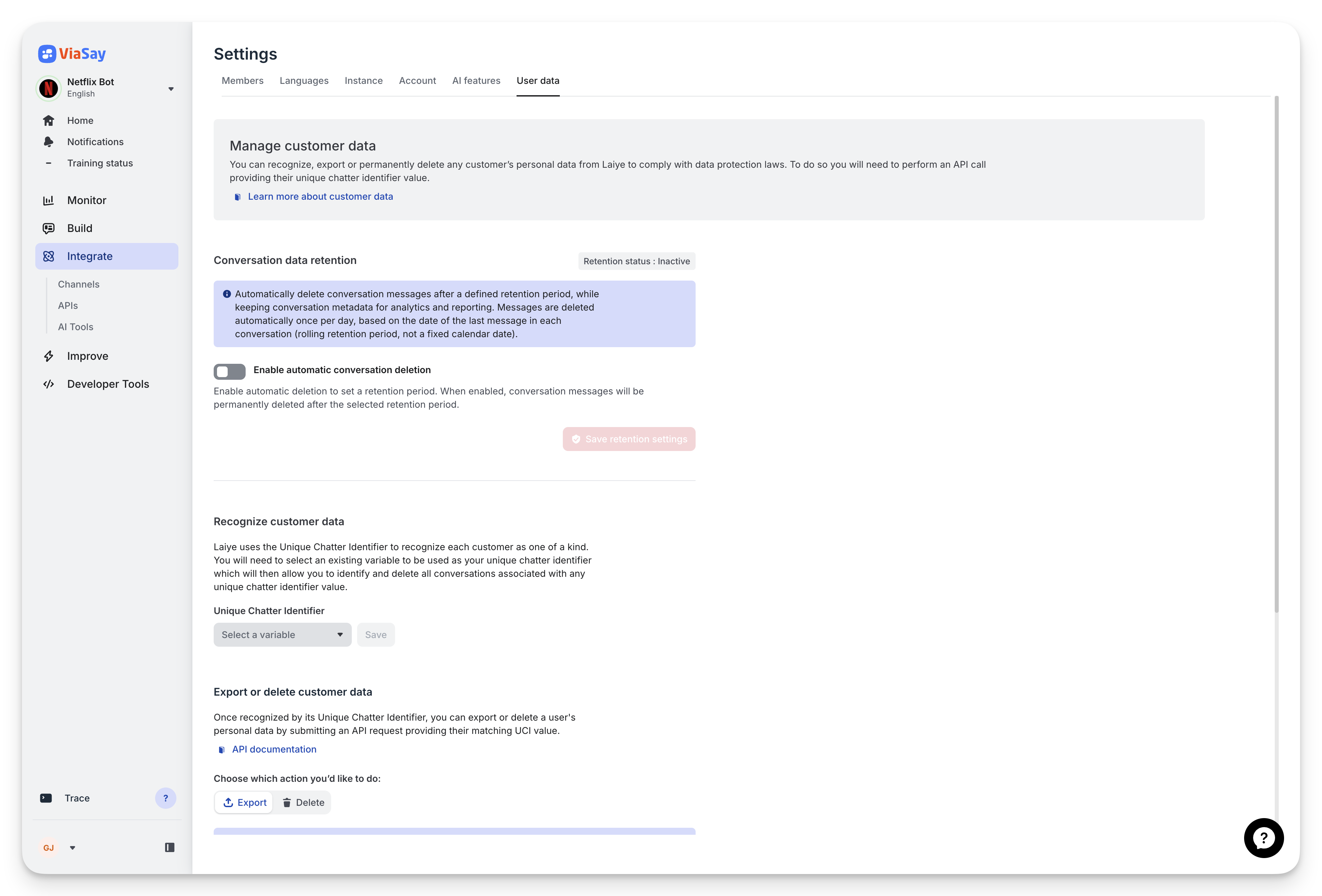
The retention toggle is disabled by default
Step 2 — Choose a retention period
Select how long messages should be kept before automatic deletion:
| Period | Messages older than... |
|---|---|
| 3 months | 90 days |
| 6 months | 180 days |
| 12 months | 365 days |
| 24 months | 730 days |
| 36 months | 1095 days |
The period is rolling: it is calculated from the date of the last message in each conversation, not from a fixed calendar date.
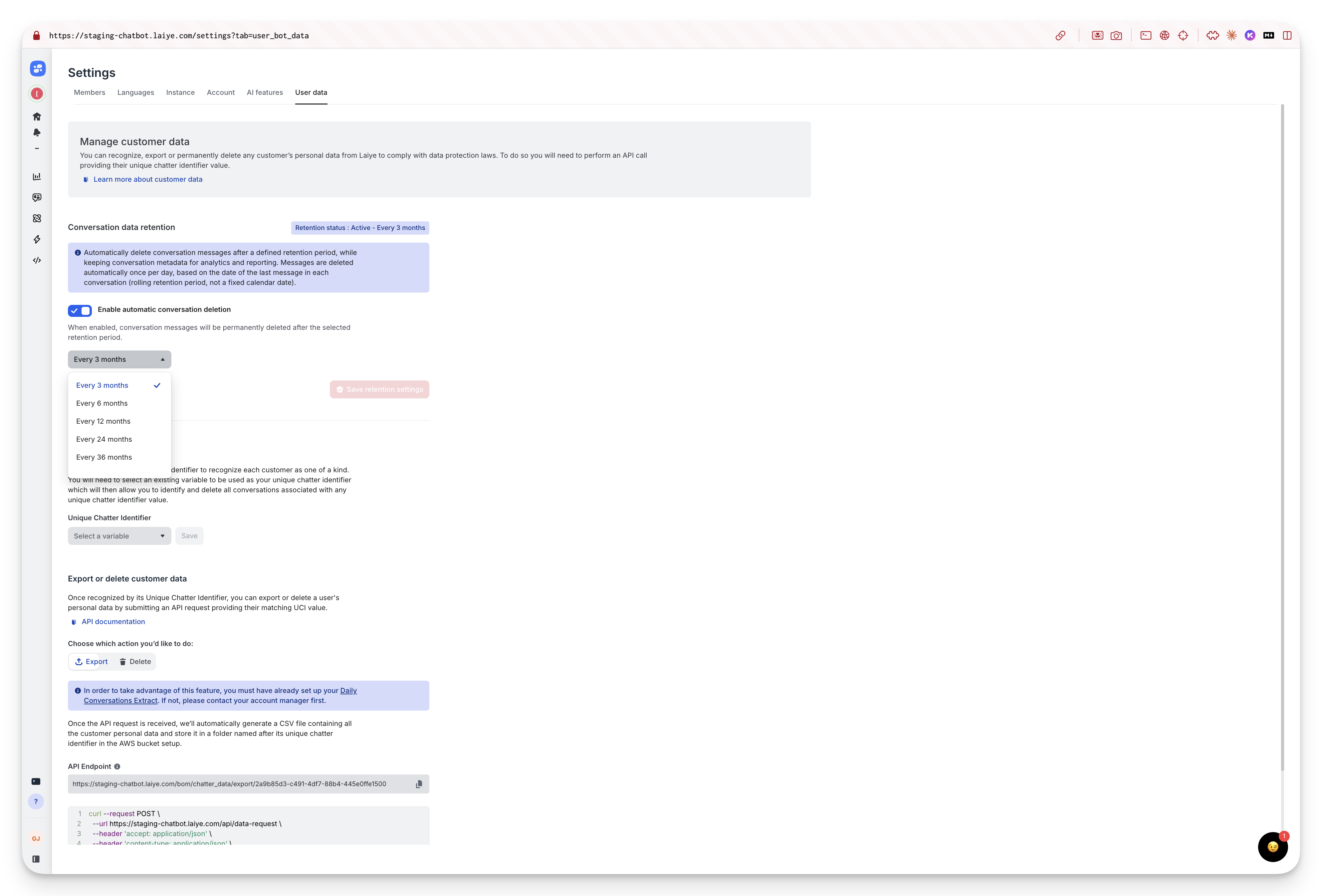
Choose your retention period from the dropdown
Step 3 — Save and confirm
Click "Save retention settings". A confirmation modal will appear to make sure you understand the implications:
- Messages will be permanently deleted
- This action cannot be undone
- Existing conversations older than the selected period will be purged
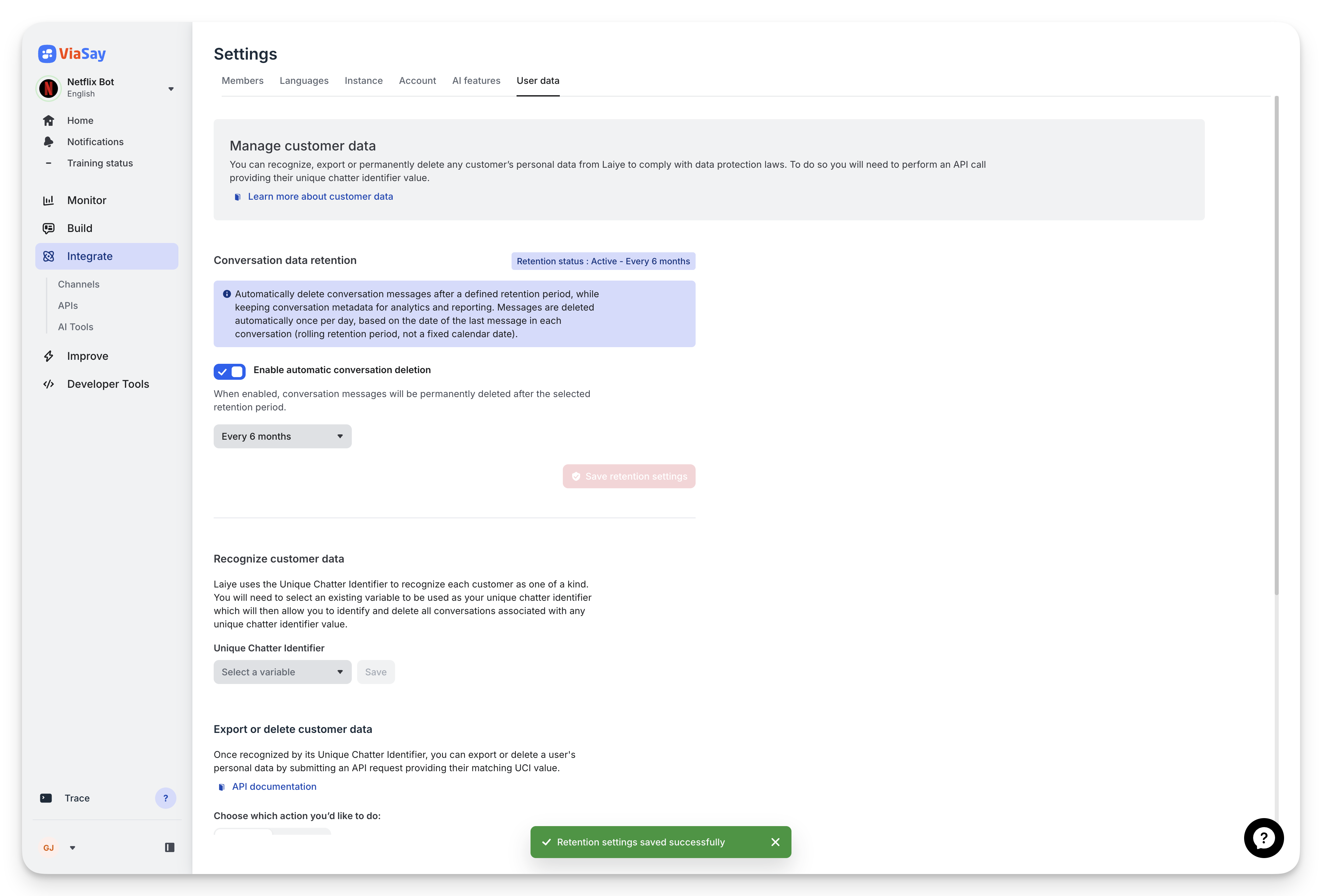
A success banner confirms your settings are saved
How it works
Once enabled:
- Daily automatic check — The system runs once per day and identifies conversations where the last message is older than the selected retention period.
- Message deletion — All messages in those conversations are permanently deleted from ViaSay servers.
- Metadata preserved — Conversation-level metadata (topic, resolution, CSAT, timestamps, etc.) is kept intact for analytics.
- Rolling window — As time passes, more conversations become eligible for purging. A conversation with a recent message is not affected, even if it started months ago.
Example: With a 6-month retention period, if a conversation last message was on January 15th, its messages will be deleted around July 15th. But a conversation that started in January with a last message in June will not be affected until December.
What users see after purging
When a conversation has been purged, the Conversations page shows a dedicated state instead of the message transcript:
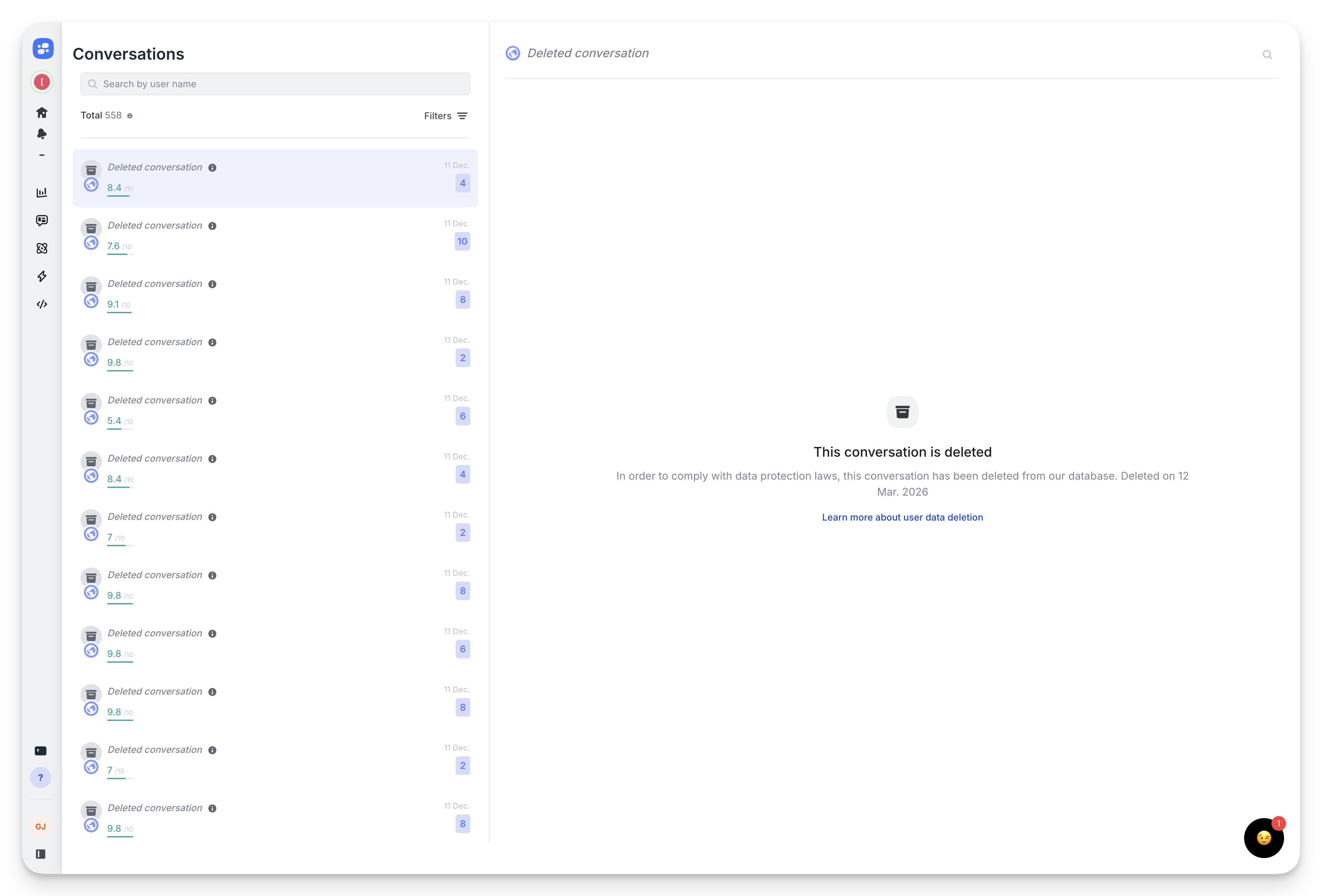
Purged conversations display a clear notice with the deletion date and a link to learn more
The notice includes:
- The reason for deletion (data protection compliance)
- The date the conversation was purged
- A link to learn more about user data deletion
Conversation metadata (topic, resolution, score, etc.) remains visible in the conversation list.
Changing or disabling retention
You can change the retention period or disable the feature at any time from Settings > User Data.
- Changing the period: A confirmation modal will appear. The new period takes effect immediately — conversations that now fall outside the new window will be purged on the next daily run.
- Disabling retention: Messages that have already been deleted cannot be recovered. Future conversations will no longer be automatically purged.
Important: Deletion is permanent and non-reversible. Messages that have been purged cannot be restored.
FAQ
Does enabling retention affect my analytics dashboards?
No. Analytics rely on conversation metadata (topics, resolution rate, CSAT, etc.), which is preserved. Only the raw message content is deleted.
Can I enable retention for only some bots?
Yes. Retention is configured per instance. Each bot/instance has its own retention settings.
What happens if I change the period from 12 months to 3 months?
All conversations with a last message older than 3 months will be purged on the next daily run. This change is immediate and irreversible.
Can I export conversation data before it is purged?
Yes. Use the Daily Conversations Extract (AWS S3) or the Data Export API to export data before the retention period expires. See Export and Delete Customer Data.
Is there a minimum retention period?
The shortest available period is 3 months.
Updated 6 months ago