

ViaFlow Livechat Handover
Use our Livechat handover to put clients in contact with your agents on ViaFlow
Prerequisites
Before you begin, make sure:
-
You already have an active Viaflow agent account.
-
You’ve obtained the required credentials:
- Company
- Username
- Password
- Chat Service API Key
- Service ID
- Group ID
You can request these credentials directly to your ViaFlow account manager.
Setup a LiveChat Handover in the Flow Builder
To transfer a user to ViaFlow Live Chat during a conversation:
- Add a LiveChat Handover step to your flow.
- Configure messages for when an agent is available or unavailable. The chatbot will check ViaFlow for online agents in the specified department (if configured).
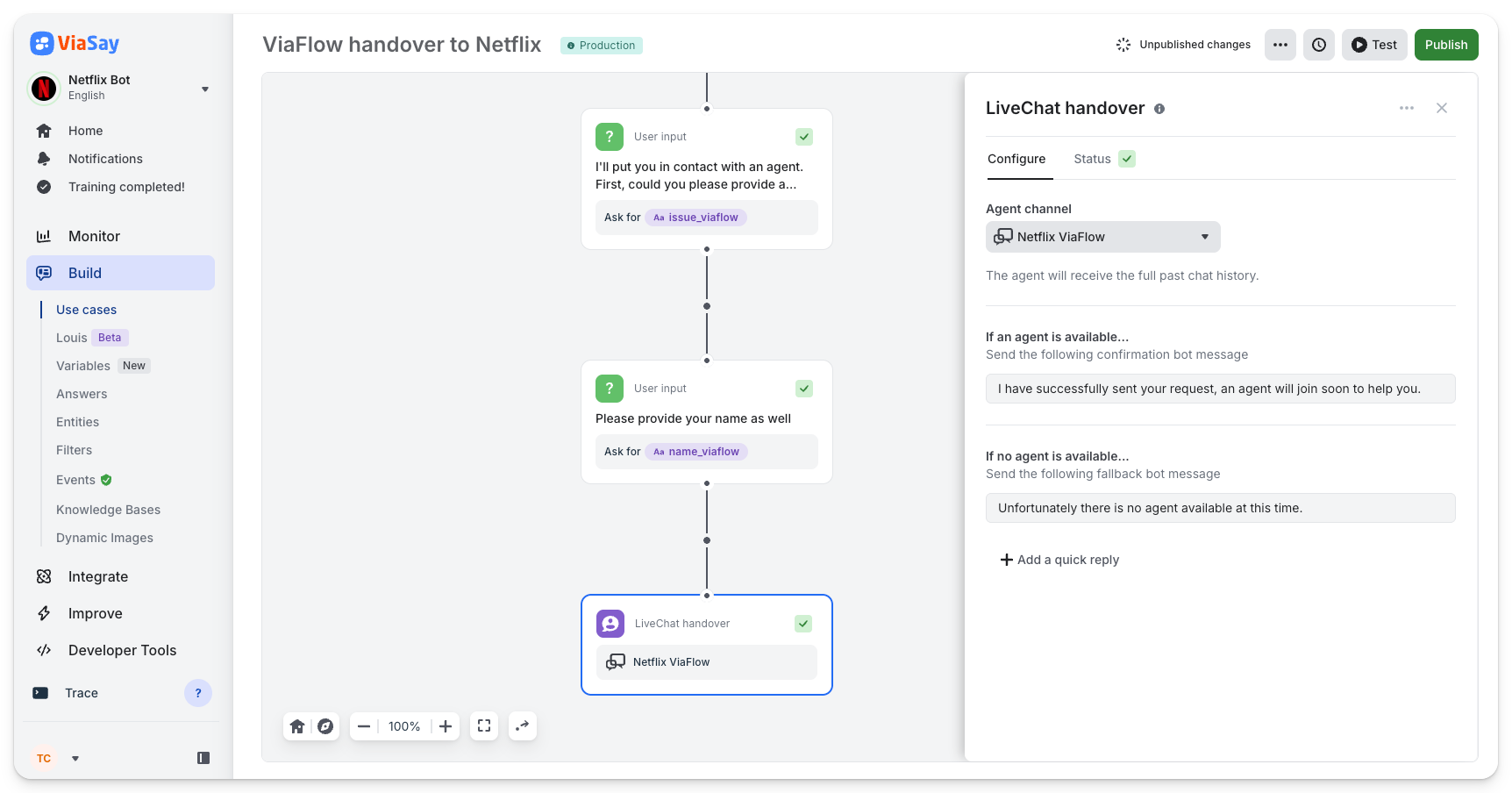
Example of a Livechat Handover
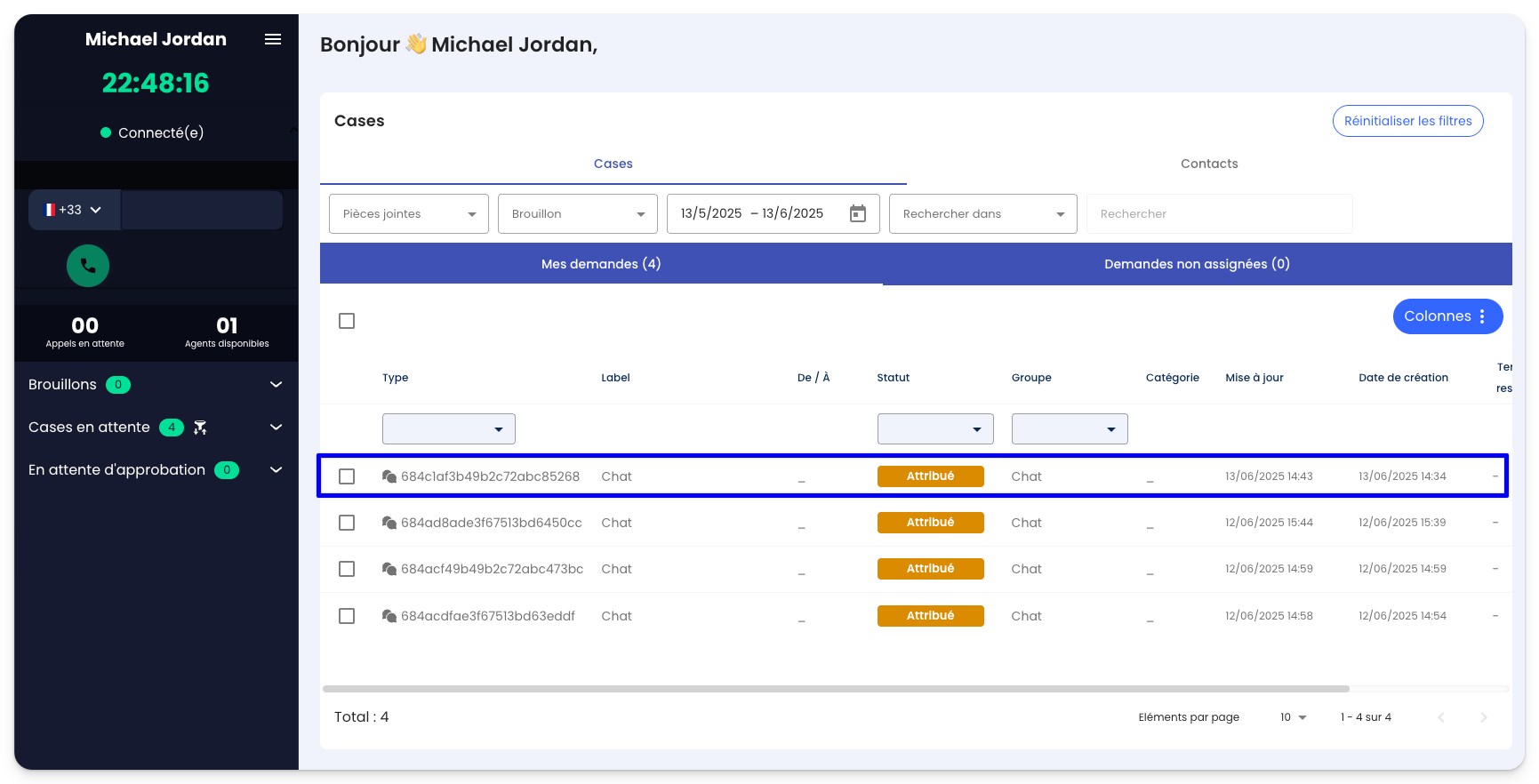
Once a the Livechat Handover step is triggered in the chatbot, a new Case appear on the dashboard of the ViaFlow agent.
The agent has now joined the chat with the client and can help them solve their issue.
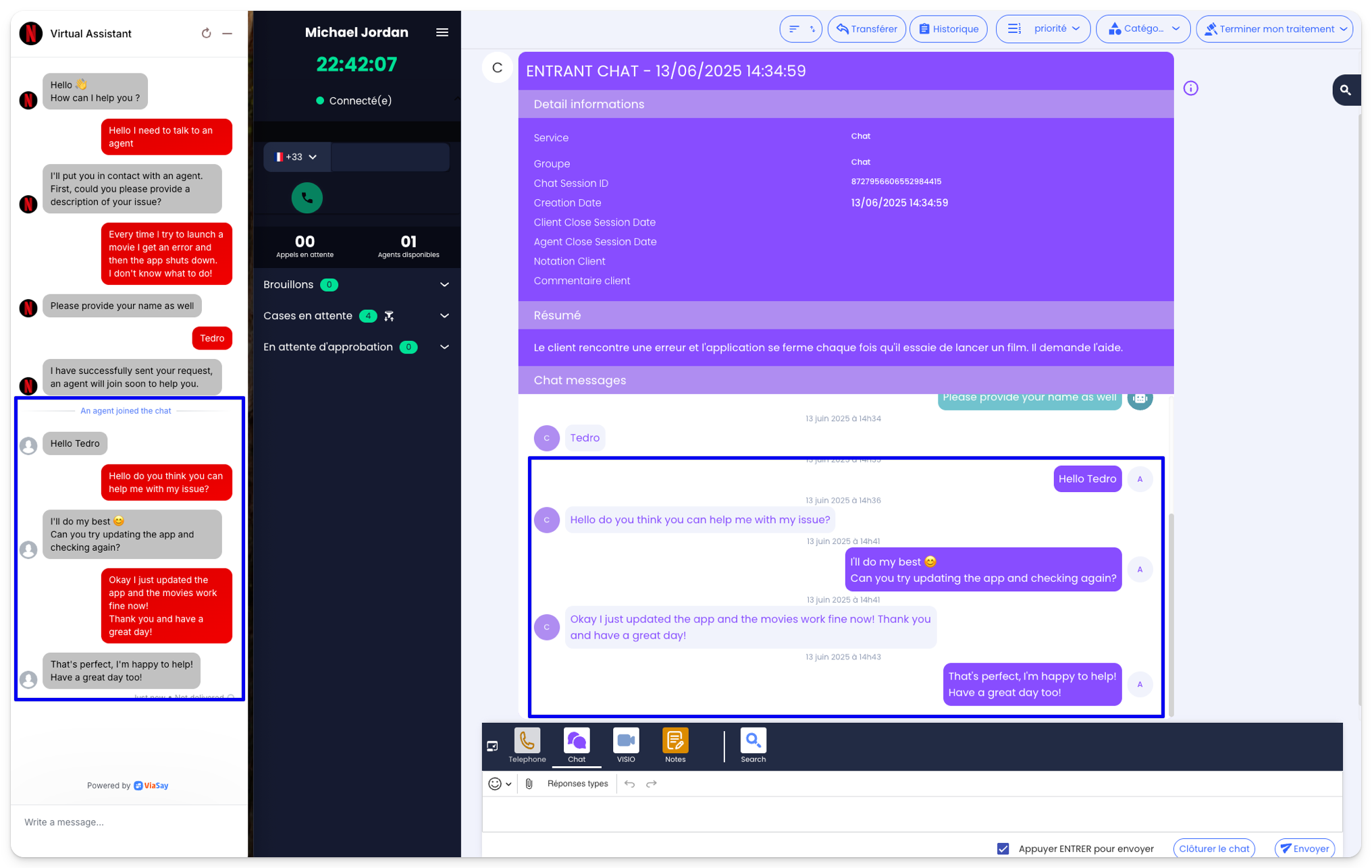
Video walkthrough of the handover between the ViaSay chatbot and a ViaFlow agent
Updated 11 months ago
Did this page help you?