

Topics
A topic is the subject of the conversation. Every evaluated conversation gets exactly one, chosen from your bot's list of active topics.
Topics are what turn a single global number into something you can act on. "60% resolution" tells you nothing to do on Monday morning. "Payments: 940 conversations, 11% resolution" tells you exactly where to go.
Classification runs against a closed list
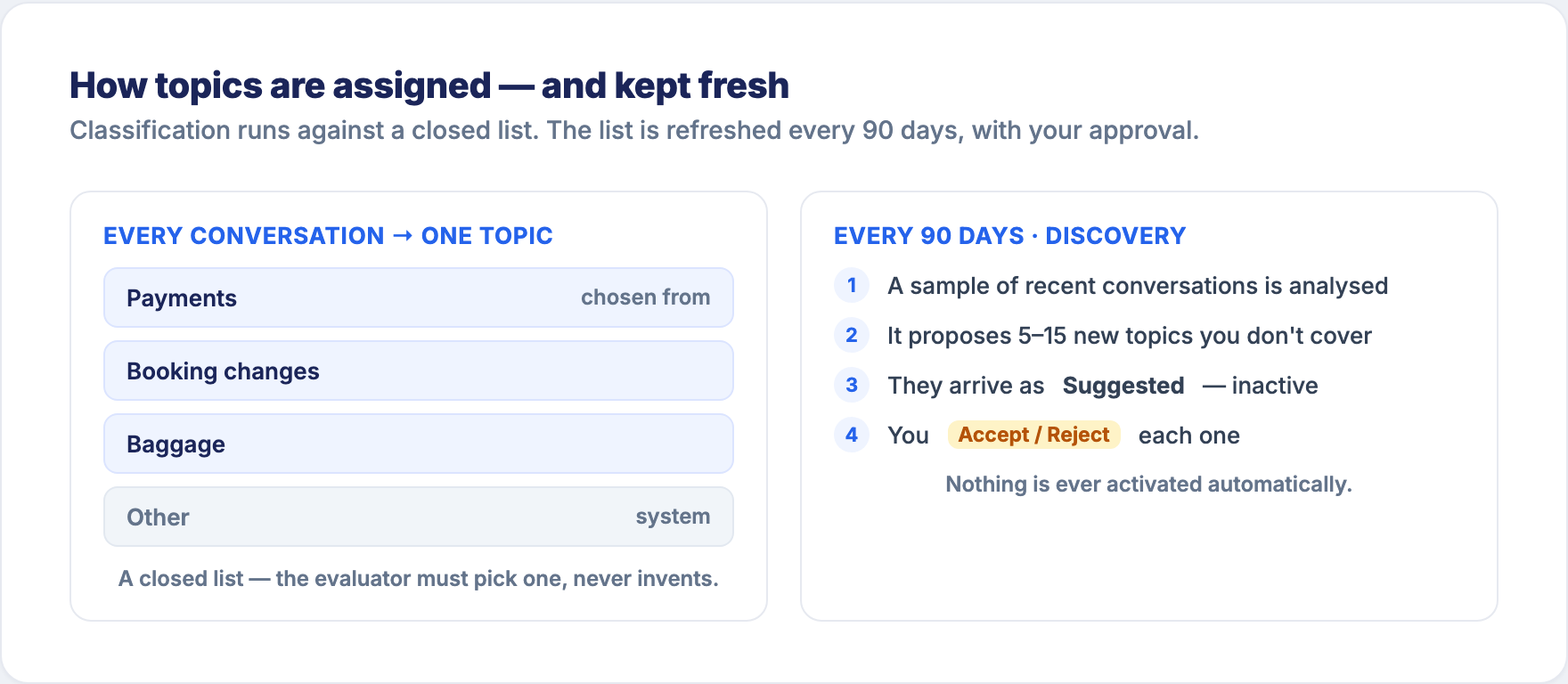
The evaluator does not invent a topic per conversation. It is handed your list of active topics — each with a name and a description — and must pick one. It can never return nothing.
That constraint is what makes topics comparable over time. If topics were freely generated, you'd have 4,000 near-duplicates and no trend line.
Your topic descriptions matter. They are what the evaluator reads to decide where a conversation belongs. A vague description produces vague classification. Write them like you'd brief a new colleague on their first day.
Conversations that don't fit anywhere land in Other. A large or badly-resolving "Other" is itself a signal: your list is missing something real.
Auto-discovery every 90 days, with human validation
Your customers' concerns change. New products, new incidents, new seasons. So the topic list is refreshed:
- Every 90 days, a sample of recent conversations is analysed.
- The analysis proposes 5 to 15 new topics it saw that your list doesn't cover.
- They arrive as Suggested Topics — inactive, waiting for you.
- You Accept or Reject each one. Nothing is ever activated automatically.
Auto-discovery never changes your list on its own
Suggestions are suggestions. A discovered topic does nothing until a human accepts it. Your topic list is yours: the system proposes, you decide.
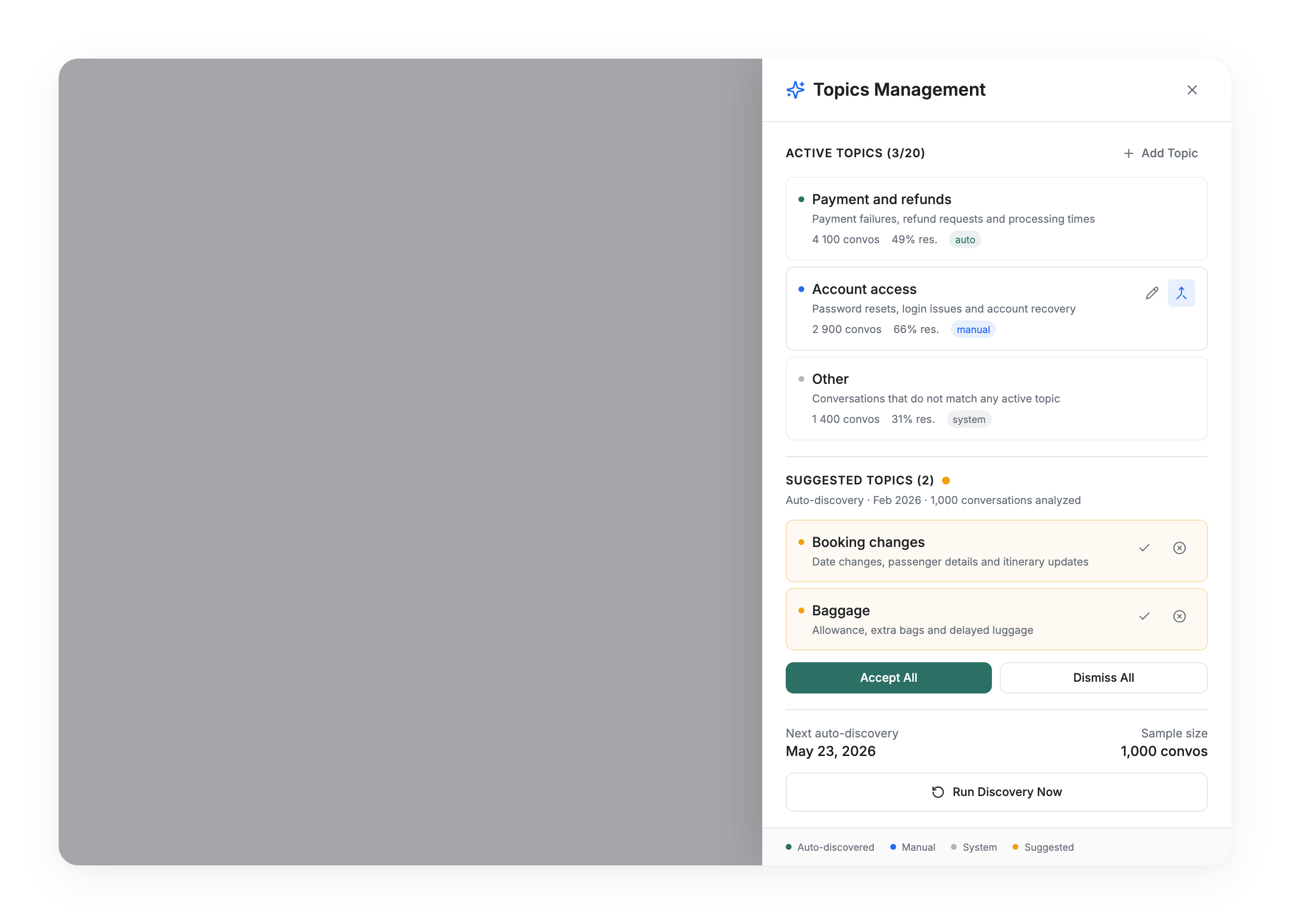
The Topics panel lists your active topics and your suggested topics, and lets you trigger a discovery run on demand at any time with Run Discovery Now, at the bottom of the panel.
Managing your topics
The Topics button sits at the top right of Analytics, next to Export. An amber badge means suggestions are waiting.
You can:
- Add a topic manually — name plus description
- Rename a topic or rewrite its description
- Merge one topic into another
- Activate / deactivate a topic
- Accept or Reject discovered suggestions
Topics are labelled by origin: Auto-discovered, Manual, System, Suggested.
Merge only — topics are never deleted
There is no delete. Deleting would destroy the history of every conversation already classified under that topic, and your trend lines with it. Merging folds a topic into another one and keeps the past intact. Redundant or unwanted topics get merged, or deactivated.
Other is a system topic: it cannot be renamed or merged.
The limits, and why they exist
| Limit | Value | What happens |
|---|---|---|
| Minimum active topics | 3 | Below that, classification is meaningless |
| Recommended maximum | 15 | Above it, the panel warns you and suggests merging |
| Hard maximum | 20 | You cannot add more until you merge or dismiss |
The cap is a quality safeguard, not a licensing limit. Too many topics degrades classification accuracy — the evaluator has to tell overlapping definitions apart, and starts guessing. Aim for 10 to 15 well-separated topics. Twelve topics you trust beat thirty you don't.
Access
The Topics panel is available to users with editing rights. Users with a read-only role don't see the button.
Why topics matter for everything else
Topics are the axis every other metric is read along. Sorting your resolution, knowledge gap and CX Score by topic is what turns them from dashboard numbers into a to-do list. That's exactly what the How-to guides do.
Updated 3 months ago