

Search & retrieval
There are two distinct kinds of "search" in the Knowledge Hub, and they're easy to confuse. This page covers both.
- List search — what you do as an admin to navigate the documents table (Search bar + Language + Status filters).
- Runtime retrieval — how Louis picks documents at runtime to answer end-user questions.
The Language filter you see on the documents list and Louis's runtime retrieval are connected — when Language-based search is turned on, both respect the user's language.
List search and filters
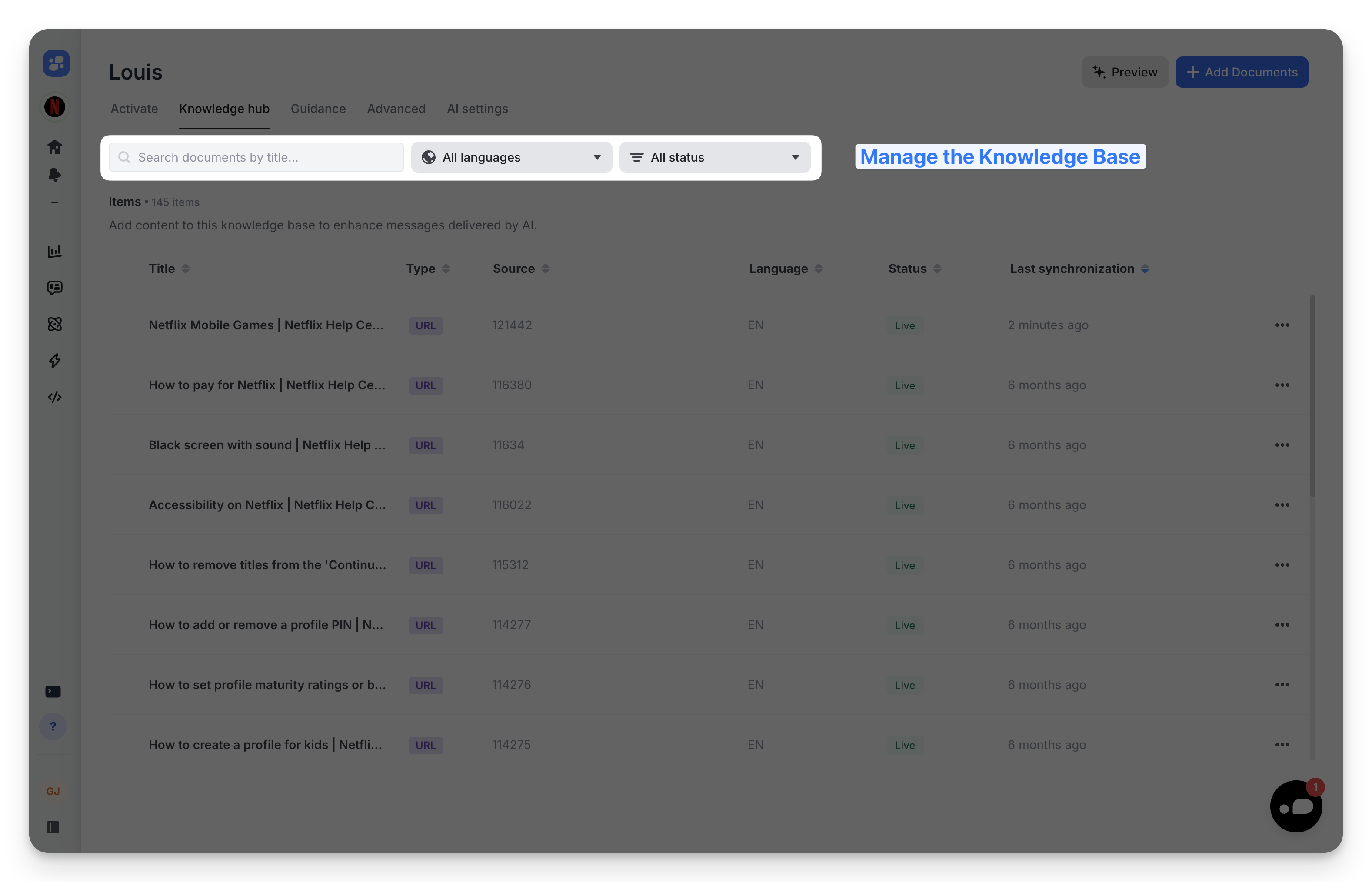
Three controls sit above the documents table:
- Search — Find documents by title (substring match).
- All languages — Scope the list to a single language.
- All status — Scope the list to Live, Draft, or Archived.
The filters compose: combining a language and a status returns only documents that match both. The Items count at the top of the table reflects the current filter combination.
Runtime retrieval — how Louis picks documents
For every user question, Louis does this:
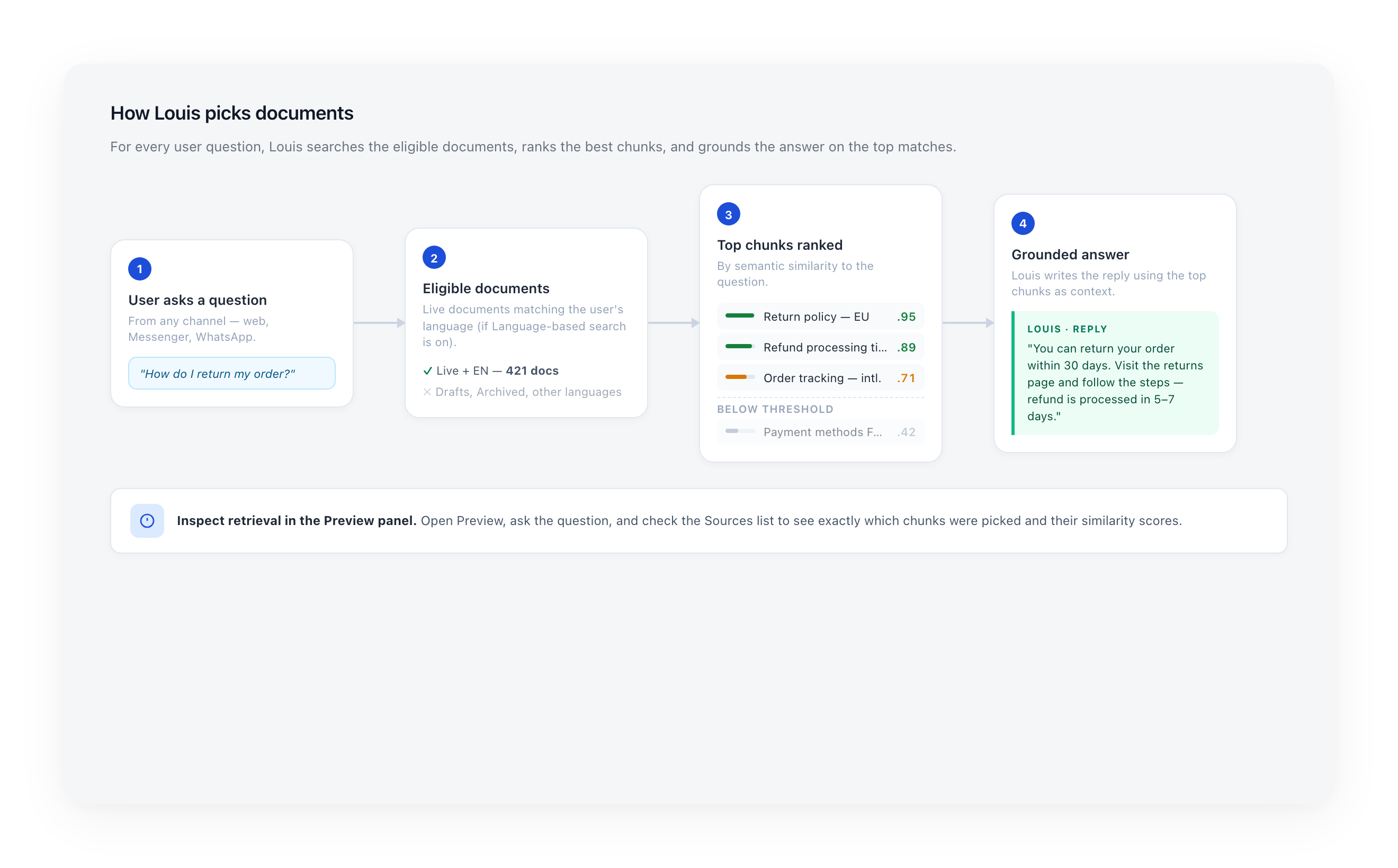
- Build the eligible set — Live documents matching the user's language (if Language-based search is on; see below).
- Rank by semantic similarity — Chunks (pieces) of those documents are scored against the question.
- Pick the top chunks — The highest-scoring chunks above the relevance threshold are kept.
- Generate the answer — Louis writes the reply using the top chunks as grounded context.
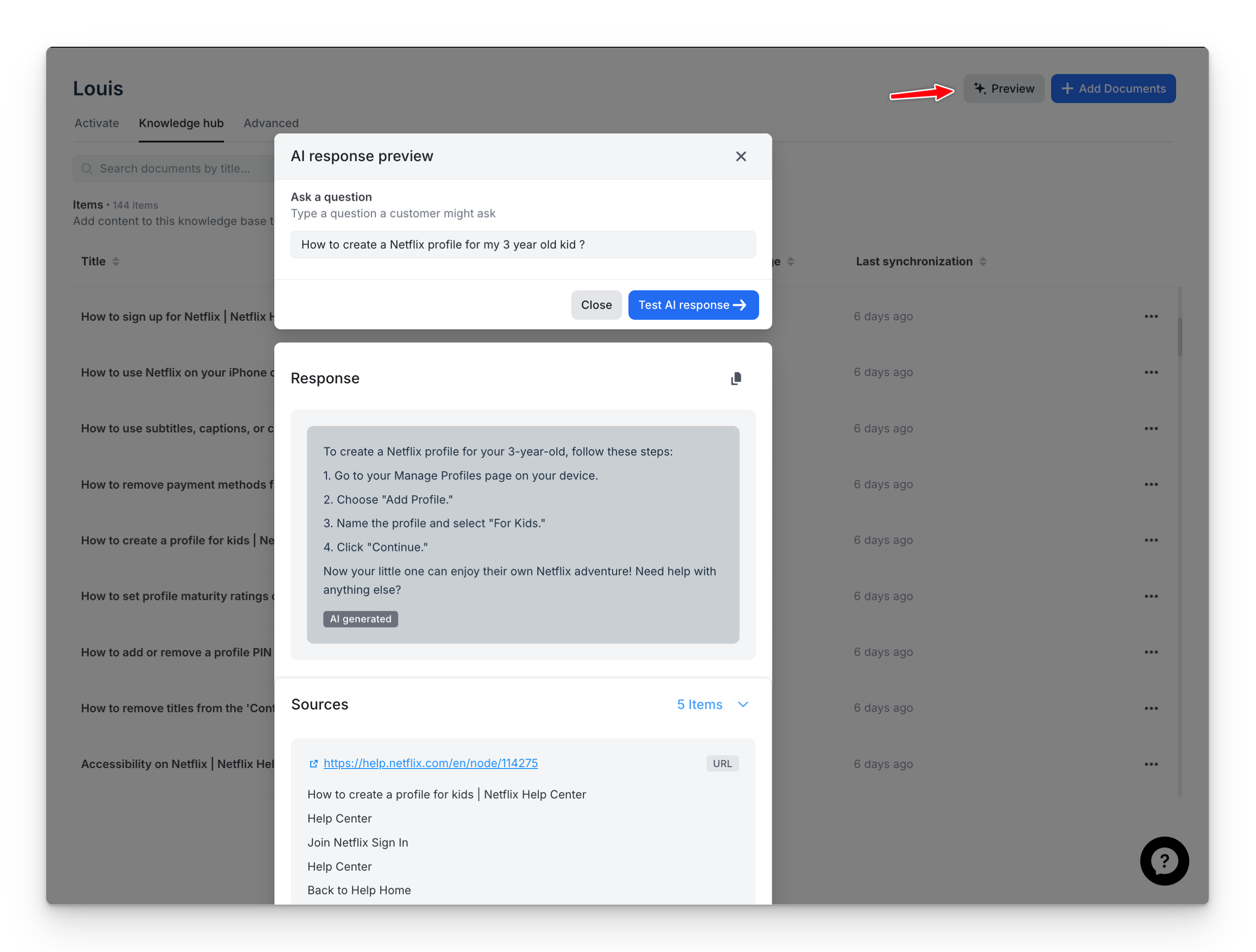
You can inspect this pipeline live in the Preview panel — every reply includes the list of source chunks with their similarity scores.
Scoping retrieval by language
By default, Louis searches across all languages. If your business rules differ per market (FR vs UK return policies, country-specific shipping, etc.), turn on Language-based search to scope retrieval to the user's language.
→ See Language-based search for when to enable it, how to enable it, and how the same scoping applies to Guidance.
Updated 5 months ago