

Manage your widget visibility
Control what percentage of your visitors see the chat widget.
When you install your widget, you decide how many of your visitors actually see it.
This is what Audience distribution does: you set a percentage, and only that share of your visitors will see the chat bubble appear on your site. Everyone else browses your site as if the widget wasn't there.
Think of it as a dial:
- 0% → nobody sees the widget. It's installed, but hidden.
- 50% → about half of your visitors see it, the other half don't.
- 100% → everybody sees it. Full launch.
Why use it
You usually don't want to switch your widget on for 100% of your traffic on day one. Audience distribution lets you start small and grow with confidence:
- Launch at 10% → check that everything works on real traffic, read the first conversations.
- All good? Move it up to 30%, then 50%.
- Confident? Push it to 100% for everyone.
If something looks off, just lower the percentage — or set it back to 0% to hide the widget instantly, without touching your website code.
How to set it
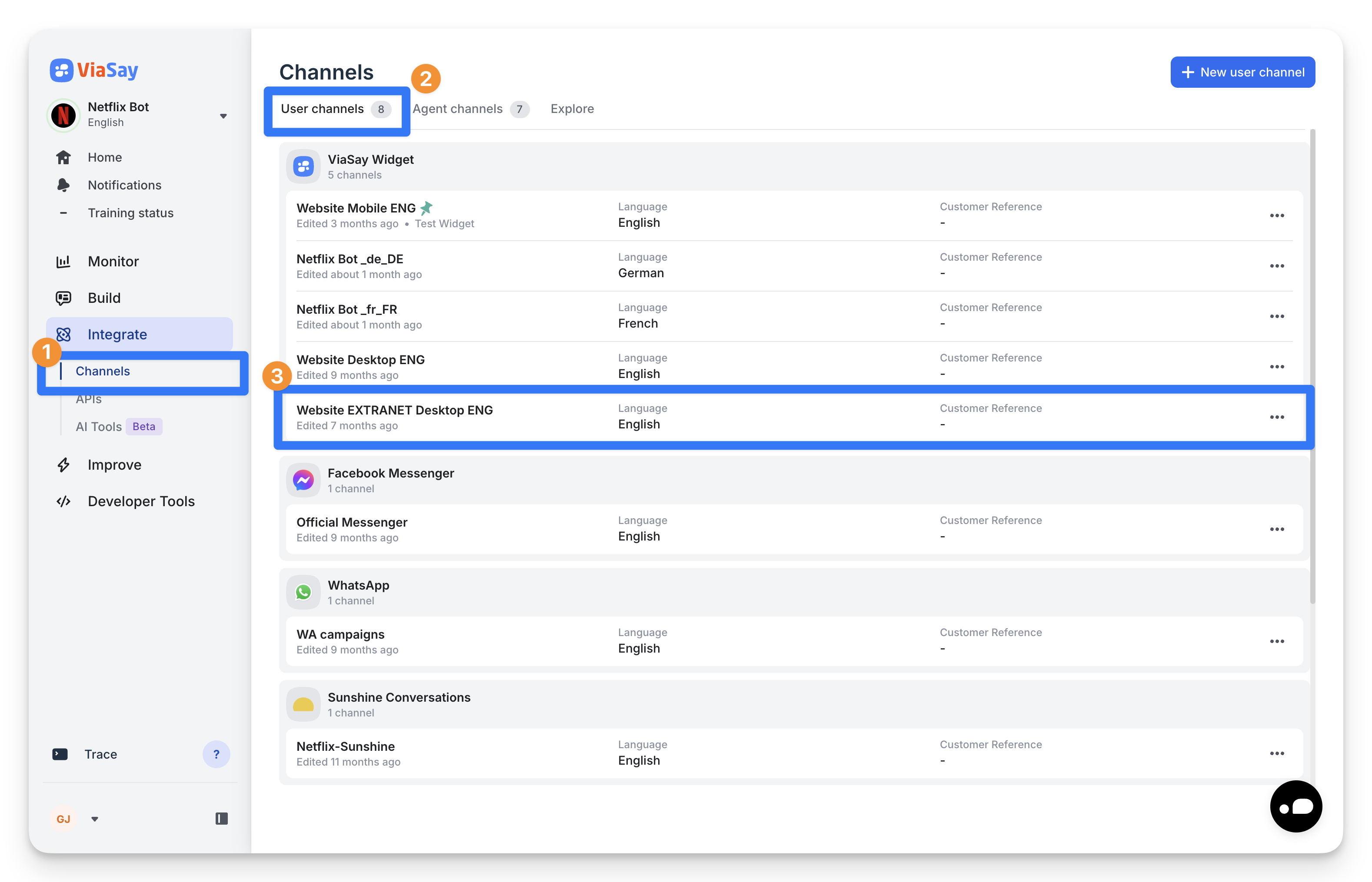
- Go to Integrate → Channels and open your widget.
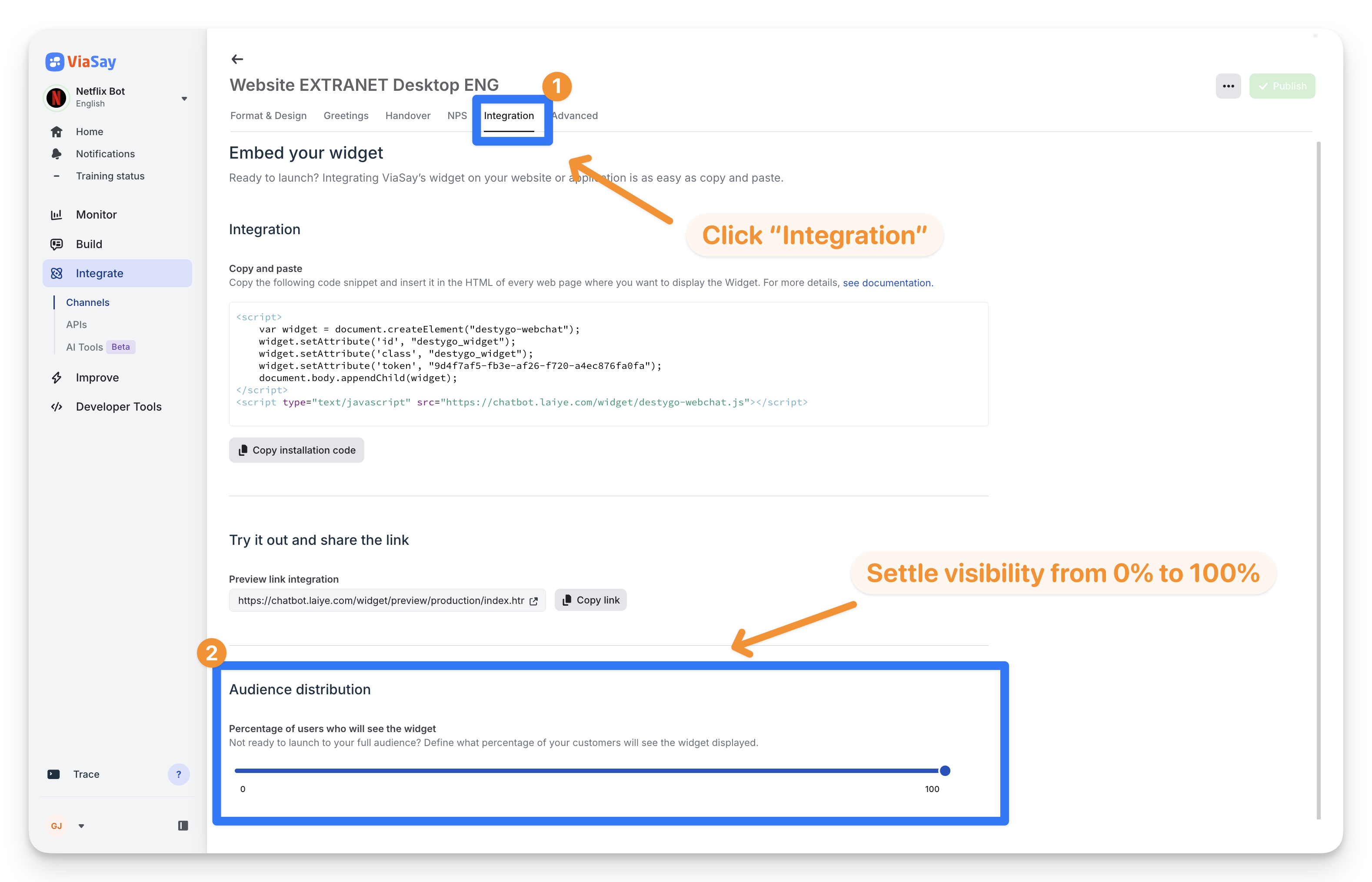
- Click the Integration tab.
- Scroll down to Audience distribution.
- Move the slider to the percentage you want (steps of 10%).
That's it — the change applies on its own. No need to reinstall the widget or edit your website.
Good to know
Audience distribution is only available for the embedded widget (the chat bubble on your website). It doesn't apply to a full-page or shared-link version, where the assistant is always visible.
Updated 3 months ago