

Ticket Handover
Let users create a support request directly from the chatbot, sending the full conversation to your helpdesk platform for follow-up.
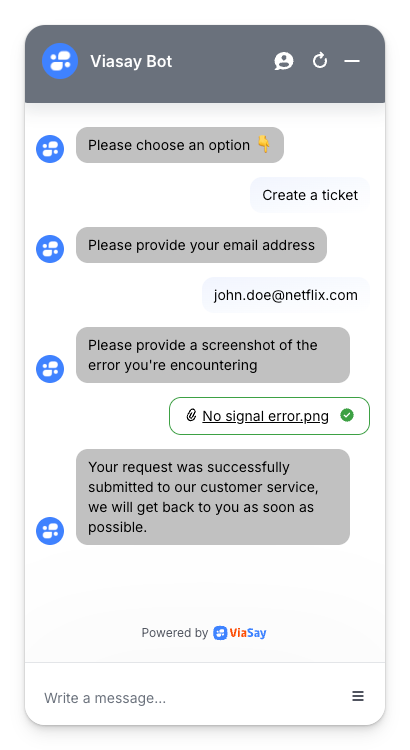
The Ticket Handover step allows users to create a support request directly from the chatbot. This is ideal when no live agent is available or when an issue needs to be followed up later by the support team.
The ticket is logged into your helpdesk platform, ensuring your agents can respond with the full conversation history.
.
Prerequisite: Connect an Agent Channel
Before using the Ticket Handover step, make sure you’ve connected one of the supported agent platforms:
- Genesys Cloud
- Zendesk
- Salesforce
- Sunshine Conversations Switchboard
- Nice CXOne
You can set this up under Integrate → Channels → Agent Channels. If you don’t already have a channel created, follow the setup steps below:
-
Go to Integrate → Channels → Agent Channels.
-
Click on New Agent Channel, give it a name, select the channel type (among available options), choose the language, then click Create.
Add the Ticket Handover Step in Flow Builder
- Open your Use Case in the Flow Builder.
- Add a Ticket Handover step.
- Choose the agent channel (e.g., Zendesk, Salesforce).
- Customize the confirmation message that will be shown to the user once the ticket is created.
What Happens Next?
- The bot sends the full conversation to your ticketing system.
- A new support ticket is created with relevant details (e.g., user info, messages).
- The user sees a confirmation message and continues their journey in the bot or exits the flow.
Updated 11 months ago