

How to reduce your knowledge gaps
Of the four things the evaluator produces, knowledge gaps convert into work the most directly. A high-gap topic is not a mystery to investigate — it's a list of articles you haven't written yet. This guide turns that number into that list. Budget about an hour.
Why this one is the easy win
Resolution tells you that a conversation failed; the cause could be anything. A knowledge gap tells you why: the information was missing. That's a specific, fixable problem with an obvious owner — and the fix is almost always the same one: add or improve content in your Knowledge Base. Louis answers from what's in the Knowledge Base. If it isn't in there, he can't say it.
So when a topic shows both low resolution and a high gap rate, start here rather than with flows or intents. It's the cheapest point on the map.
The workflow
1. Find where the gaps concentrate
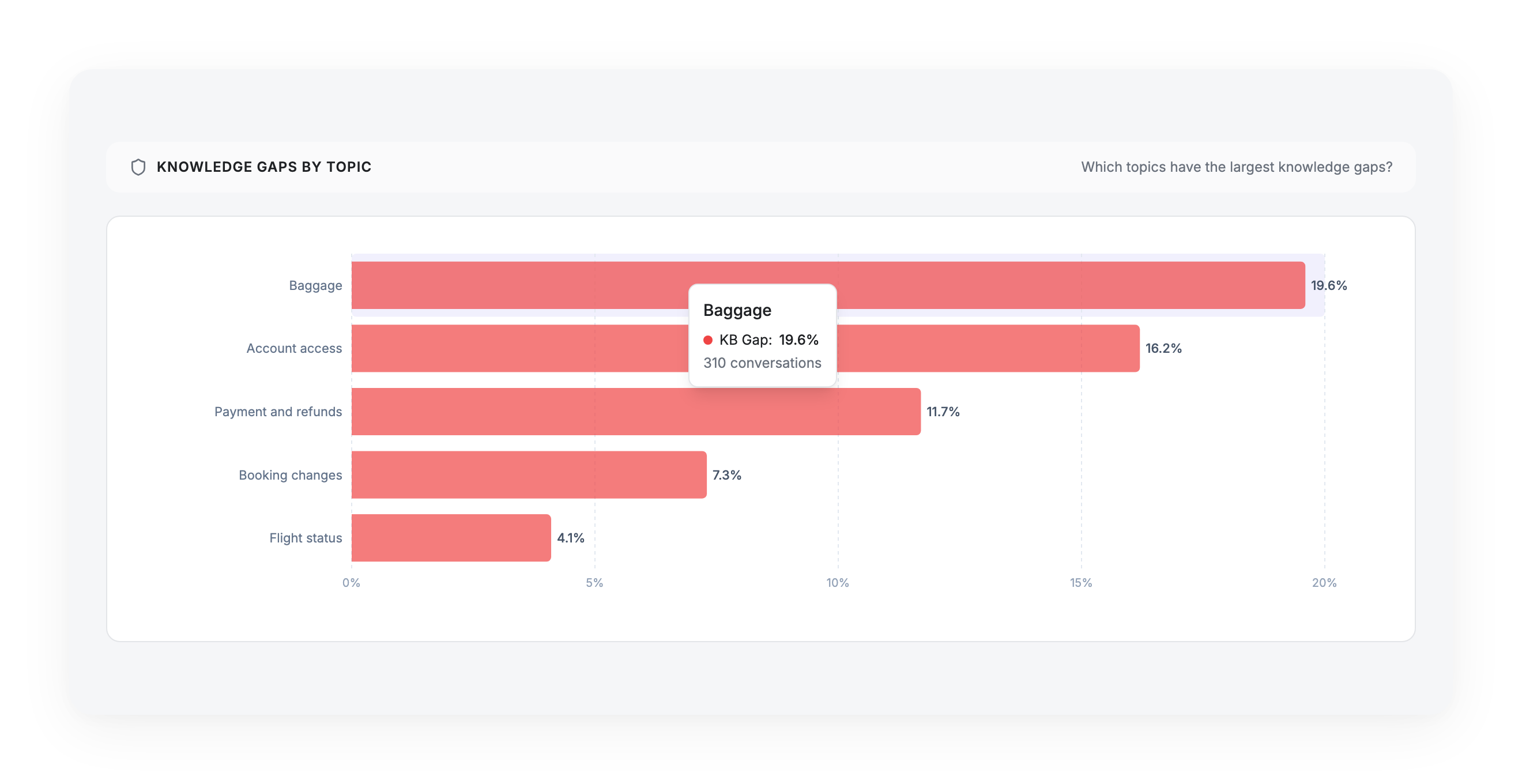
Go to Performance → Knowledge Gaps by Topic. It shows you which topics are bleeding the most missing information, so you attack the subject with the most gaps behind it — not the one with the scariest-looking percentage on a handful of conversations.
Read the gap rate as: under 15% healthy, 15–30% worth attention, 30% and above a content emergency — almost one conversation in three on that topic hits a wall.
2. Read the conversations behind the topic
Click through to the conversations. This is the step that produces the actual to-do list.
A knowledge gap points at the subject, not at a specific missing article — the system can't write your content for you. To find out exactly what's missing, read fifteen minutes of transcripts and note what people were actually asking. You'll come out with a precise list: "seven people asked about baggage on connecting flights and we have nothing on it."
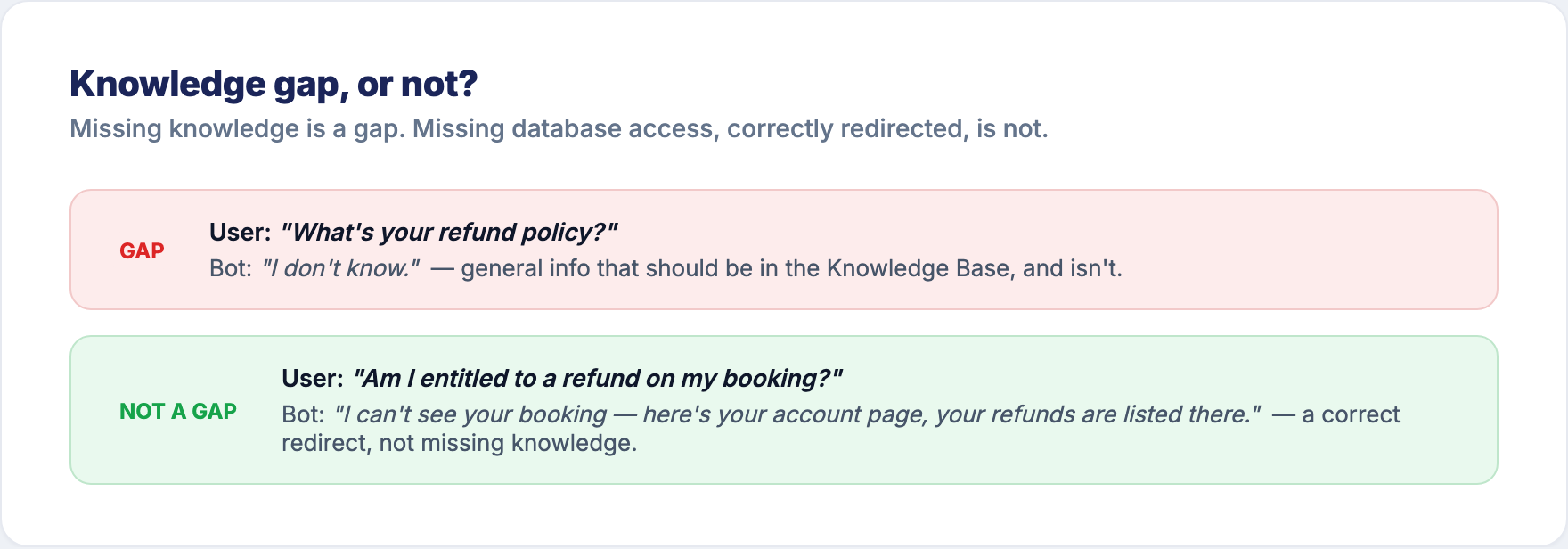
While reading, separate the two things the metric deliberately keeps apart:
- Genuinely missing general information → this is a real gap. It goes on the to-do list. "What's your refund policy?" → "I don't know."
- A request for personal or real-time data the bot correctly redirected → this is not a gap, and no content will fix it. "Am I entitled to a refund on my booking?" → "here's your account page." Leave it alone.
3. Write or fix the content
Add the missing articles, or rewrite the ones that were there but didn't get used. Article Performance (also on the Performance report) tells you how your existing articles are doing — a low-performing article on a high-gap topic usually means the content exists but is unclear, mistitled, or aimed at the wrong question.
Fix one topic's content at a time. If you rewrite ten articles across five topics at once and the gap rate moves, you won't know which change did it.
4. Re-measure on the same row
Come back in about three weeks to Performance → Knowledge Gaps by Topic and find the same topic. A falling gap rate is the good direction. If resolution on that topic rose at the same time, the content was the bottleneck and you just removed it.
The pattern that tells you to look elsewhere
High gap rate, but reading shows the answers exist. If the transcripts show the information was in the Knowledge Base and the bot still didn't use it, the problem isn't content — it's retrieval or phrasing. The article may be badly titled, buried, or written for a different question than the one people ask. That's a content quality fix, not a content coverage fix.
Low gap rate, low resolution. Content isn't your problem on this topic at all. The bot has the information and conversations still fail — so the cause is the flow or the underlying service. Switch to How to improve your resolution and read for the flow pattern.
Updated 3 months ago