

For AI agents: visit https://documentation.viasay.io/llms.txt for an index of all pages formatted in Markdown and endpoints in OpenAPI.
Jump to Content
Documentation ViaSayDocumentation ViaSayPlatform DocumentationAdvanced GuidesAPI ReferenceChangelog
HomePlatform DocumentationAPI ReferenceChangelogDiscussions
v1.0

Platform DocumentationAdvanced GuidesAPI ReferenceChangelogLog InDocumentation ViaSay
Platform Documentation
Log In
v1.0
Advanced Settings

Introduction

  • General Introduction

Data Insights

  • Analytics Reports
    • Overview
    • Conversations
    • CSAT & NPS
    • Louis
    • ROI
    • Use cases
  • AI Quality Monitoring
  • AI Metrics
    • AI Resolution
    • CX Score
    • Knowledge Gaps
    • Topics
  • Reports
    • Overview report
    • Performance report
    • Conversations report
    • Use Cases report
    • Sentiment report
  • Improve your bot
    • How to improve your resolution
    • How to reduce your knowledge gaps
    • How to improve your CX Score
  • Conversations

BUILD

  • Use Cases
    • Creating a New Use Case
    • Deleting a Use Case
    • Duplicating a Use Case
    • Use Case types
    • Version History
  • Categories
  • Bulk translate
  • Steps in Flow Builder
    • Start Intent
      • Condition-based triggers
    • 🪄 Generate with AI
      • Prompt Versioning
      • Conversation History
    • Answers
    • File Upload
    • User Input
    • LiveChat Handover
      • Click-to-Call & Click-to-Email Handover
      • ViaFlow Livechat Handover
      • Salesforce LiveChat Handover
      • Nice CXOne LiveChat Handover
      • Zendesk LiveChat Handover
      • Sunshine Conversations Handover
      • Genesys Cloud LiveChat Handover
    • Ticket Handover
      • Zendesk Ticket Handover
    • APIs
    • Data Manipulation
      • Data Manipulation - Advanced
      • Data Manipulation - Examples
  • Variables
  • Logic & Conditions
    • Go To Step
    • Go To Use Case
  • [Deprecated] Draft Mode & Advanced Builder
    • Advanced Builder
      • Filters
      • Inspector
      • Use Cases status
      • Intent
      • Bot Actions
      • Answers
      • Entities
      • Knowledge Base
      • Dynamic Images
      • API Integration
  • Trace in Flow Builder

LOUIS AI

  • Get Started
    • How it works
    • Enabling Beta Access
    • Activating LouisAI
  • Knowledge Hub
    • Add documents
    • Document lifecycle
    • Search & retrieval
      • Language-based search
    • Bulk operations
    • Working with URL documents
  • Testing Louis
  • Advanced Settings
    • Personality
    • Business Requirements
    • Knowledge Base Refreshing
    • Web Scrapping Parameters
    • Widget & AI Label
  • Monitoring Louis AI
  • Data Usage and Retention Policies for AI
    • ViaSay and Azure OpenAI Compliance

INTEGRATE

  • User Channels
    • Setting Up your Widget
      • Create a ViaSay Widget
      • Install the Widget on Your Website
      • Install the Widget Using Google Tag Manager
      • Cookie Acceptance for Widget Display
      • Embed the Widget Inline (Full-Page Mode)
    • Configure Your Widget
      • Production Bot Test
      • Manage your widget visibility
    • Facebook Messenger
    • Sunshine Conversations
    • [NEW] WhatsApp
  • Agent Channels
    • Genesys Cloud
    • Salesforce
    • Sunshine Conversations Switchboard
    • Zendesk
    • Nice CXOne
    • ViaFlow
    • Freshchat
  • AI Tools

IMPROVE

  • Improve AI Model Accuracy
  • Issues handling

DEVELOPPERS TOOLS

  • Languages and syntax
  • AI Explainer
  • Parsing Helper
  • Json Helper
  • XML Helper

General

  • Training Status
  • Notifications
  • Settings
    • Members
    • Languages
    • Instances
    • Account
    • User Data
      • Conversation Data Retention
      • Recognize Customer Data
      • Export & Delete Customer Data
  • Get Help
Powered by 

Advanced Settings

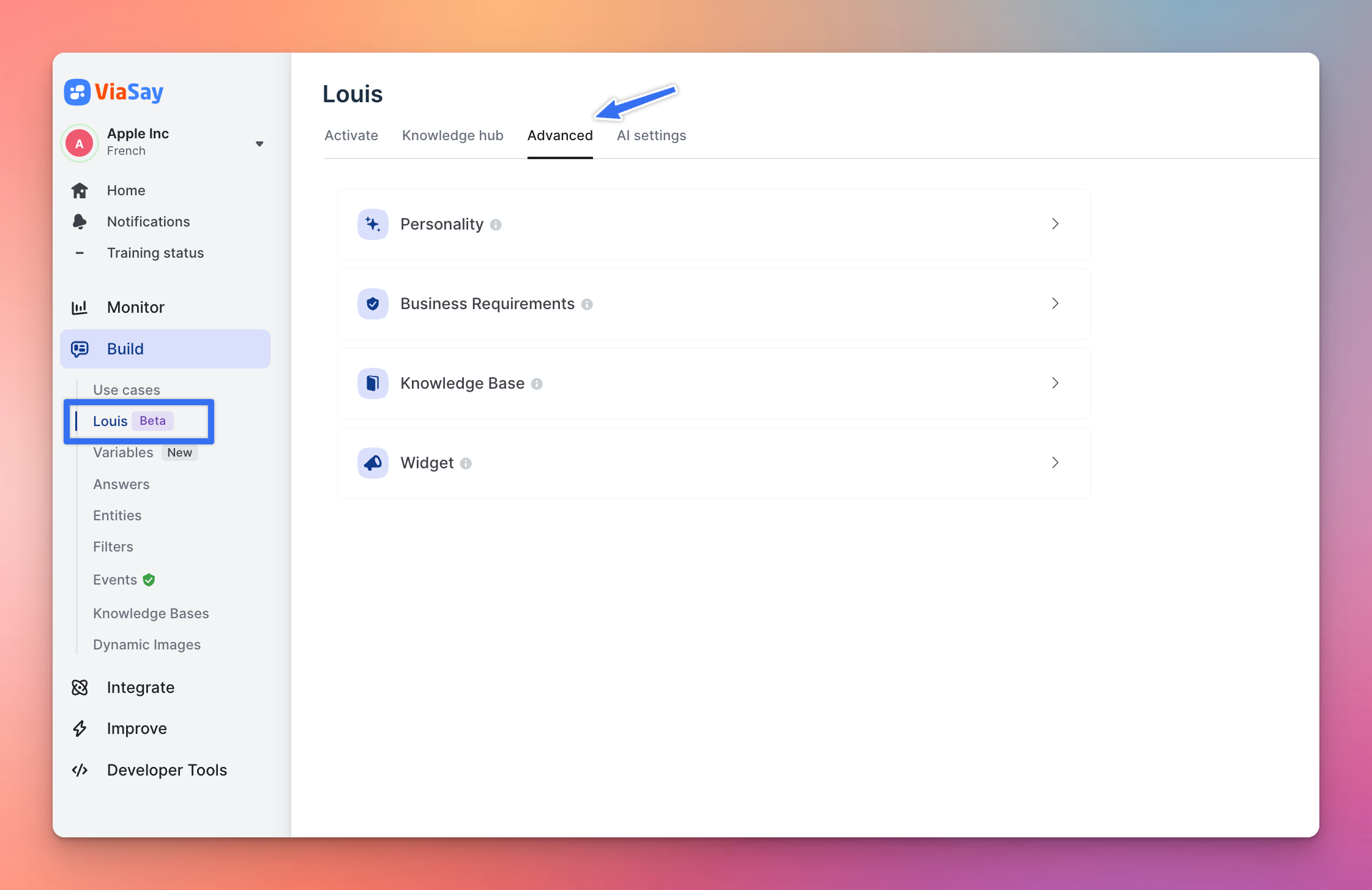
The Advanced section provides enhanced controls over your chatbot’s presentation, tone, and content updating
Suggest Edits

Updated over 1 year ago


Next page

  • Personality
  • Business Requirements
  • Knowledge Base Refreshing
  • Widget & AI Label
Did this page help you?