

Language-based search
Most assistants serve users from different markets — French, UK, German, Spanish — and each market often has its own rules, policies, prices, and shipping options. Language-based search is the toggle that makes Louis respect those market boundaries.
The problem it solves
By default, Louis searches across all documents in the Knowledge Hub regardless of language. For multilingual instances, this can produce unwanted results.
Imagine a French user asking "Comment retourner ma commande ?". Without language scoping, Louis might pull:
- Politique de retour — France (FR, the right doc) ✓
- Return policy — UK (EN, wrong market — UK returns are 14 days, France is 30)
- Política de devolución — España (ES, wrong market)
Even if Louis ends up replying in French, the content may be drawn from the wrong market's documents.
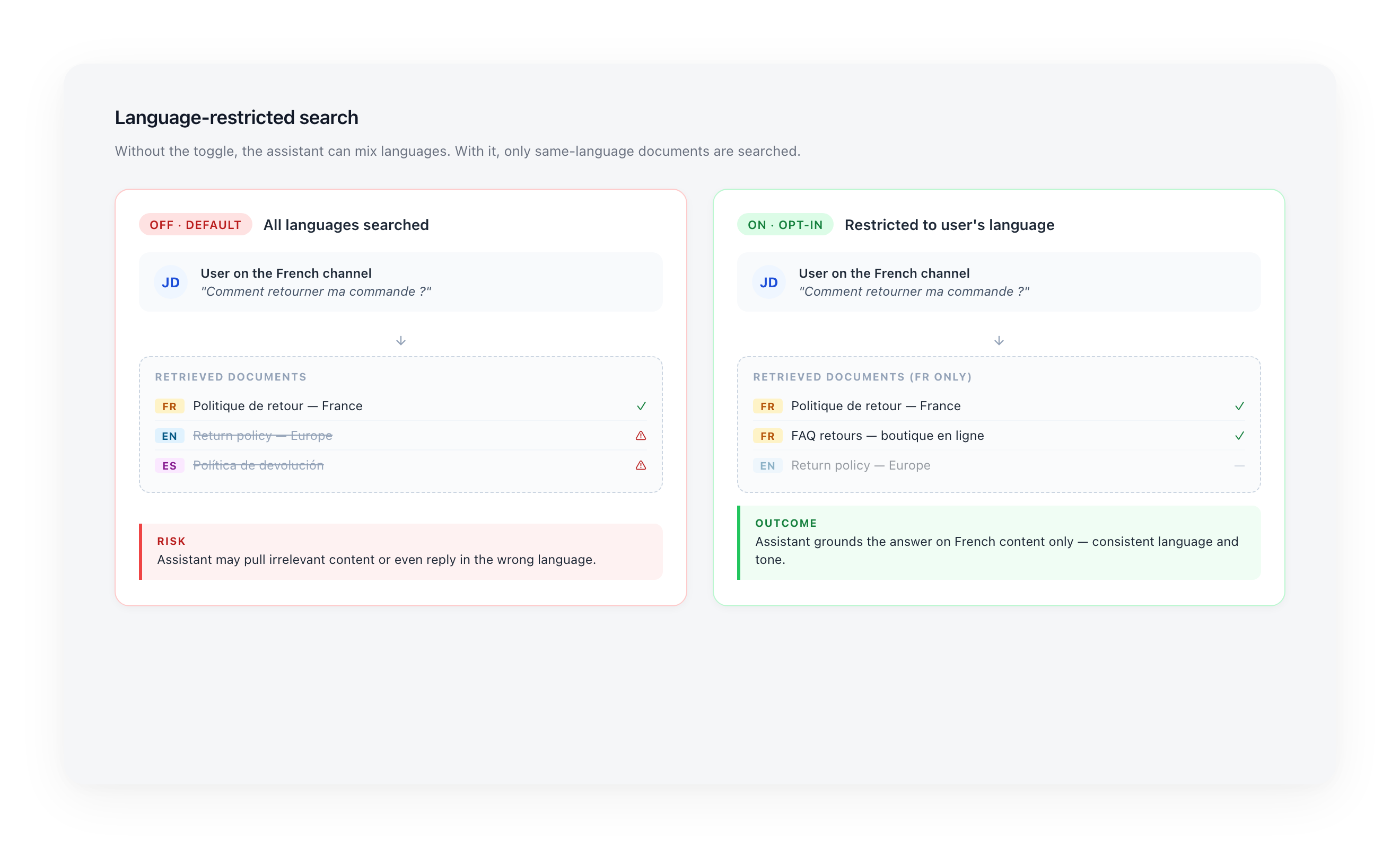
When you turn Language-based search on, Louis only searches documents whose Language matches the user's channel language. The FR user gets FR docs, the UK user gets EN docs — and each market stays isolated.
Who needs this
| Your business model | Recommendation |
|---|---|
| Same policy for everyone — identical rules, prices, terms across markets. Documents are just translations of the same source content. | Not needed. Translations don't conflict; semantic search already picks the best match. |
| Rules differ per market — FR has different return windows / pricing / shipping than UK or DE. Each market has its own dedicated documents (e.g. Return policy — FR, Return policy — UK). | Strongly recommended. Without scoping, Louis can quote the wrong market's policy to a user. |
| Multilingual but Language tags are missing or wrong on your documents | Fix the Language column on your documents first, then turn it on. |
Concrete example
An airline operates in 5 countries with country-specific baggage rules. Each country's rules are stored as separate documents (
Baggage rules — FR,Baggage rules — UK, etc.). With Language-based search on, a French passenger asking about baggage receives French rules — not UK rules — even if both documents are similarly worded.
Enabling the toggle
The toggle is opt-in and lives in Advanced > Knowledge Base > Language-based search.
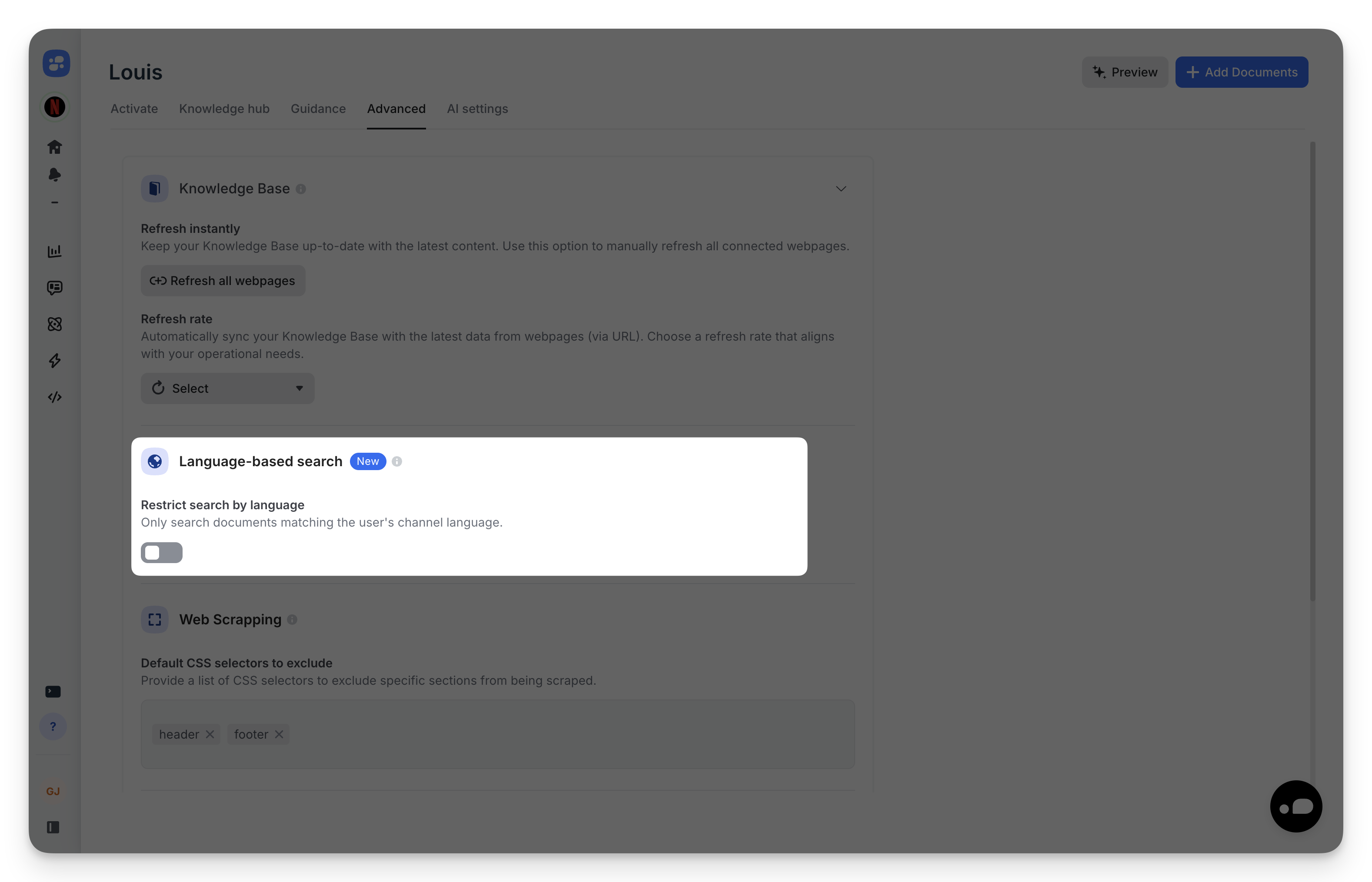
When you turn it on, a confirmation modal warns you that the AI assistant will only search documents matching the user's channel language. Make sure your documents have the correct Language set before enabling.
Default is OFF
Existing instances keep their current behavior (all languages searched). You opt in when you're ready — there is no automatic migration.
Extended to Guidance
The same language scoping applies to the Guidance tab. Each Guidance rule (Conversation Style, Follow-up Questions, Marketing Knowledge, Other Custom Rules) can be assigned to specific languages, and a pill bar at the top of the Guidance page filters rules by language.
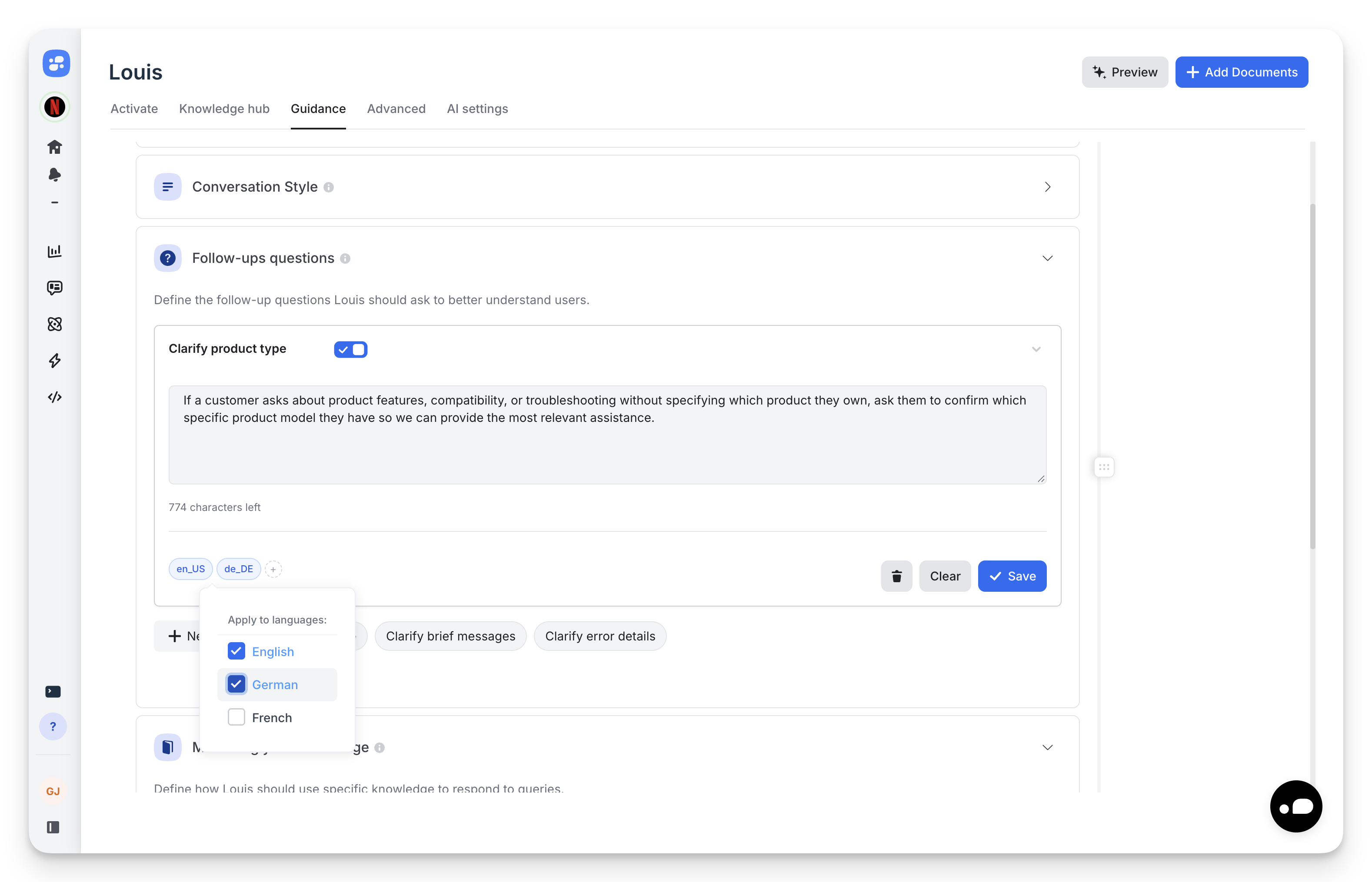
This means a French user sees French guidance applied to French documents — your English defaults don't bleed across markets.
Validate before going live
After turning on Language-based search:
- Open the Preview panel.
- Send a few sample questions in each language you operate in.
- Check the Sources list — it should contain only documents matching the question's language.
If a document appears that shouldn't, check its Language field in the Knowledge Hub and correct it.
Common pitfall
A document tagged as the wrong language won't appear in retrieval for users speaking that language — even if its content perfectly matches the question. Audit your Knowledge Hub by filtering on each Language and confirming the list looks right.
Updated 5 months ago