

Variables
Declare and manage variables in the platform
Variables are designed to contain information related to a conversations.
The information may come from chatter, an external API or user channel in use.
Details on Variables
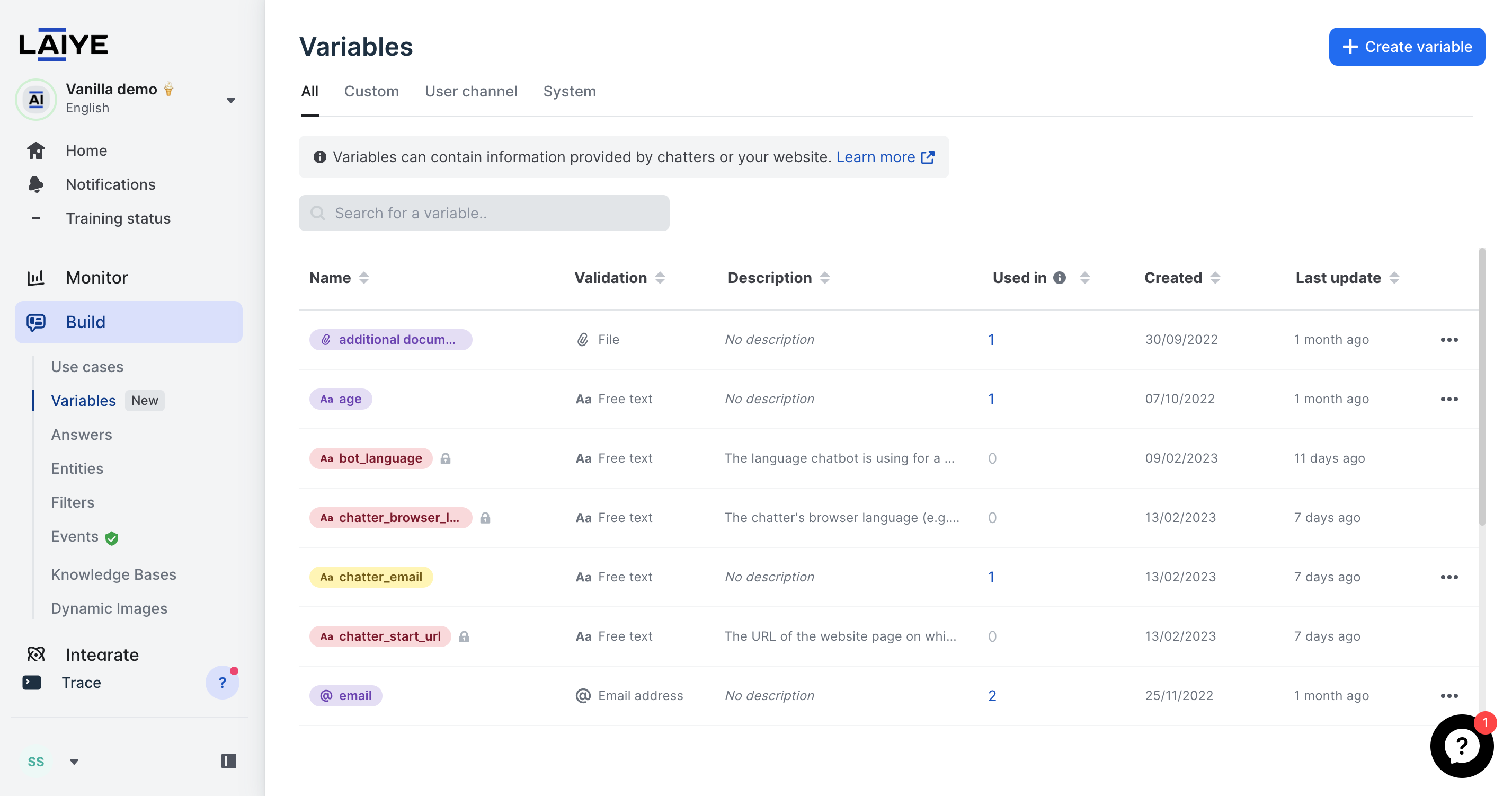
- Flow Builder Variables can be created and edited from the Variable management page.
- Flow Builder Variables scope is global to a chatbot: if a variable is created or imported (via clone) to a chatbot, the variable is available in any UseCase of this Chatbot
- Flow Builder Variables are available in the advanced builder: variables collected with the flow builder can be printed in an advanced builder answer, used for conditions, or sent in an API connection. If a Flow Builder Variable is used in the Advanced Builder, and it matches the exact same naming as an Advanced Builder Variable, then the Flow Builder Variable is the one that the system will use.
- Variables collected with the Advanced Builder cannot be used in the Flow Builder.
- All FBV2 variables values (no matter if the chatter is identified or not) are stored for 7 days, then variable value will be clearer automatically.
- Flow Builder variables can be deleted, as long as they are not used in a flow (note: except system variables).
Categories of variables
There are three categories of variables in the Flow Builder:
-
custom_variables: contain information collected from chatters or API calls.
-
user_channel_variables: contain information passed through the user channel (widget or WhatsApp). For example, it provides information coming from the website the widget is connected to. These variables are traditionally used to access on chatbot side key information like user_id or API tokens.
-
system_variables: contain information gathered and generated by Laiye Platform.
1. custom_variables
-
are purple on Laiye Platform
-
can be declared from Variable Management page, or from User Input, File Upload and API steps
-
can have their value updated from User Input, File Upload and API steps.
2. user_channel_variables
- are yellow on Laiye Platform
- can only be declared from Variable Management page
- can only have their value updated from user channel side (in the widget integration script, or from WhatsApp Push), flow builder cannot re-write the value contained in a user_channel_variables
E.g. if user status changes halfway of a conversation, say he logs in, then website may pass more variables through the user channel to offer a more personalized experience. - naming must respect the following constraints: no capital letters, no spaces, no symbols (except underscore). We recommend using lower_snake_case convention.
- naming in widget integration script or WhatsApp Push and in platform must be identical
User channel variables are great if you want to build quicker and more personalized scenarios for your users, or access API ressources (passing params like user_id or tokens from your website to the chatbot).
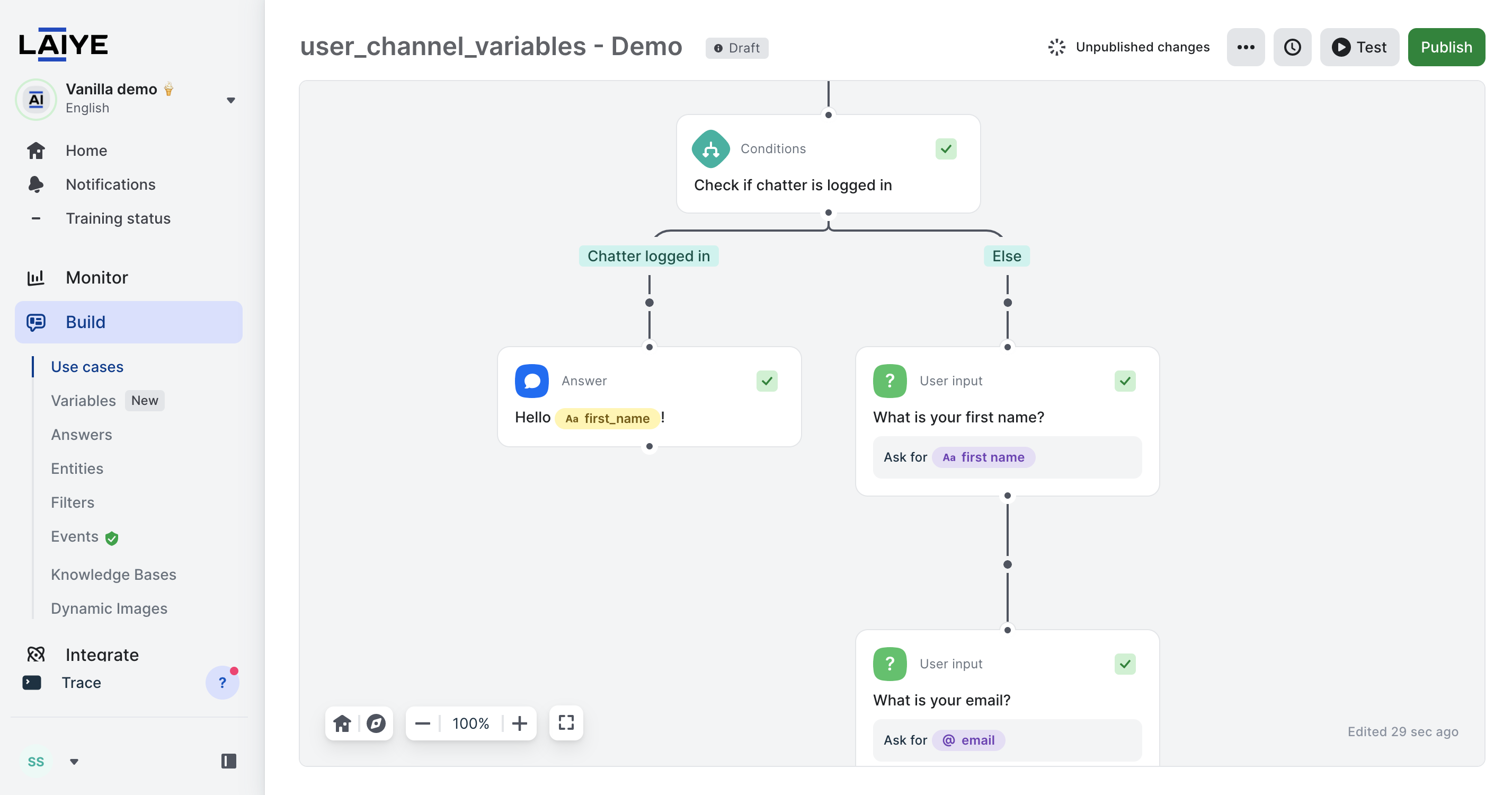
Build quicker and more personalized scenarios based on user_channel_variables
Updating the widget integration script
Do not forget to update the integration script of your widget(s) to pass the right values into your user_channel_variables. Read "Widget Attributes" documentation for technical details.
Inserting mock values
While building your flows and for testing purpose, you may insert test values to userchannel_variables.
Mock values will remain used only for testing sessions led from the _Build interface and won't affect production conversations.
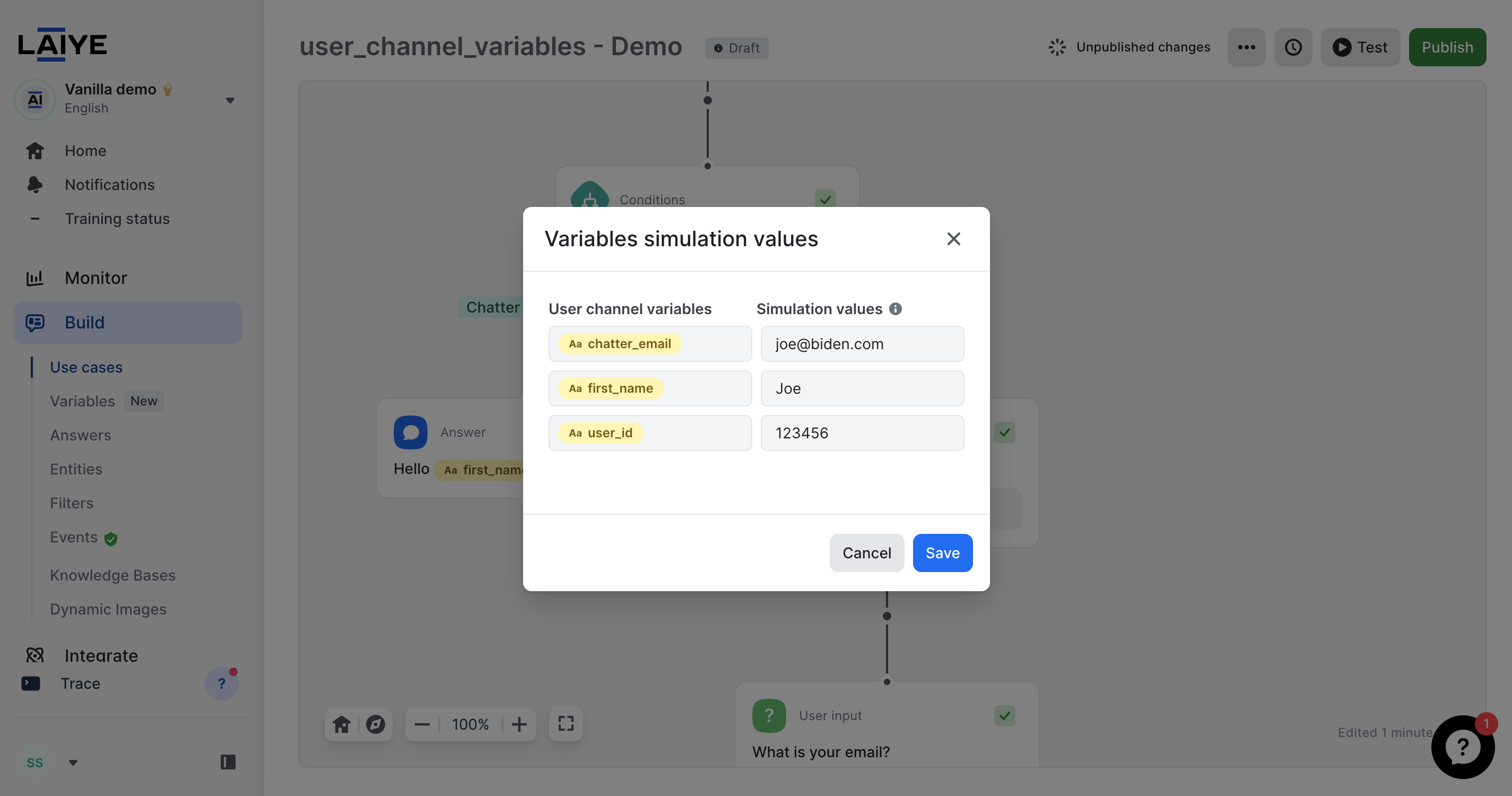
Mocking values before testing scenarios
3. system_variables
- are red on Laiye Platform
- cannot be edited (re-named / deleted)
- can only be declared by Laiye Teams
- can only have their value filled and updated by Laiye Platform
Complete list of system variables
| Name | Description | Value format examples |
|---|---|---|
| bot_language | Language chatbot is using for a given conversation. | "fr_FR"; "en_US" |
| chatter_browser_language | Language configured as preferred according to chatter's browser. | "fr_FR"; "en_US" |
| user_channel_type | Type of channel through which chatter is speaking. | "widget"; "whatsapp"; "facebook_messenger"; "message_trigger_interface"; "mindsay" (messaging API); "sunco" |
| user_channel_uuid | Id of the user channel chatter is speaking through. | "0a3e08d1-1111-48fb-84b6-e22d011573a9" |
| chatter_start_url | URL of the website page on which the conversation started. | "https://documentation.chatbot.laiye.com/docs" |
| fb_messenger_first_name | Chatter's first name in Facebook Messenger context | "Mickey" |
| fb_messenger_last_name | Chatter's last name in Facebook Messenger context | "Mouse" |
| fb_messenger_id | Chatter's user id in Facebook Messenger context | "5778711235598645" |
| fb_messenger_ref | URL parameters shared by Facebook Messenger | Stringified Json object: "{"key":"value"}" |
Find the "user_channel_uuid"
On laiye platform, go to Integrate > Channels > User channels and select the channel
You will find the user_channel_uuid in the URL, ex : https://chatbot.laiye.com/channels/user_channel_uuid
Updated over 1 year ago