

Customer files for your agents, channel variables in the trace, and pasting in AI Tools
This release lets your customers send files to a human agent during a handover, shows your user channel variables in the trace, and lets you paste a request body into an AI tool.
Customers can send files to your agents
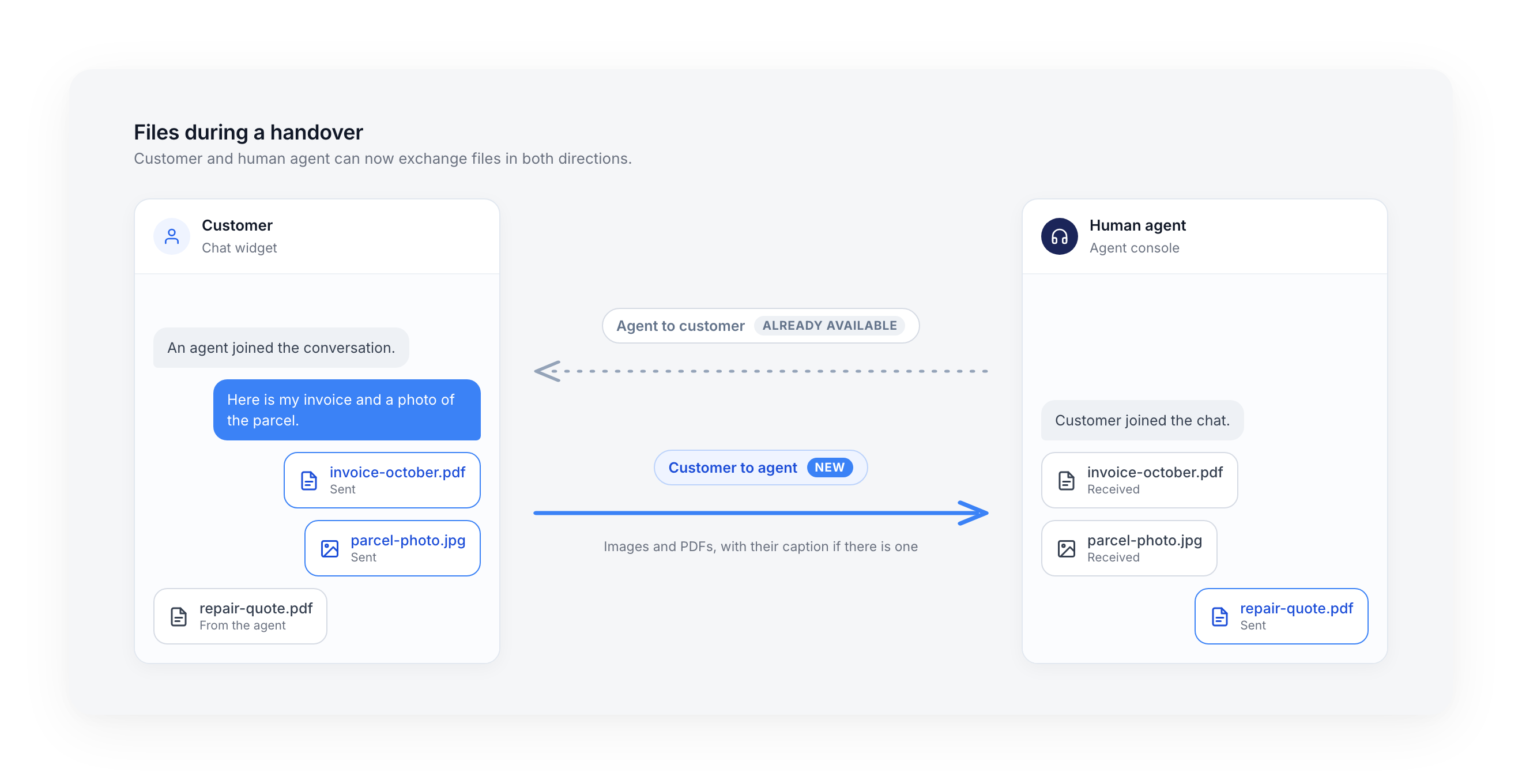
A customer who sends an image or a PDF during a handover now sees it reach the agent. Until now, a human agent could send files to the customer, but the customer could not send any back. Files now go both ways, on ViaFlow and Freshchat.
- Delivered as sent: the agent receives the original file, in the order the customer sent them
- With the caption: when the customer writes a message along with the file, the agent gets both
- Never lost silently: when a file cannot be delivered to the agent's tool, the agent sees a
[FILE NOT TRANSMITTED]notice with the file name - Cleaner in the widget: a file sent with the paperclip during a handover no longer appears twice or stays on a spinner, and a failed upload shows a failure state
Your user channel variables in the trace
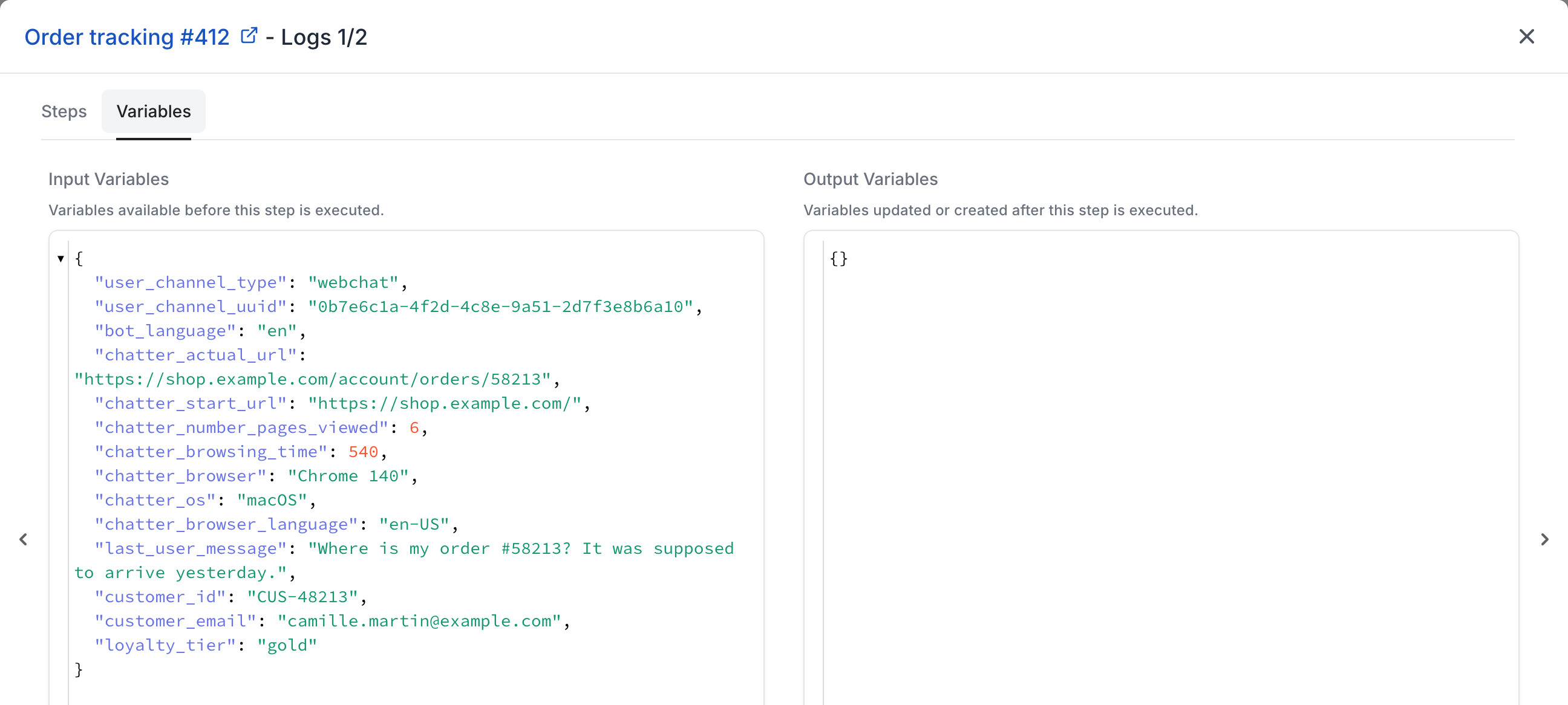
The trace now lists the user channel variables of the conversation. You find them in the Variables tab. A value your website sent once, on an earlier message, used to disappear from the trace even though the bot could still read it. The trace now shows the values stored for the customer.
- Next to the system variables: they appear in Input Variables, the variables available before the step runs
- What the bot really read: a customer ID or a language sent once by your page is visible on every later message
- Nothing to configure: open any trace and go to the Variables tab
Paste a request body into an AI tool
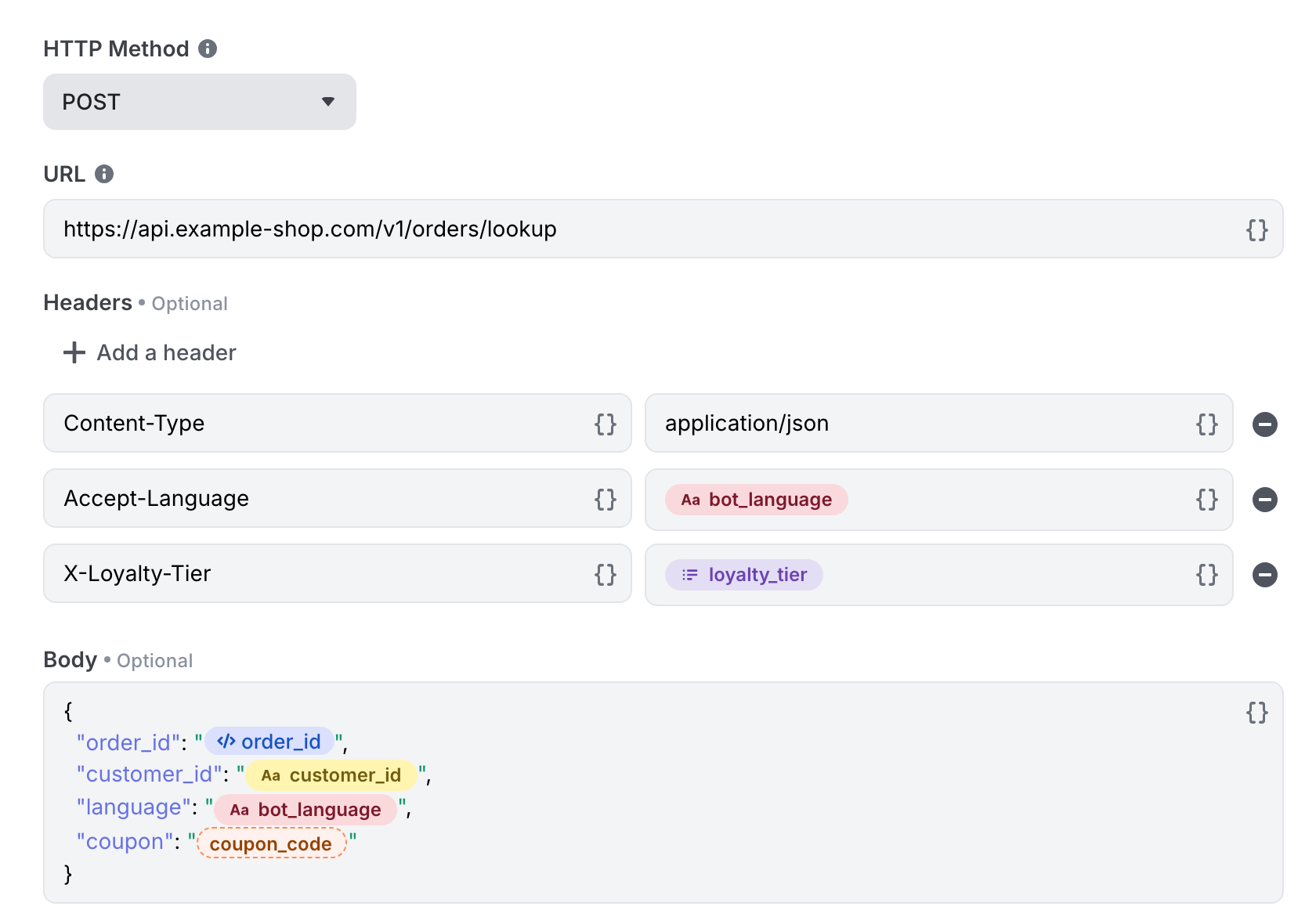
You can now paste a request body, with its variables, into an AI tool. In the API connection step, pasting a body that contained a variable used to be refused, and the variable picker opened instead. Pasted content now goes through as is.
- Variables become badges: the references in the pasted body render as badges, like the ones you insert from the picker
- Unknown variables are flagged: a variable that does not exist is shown with a warning badge, so you can fix it before testing
- Typing is unchanged: a variable cannot be typed by hand, you still insert it with the variable picker
No action required
These improvements are available now, on every bot. Files sent by customers reach the agent on ViaFlow and Freshchat handovers.
For more details, check out the ViaFlow documentation, the Freshchat documentation, the Trace documentation and the AI Tools documentation.