

Prompt Versioning, Condition-based triggers & JavaScript rendering
Prompt Versioning, Condition-based triggers & JavaScript rendering
This release introduces a full versioning system for AI Specialist prompts, a new trigger mode for use cases that are accessed via navigation, and JavaScript rendering options for scraping dynamic content into your Knowledge Hub.
Prompt Versioning
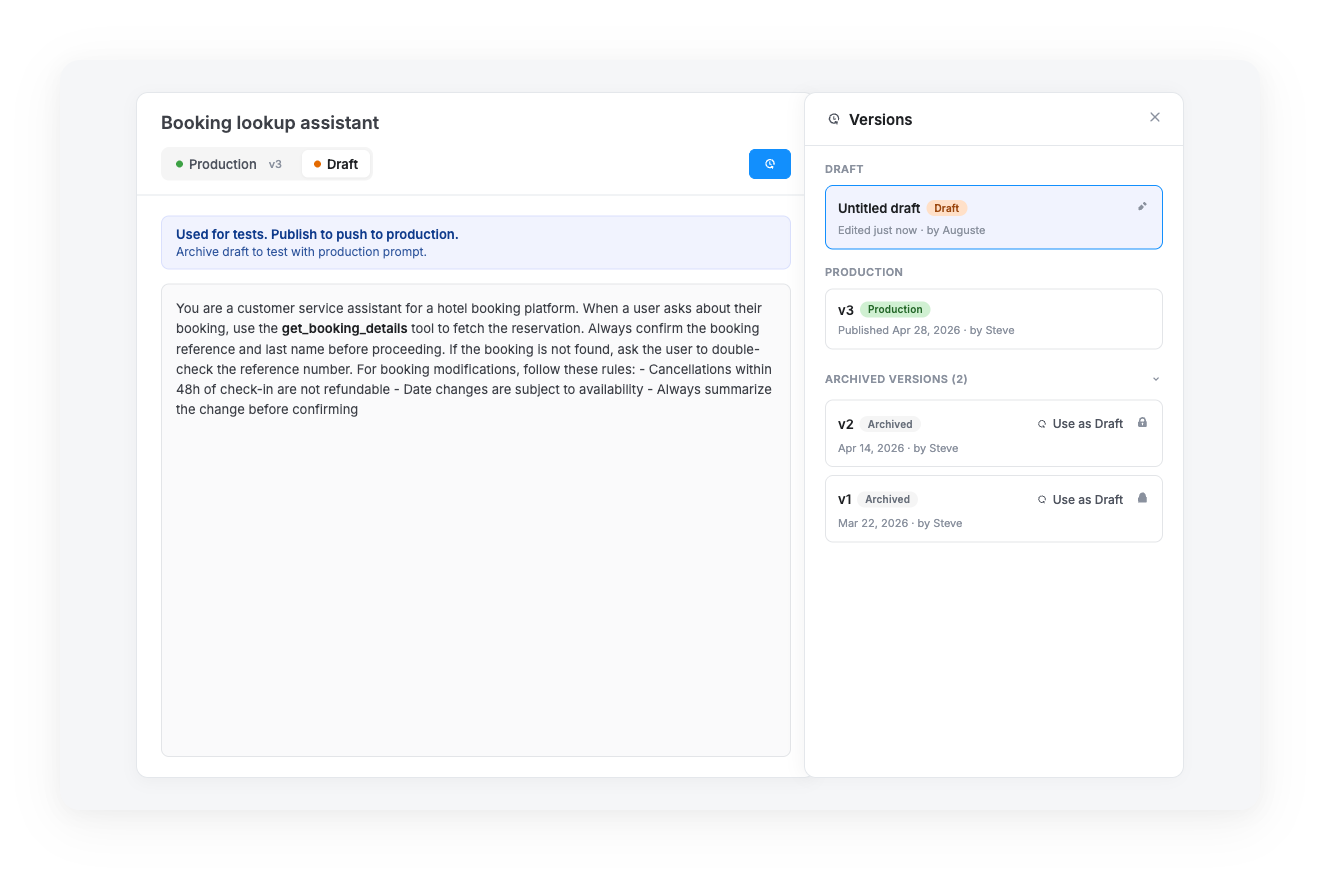
Iterate on your AI prompts without breaking what's live. Each AI Specialist prompt now supports multiple versions per use case, with a clear separation between what's running in production and what you're working on.
- Production / Draft tabs: switch between the live version and your work-in-progress directly from the prompt header
- Create a new draft: start from blank, or copy from production to iterate on the current live version
- Version history: a dedicated side panel lists all versions (Draft, Production, Archived) with creation date and author
- Use as draft: revert to any archived version with one click — published versions are locked from deletion to preserve history
- Cloisonnement par use case: prompt versions are scoped to the use case they belong to, so changes never leak across flows
Drafts only go live on use case publish
Saving a draft does not affect production. The draft becomes the new production version only when you publish the use case.
Condition-based use case triggers
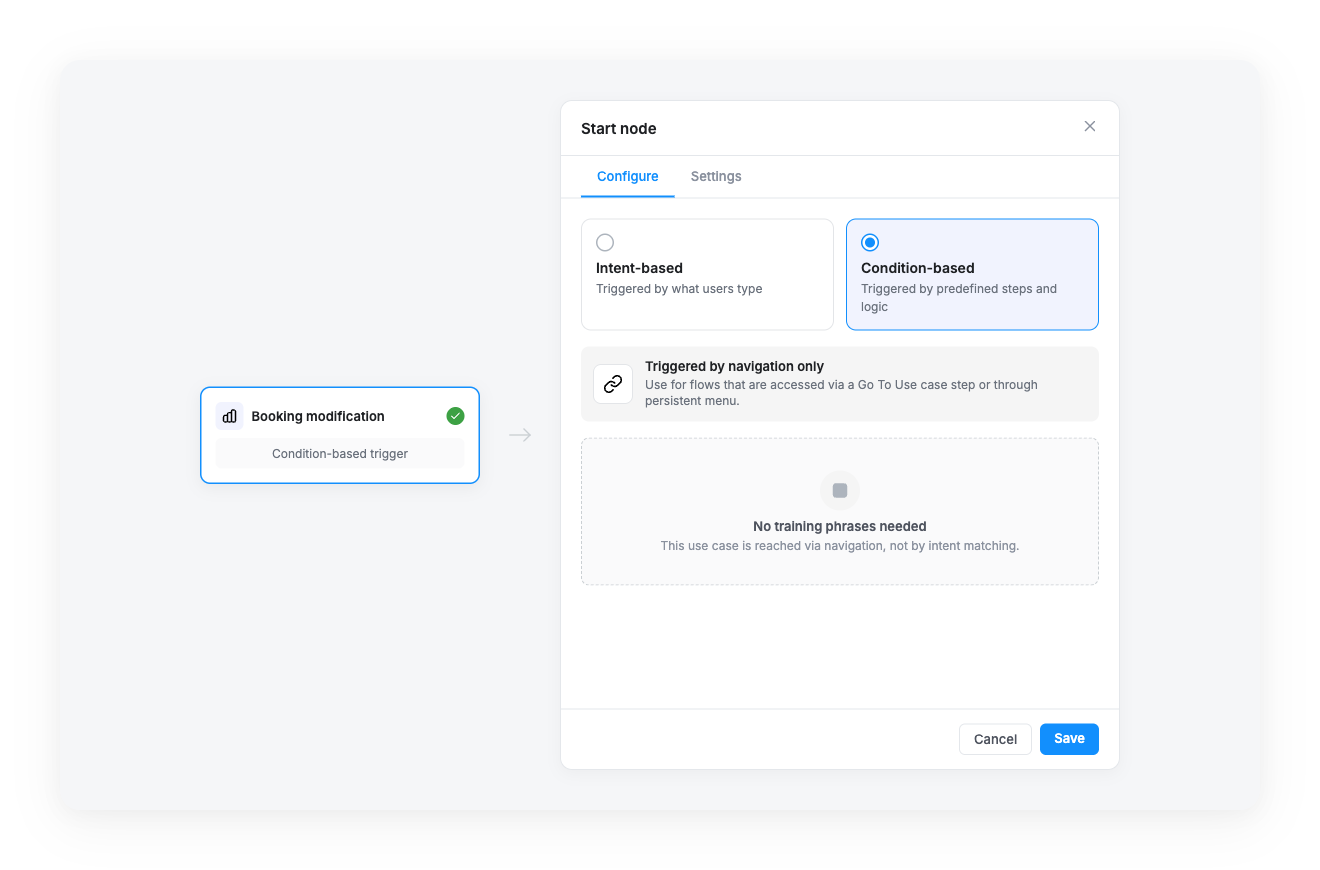
Build flows accessed via navigation, not user intent. Some use cases should only be reachable through a Go to use case step or a persistent menu — not by what users type. The new trigger mode lets you mark these flows explicitly.
- Two trigger modes: choose between Intent-based (triggered by what users type) and Condition-based (triggered by predefined steps and logic)
- No training phrases required: condition-based use cases skip intent matching entirely
- Visual indicator: the start node displays "Condition-based trigger" in the canvas
- Safe switch: when converting an existing intent-based use case, a confirmation modal warns that training phrases will be deleted
JavaScript rendering for Knowledge Hub documents
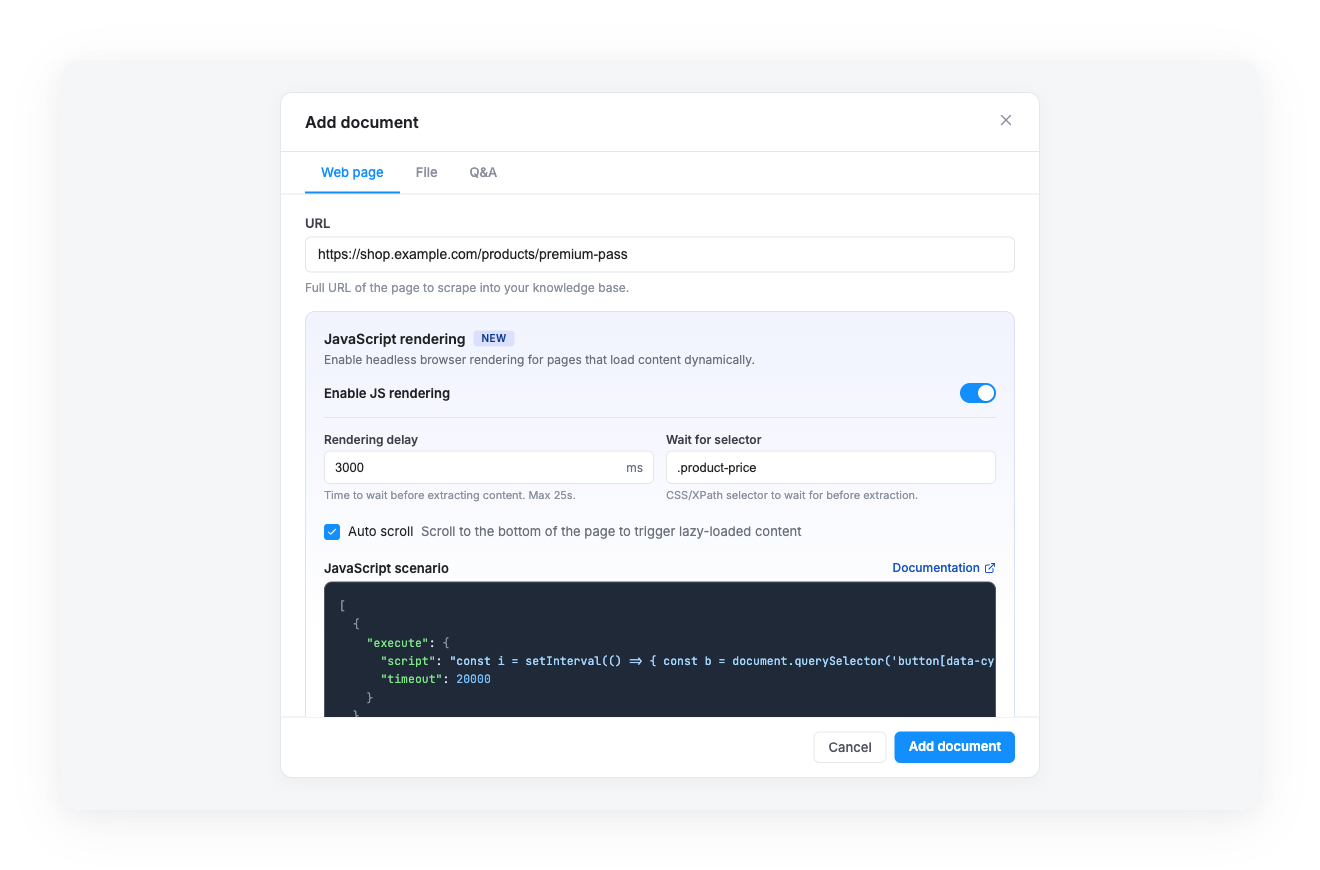
Scrape sites that load content dynamically. Single-page applications, lazy-loaded pages, and content behind interactions can now be captured into your Knowledge Hub thanks to a new headless browser rendering option.
- Enable per document: a new JavaScript rendering section in the Add document modal, with a toggle to opt in
- Rendering delay: configure how long the browser waits before extracting content (max 25 seconds)
- Wait for selector: provide a CSS or XPath selector to wait for before extraction
- Auto scroll: trigger lazy-loaded content by scrolling to the bottom of the page
- JavaScript scenario: define a sequence of actions (
wait,execute,click,scroll,fill) for advanced extraction flows
No action required
All three features are available today. Find them in:
- Prompt Versioning: open any Generate with AI step in the Flow Builder
- Condition-based triggers: open the start node drawer of any use case
- JavaScript rendering: when adding a document to a Knowledge Hub in Build > Knowledge Hub
For complete walkthroughs: