

Left early — a third outcome in AI Quality Monitoring
This release adds a third outcome to AI Quality Monitoring: Left early. Conversations where the user left before there was anything to judge are now counted apart, so your Resolution and CX Score reflect the conversations that could actually be judged.
A third outcome: Left early
Not every conversation can be judged. Some users say hello and leave without asking anything. Others leave while the bot is waiting for them: it asked for an order number, a date or a choice between options, and they never came back. These conversations say nothing about how well your bot answers, so they no longer weigh on your resolution rate.
Every analyzed conversation now gets one of three outcomes:
- Resolved: the AI judged that the conversation answered the user's need
- Unresolved: the user engaged, but the AI judged that their need was not met
- Left early: the user left before the conversation could be judged. It is counted apart: neither resolved nor unresolved, and with no CX Score

Resolution and CX Score count engaged conversations
Resolution is now the share of engaged conversations the AI judged resolved. Engaged conversations are the Resolved and Unresolved ones. Left early conversations are not counted.
- The whole picture in one tile: in Overview → Health, the Resolution tile shows the rate and, next to it, how all analyzed conversations split between Resolved, Unresolved and Left early. The three add up to 100%
- The base under each number: of 273 engaged conversations under Resolution and CX Score, of 315 analyzed conversations under the split
- CX Score on engaged conversations only: a Left early conversation has no score, because there was no experience to rate
- The other metrics don't change: Knowledge Gap, Handover rate, Automation rate, CSAT and conversation volumes still count all conversations
The same rule applies wherever Resolution and CX Score appear: AI Impact, Louis, Topics, Use Cases, Sentiment and Performance. In Performance, the Resolved card now reads 235 / 273 of engaged conversations.
Expect a higher resolution rate
Conversations the user left before there was anything to judge no longer count as unresolved, so the rate goes up on most bots. Your bot did not change: the number now measures only the conversations that could be judged.
Earlier months are being recalculated
Conversations from earlier in 2026 are being re-analyzed with the three outcomes, month by month, over the next few days. Until a month has been re-analyzed, it shows no Left early conversations and keeps its previous resolution rate: compare two periods once both have been recalculated.
Unresolved Drivers ranks topics by engaged volume
The ranking of the topics to fix only counts the conversations that could have been resolved. Performance → Unresolved Drivers is now sorted by Engaged volume × (100 − Resolution). A topic made only of Left early conversations shows Left early only and moves to the bottom of the list, instead of appearing as a 0% failure at the top.
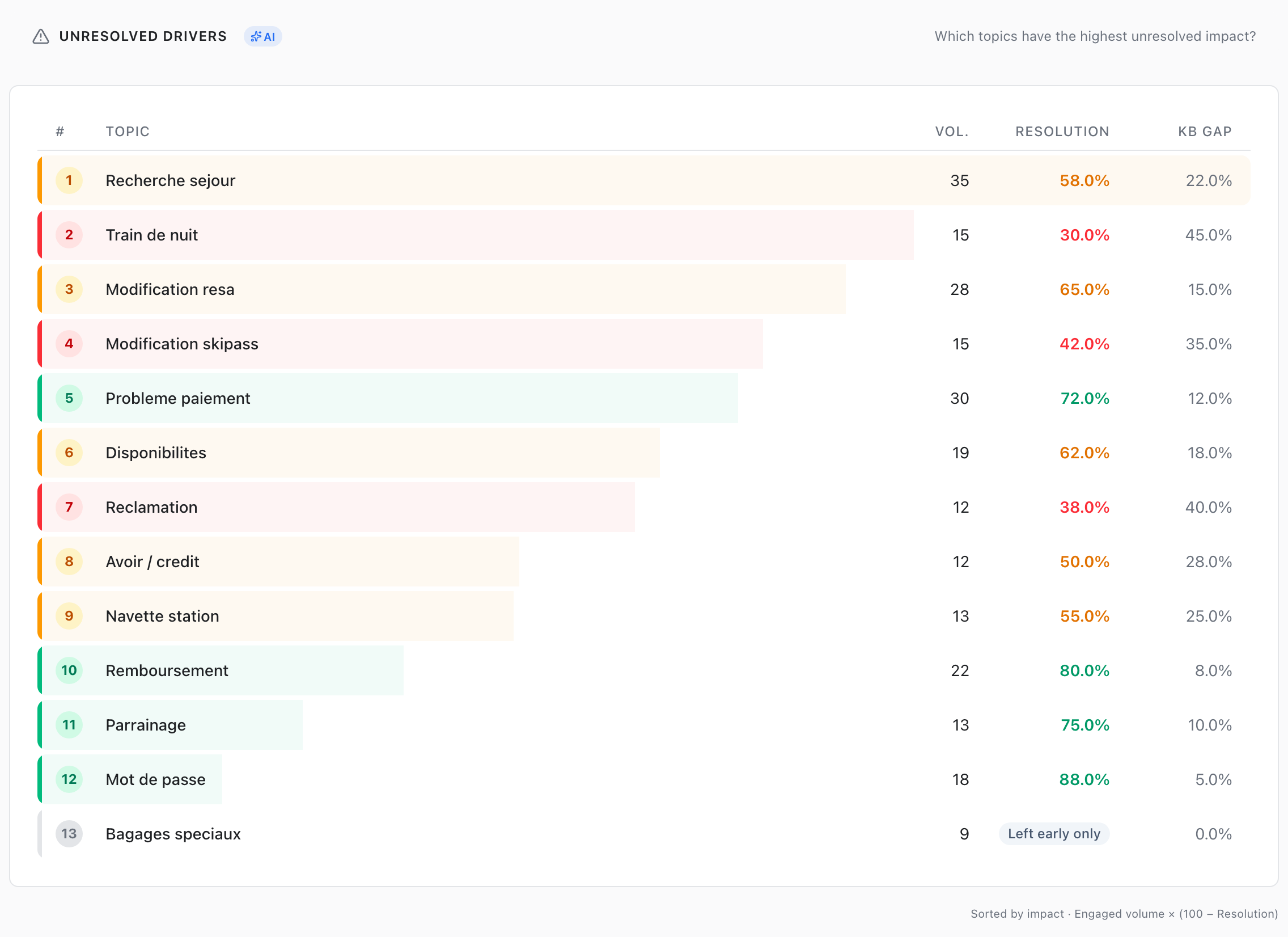
Left early in your conversations
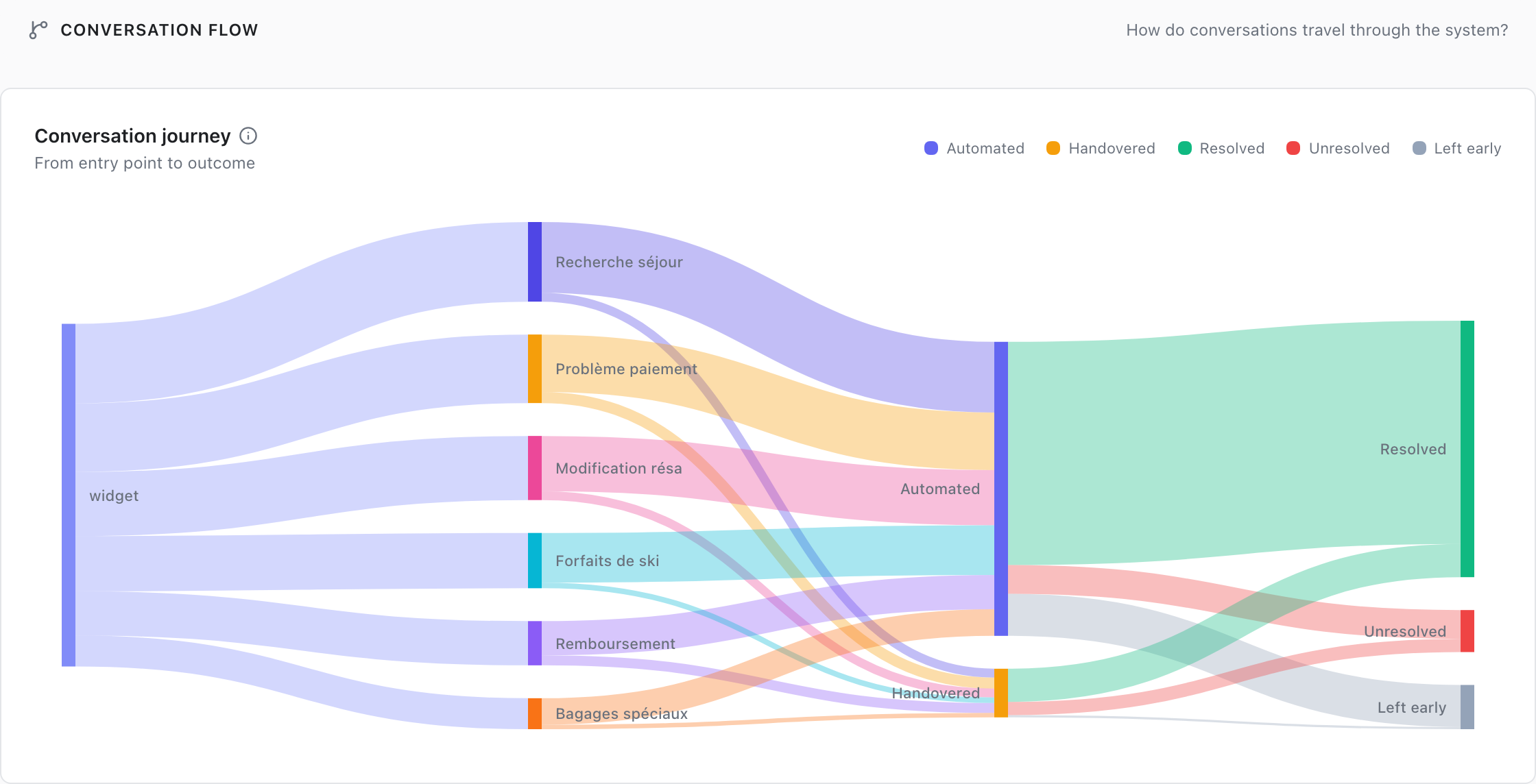
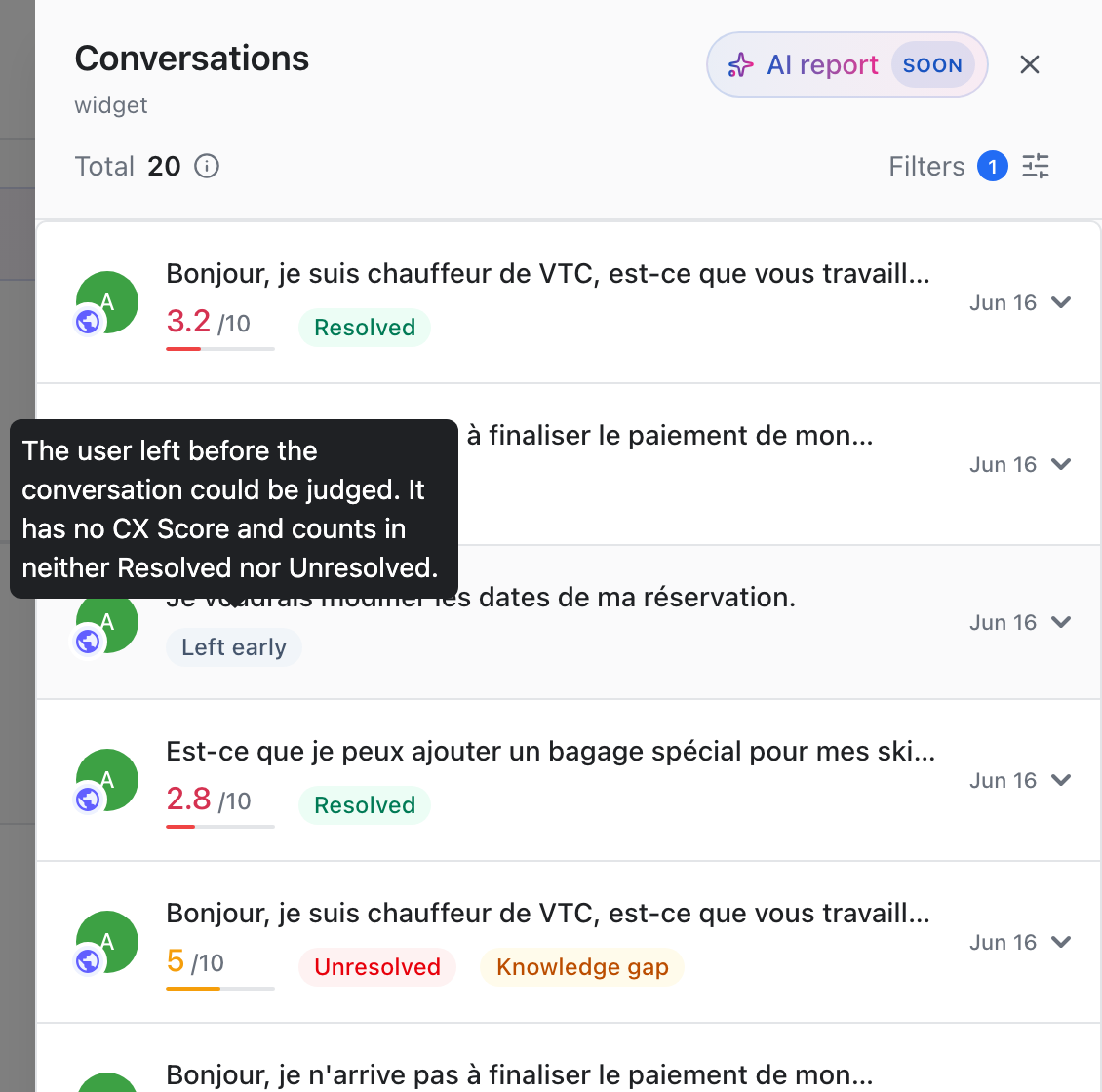
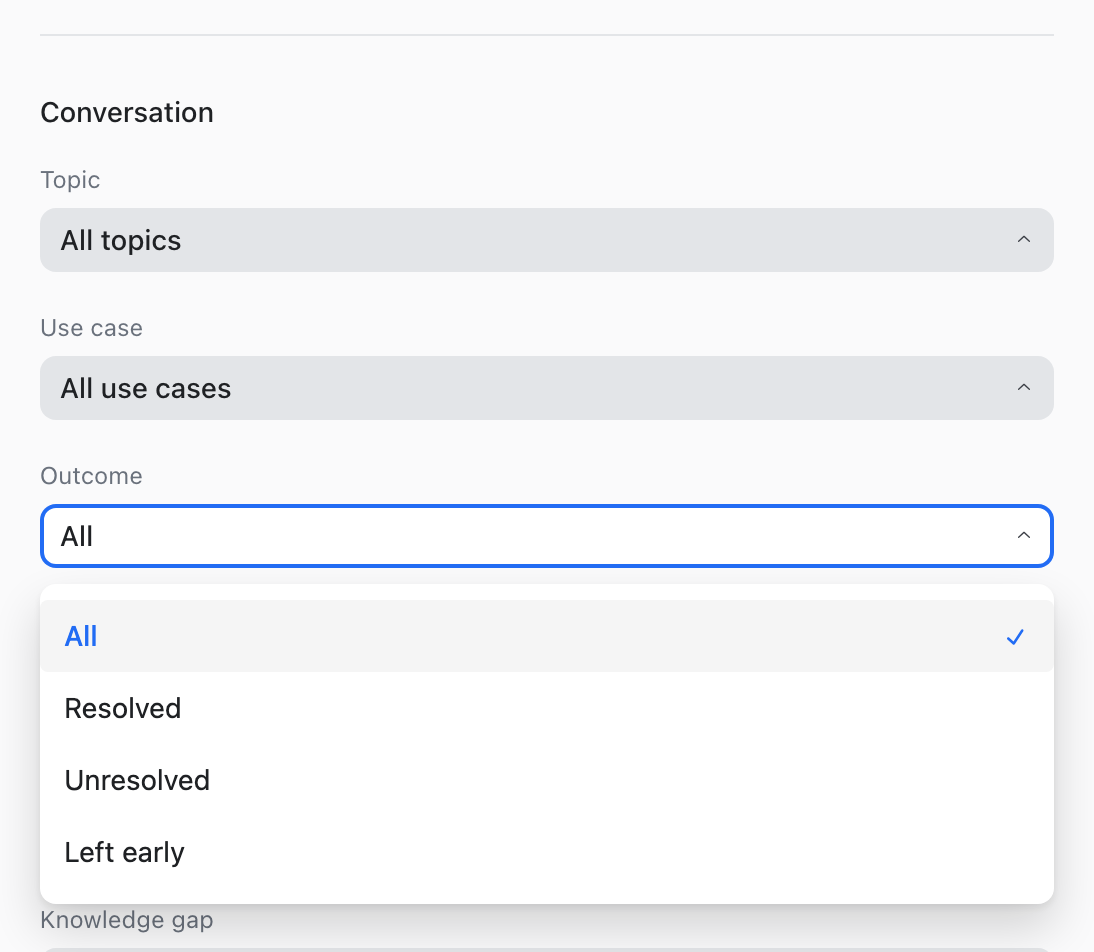
You can find Left early conversations everywhere you drill down.
- Conversation Flow: the Sankey now ends on three outcomes, with Left early in grey next to Resolved and Unresolved
- Conversations panel: each conversation carries its outcome tag. Hover it to see what the outcome means and, when available, the evaluator's reasoning in one sentence. Left early conversations show no CX Score
- Outcome filter: in the panel filters, Outcome lets you list All, Resolved, Unresolved or Left early conversations
Small improvements & fixes
- Avg. duration: in Conversations → Engagement, the Time to resolution tile is renamed Avg. duration, the average time spent per conversation
- Filters per bot: the channels and languages you select in one bot no longer carry over to another bot, where they could hide every result
No action required
Left early is available in Analytics for every bot with AI Quality Monitoring. Open Overview → Health to see your Resolution and its split.
For the full definition of each outcome, check out the AI Resolution documentation and the CX Score documentation.