

Images, videos and places in the widget, and clean Markdown on WhatsApp
This release makes your bot's replies easier to read where your customers read them: images, videos and places in the widget, clean formatting on WhatsApp, and a fix for Freshchat.
Images, videos and places that are easy to read
Before, images were tiny in the chat window, and a link to a video or a map was just a link. Now they open and play where your customer is.
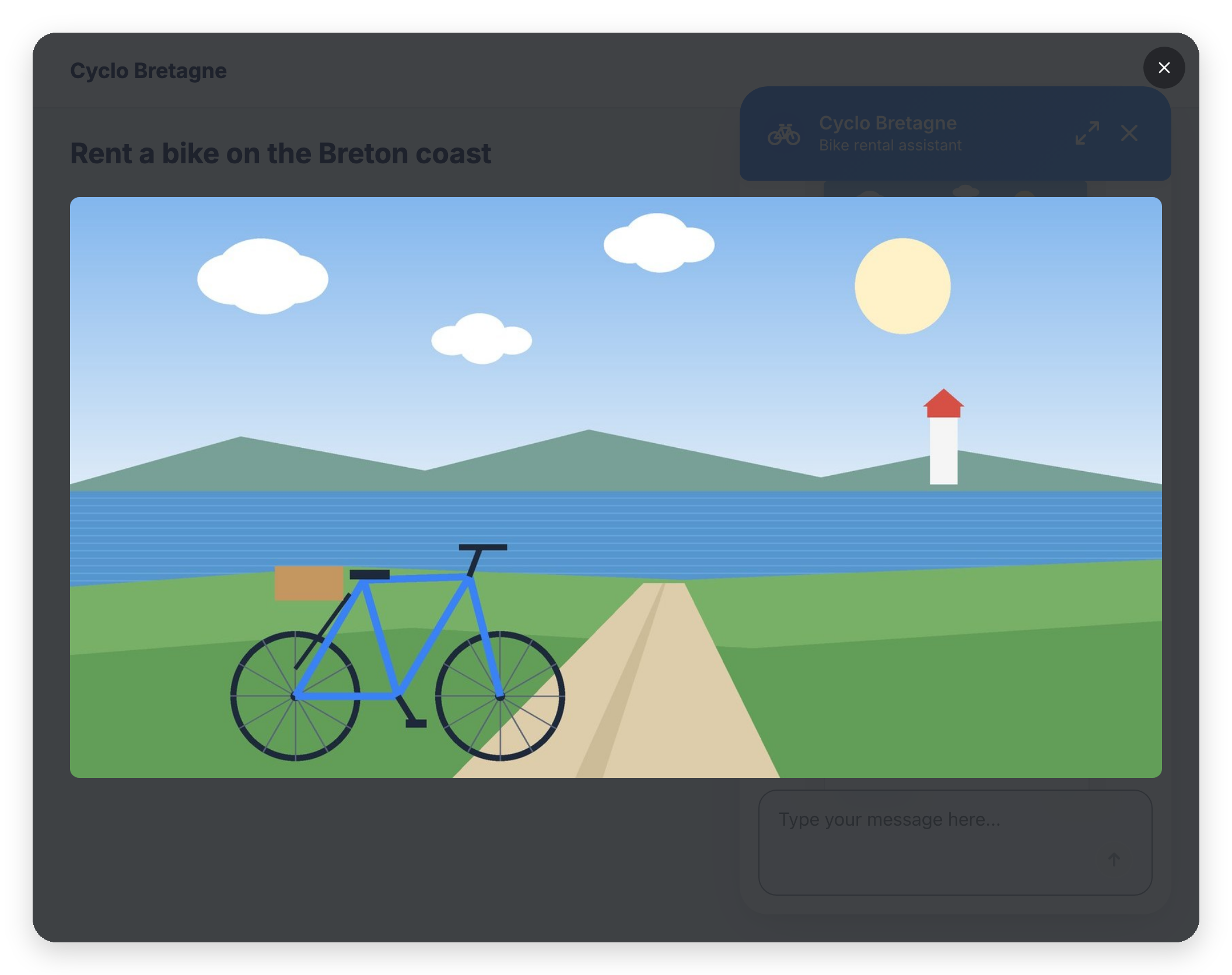
- Images full page: click an image in a reply to see it full page. Press Esc or the close button to come back to the chat
- Video cards: a YouTube link (or an MP4 / WebM file) alone in its paragraph becomes a card with a thumbnail. One click and the video plays full page, without leaving your website
- Place cards: a Google Maps or Apple Plans link alone in its paragraph becomes a card with a Directions button that opens the map in a new tab
- No more broken images: an image that can't be loaded is replaced by a card, labelled Image unavailable when the image has no description
- In your customer's language: the labels on these cards (Watch on YouTube, Directions, Image unavailable…) follow the language of the widget
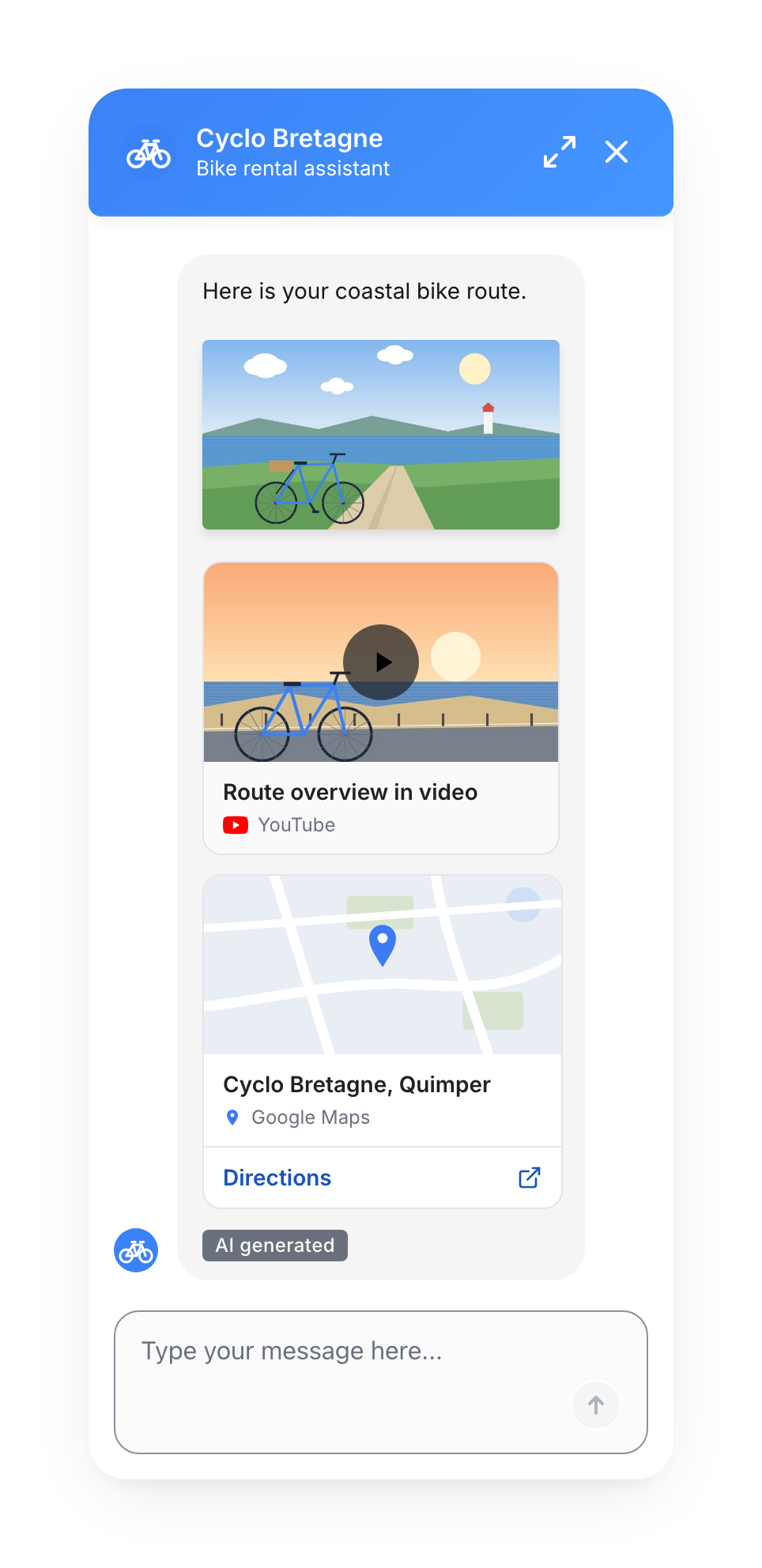
It works in AI answers, in live-chat agent messages and in Answer steps with Enable Markdown turned on. There is nothing to set up.
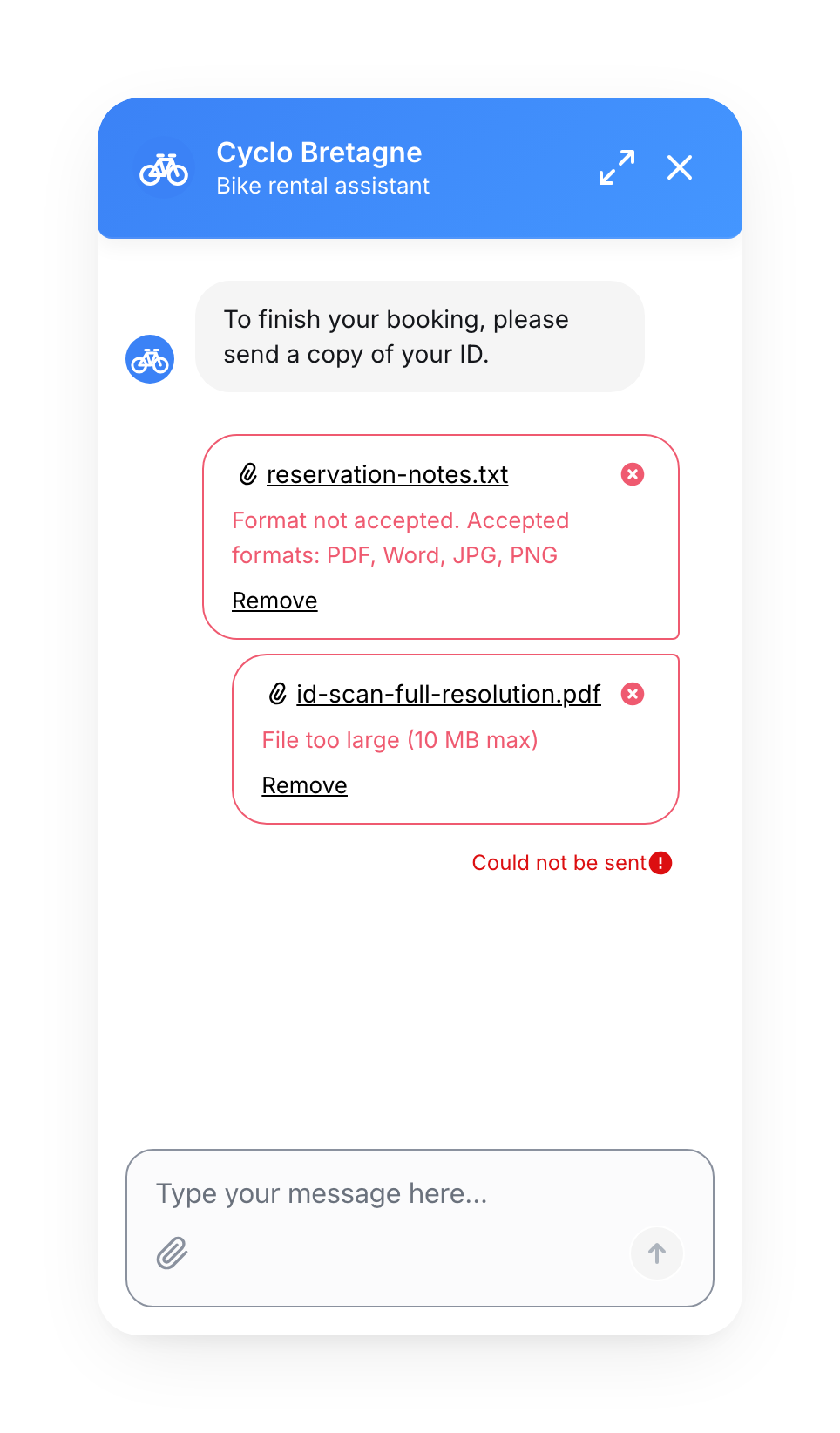
When the widget refuses a file, it now says why (format, size or empty file) and lets the customer Remove it.
Fewer dead ends, and a conversation that stays put
Before, a video that couldn't play left an empty card, and scrolling a long answer could move your website instead of the chat. Now the widget handles these cases.
- Blocked player: if your website doesn't allow the YouTube player, the card says Player blocked and still links to the video on YouTube
- Deleted video: a YouTube video that no longer exists becomes a simple link, not a card with a grey thumbnail
- MP4 / WebM buttons: a bot button that points to an MP4 or WebM file opens the full-page player. A PDF button opens in a new tab
- A video file that won't load shows a message and a link to open it in a new tab
- The conversation stays on the question when the bot asks for a file, and focusing a suggested reply no longer scrolls the conversation
- Scrolling stops at the edges: reaching the top or the bottom of the conversation no longer scrolls your website behind it
WhatsApp: your Markdown now looks right
Before, a word in bold written in Markdown reached WhatsApp with stray asterisks. Now the Markdown is converted to WhatsApp's own formatting, in AI answers and in Answer steps with Enable Markdown turned on.
| You write | Your customer sees on WhatsApp |
|---|---|
**bold** or a # title | bold text |
*italic* | italic text |
~~crossed out~~ | crossed-out text |
- item | • item |
[our site](https://example.com) | our site: https://example.com |
On the buttons of these messages, the Markdown signs are simply removed, since WhatsApp shows no formatting there. Messages without Enable Markdown and messages from a human agent are sent exactly as written.
Small improvements & fixes
- Freshchat: some agent messages never reached the widget when they contained line breaks or double quotation marks. They now arrive
- Help links: the help links in the platform (Home, Flow Builder, Analytics, channels) and the link to the release notes now open the Mindsay Help Center
No action required
Everything above is already live.
If your website uses a content security policy, it must allow https://www.youtube-nocookie.com in frame-src and https://i.ytimg.com in img-src for YouTube cards and videos to work, and the host of the file in media-src for MP4 or WebM videos.
For a complete walkthrough, check out the Answers documentation and Formatting text in the Answer step.