

Secure your widget variables with a signature
This release lets you make sure that the user channel variables your widget sends really come from your website, by requiring a signature on the variables you trust.
A signature on the variables you trust
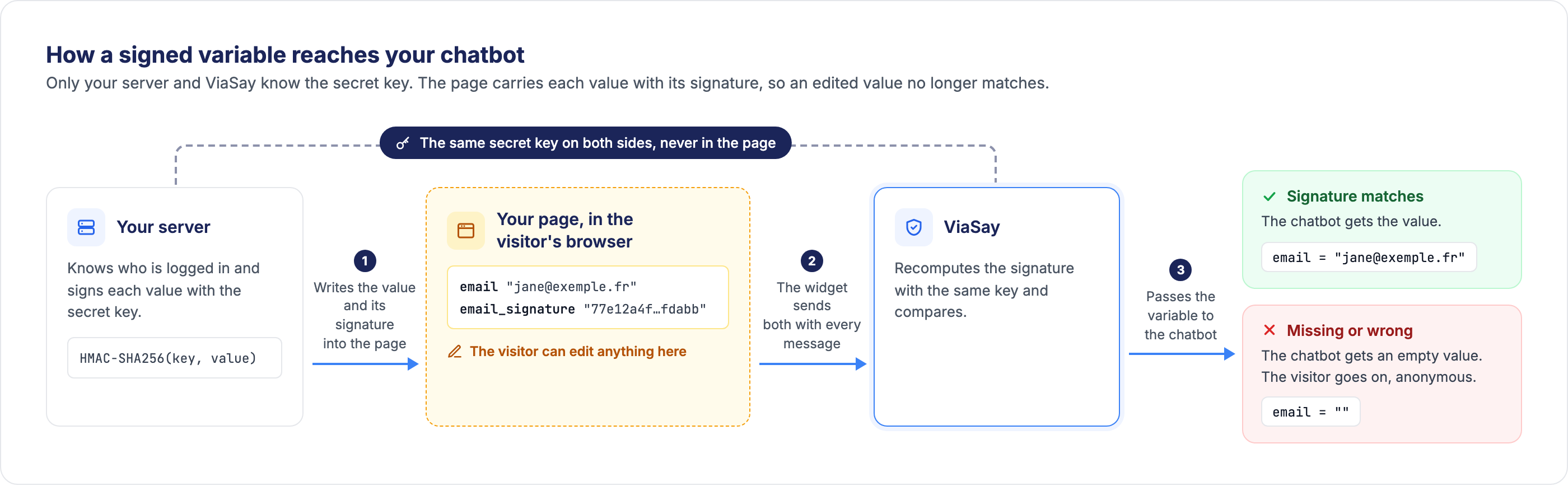
A visitor can edit what your page sends to the widget. An email or a customer ID written in the page can be changed in the browser before it reaches your chatbot. You can now require a signature on the variables of your choice: your server computes the HMAC-SHA256 of the value with a secret key shared with ViaSay, and your page sends it next to the value as <variable>_signature. ViaSay checks it on every message.
- You choose the variables: up to 50 user channel variables per widget
- Computed on your server: with a secret key of at least 32 characters, that the Generate button can create for you
- Never passed on: the signature is used for the check only, it never reaches your chatbot, your analytics or your conversation logs
Prepare, test, then publish
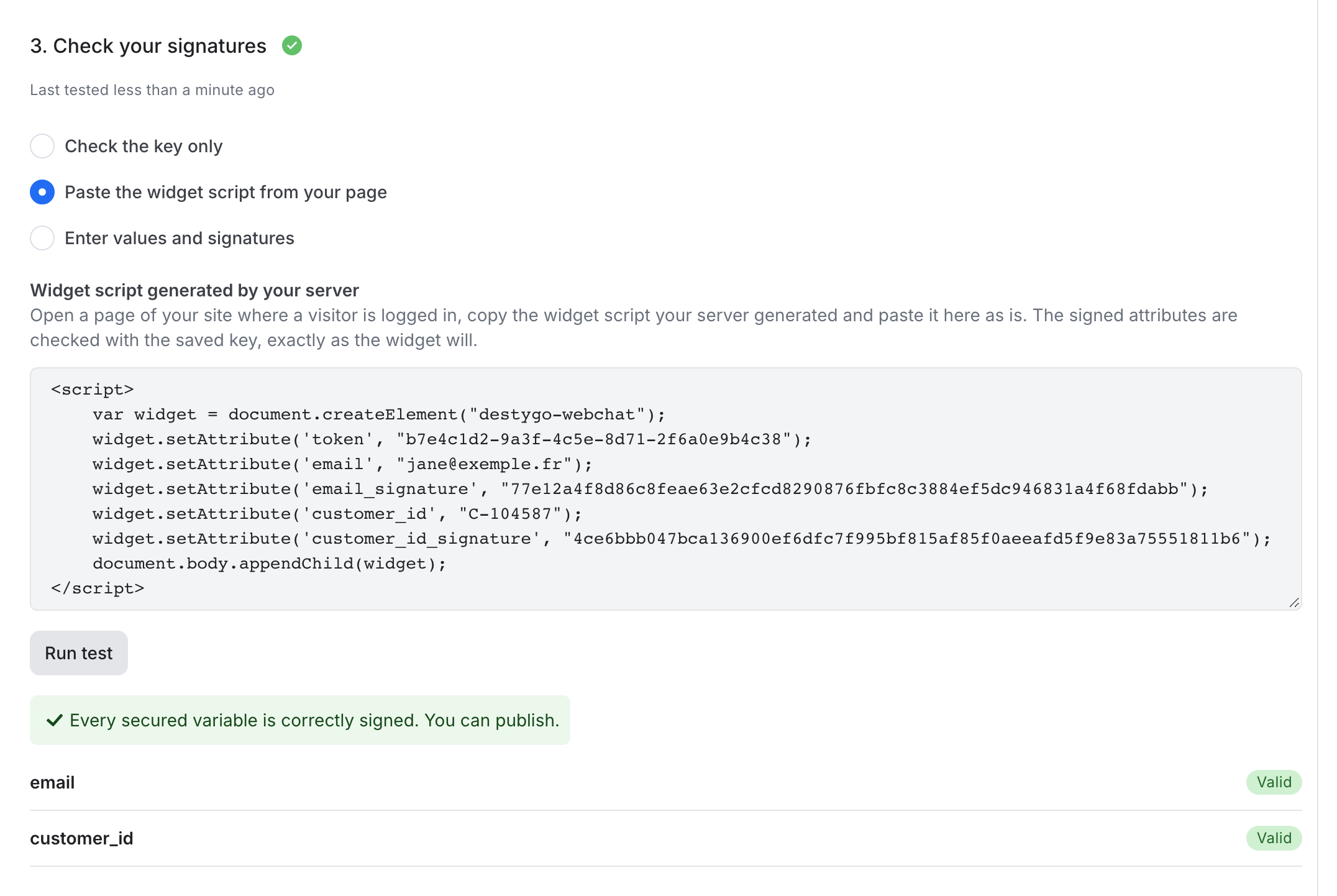
Nothing changes for your visitors until you publish. Open Integrate → Channels, select your widget, then the Security tab. Four steps walk you through it: save the key, choose the variables, check your signatures, publish.
- Three ways to test: check the key only, paste the widget script generated by your page, or enter values and signatures by hand. The result tells you, variable by variable, whether it is Valid, Signature missing or Signature does not match
- Publish stays locked until your latest change has passed a test
- Stop enforcing at any time: signatures stop being checked right away, and your key and variables are kept
- Change the key without interruption: after publishing, the previous key stays accepted until you remove it, so your servers can switch at their own pace
What happens on each message
A value that fails the check never reaches your chatbot. Once published, every message from the widget is checked:
- Valid signature: your chatbot receives the value and the conversation goes on
- Missing or wrong signature, or an edited value: your chatbot receives an empty value and the visitor stays anonymous. The conversation is never blocked
- No secured variable sent: the visitor is not logged in. This is not an error, the value is simply empty
- At handover: with Freshchat and ViaFlow, only an email, a phone number or a contact ID that arrived with a valid signature is used to find the customer's account
A secured variable can arrive empty at any time, so plan a path for it in your flows, for example by asking the visitor to log in.

No action required
Existing widgets are not affected: signatures are only checked once you publish a configuration. The Security tab is available on widget channels, for users with the Manager or Platform Administrator role.
For a complete walkthrough, with code samples in Node.js, Python, PHP and Java, check out the Securing user channel variables documentation.