

Error messages — a clear message for every problem, in your customer's language
Until now, when something went wrong, your bot sent the same generic message, often in English. From now on, you decide what your customers read: a different message for each kind of problem, in each language of your bot.
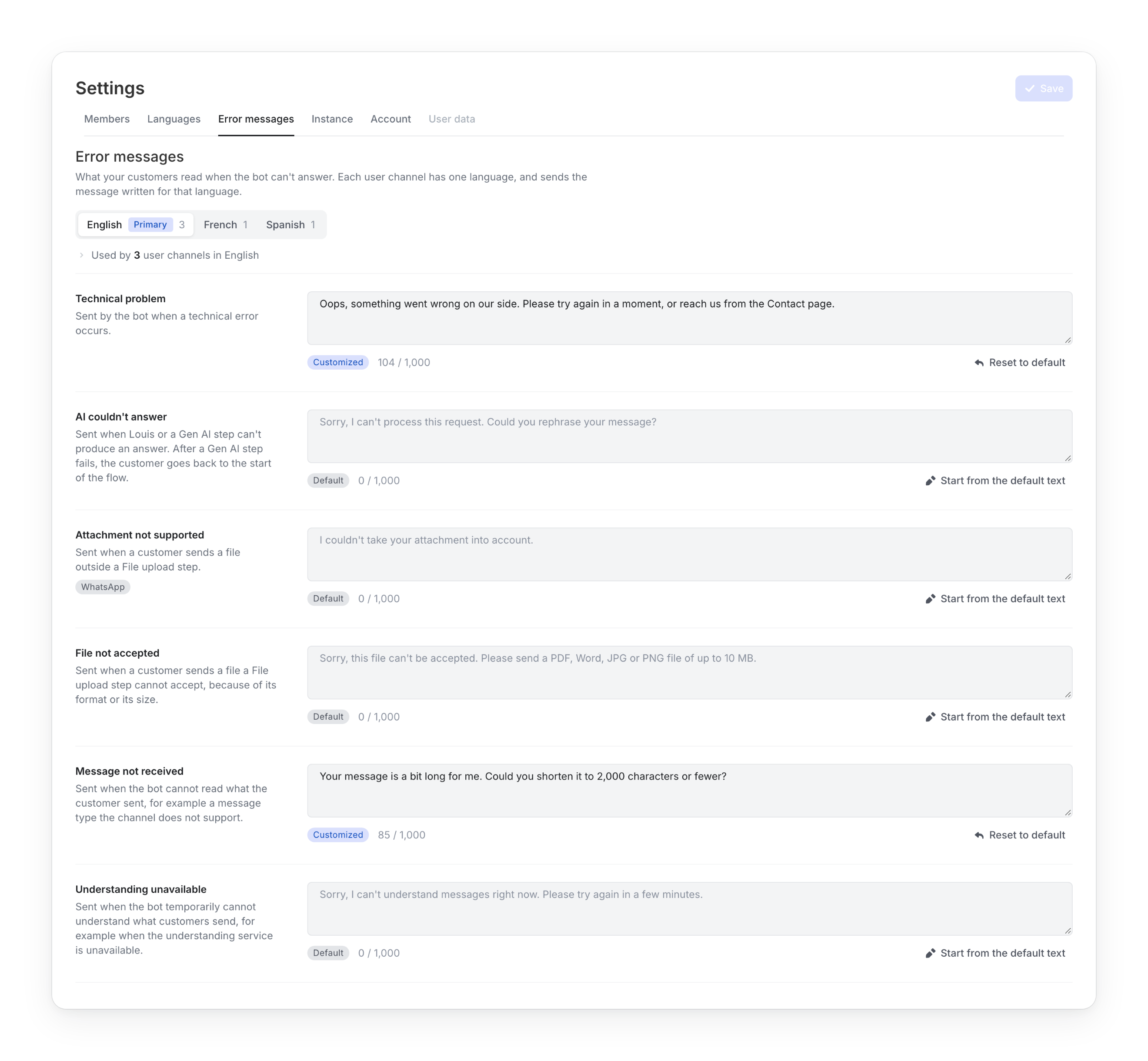
A clear message for each situation
No more same message for everything. Each situation now has its own message, with a default text ready to use.
| When | What the customer reads by default |
|---|---|
| The AI's safety filters stop a message or an answer (AI couldn't answer) | "Sorry, I can't process this request. Could you rephrase your message?" |
| Something goes wrong on our side (Technical problem) | "Sorry, a technical problem occurred on our side. Please try again or rephrase your message." |
| The customer sends a message of more than 2,000 characters (Message not received) | "Sorry, I couldn't process your message. Please send a text of up to 2,000 characters." |
| The bot cannot understand messages for a moment (Understanding unavailable) | "Sorry, I can't understand messages right now. Please try again in a few minutes." |
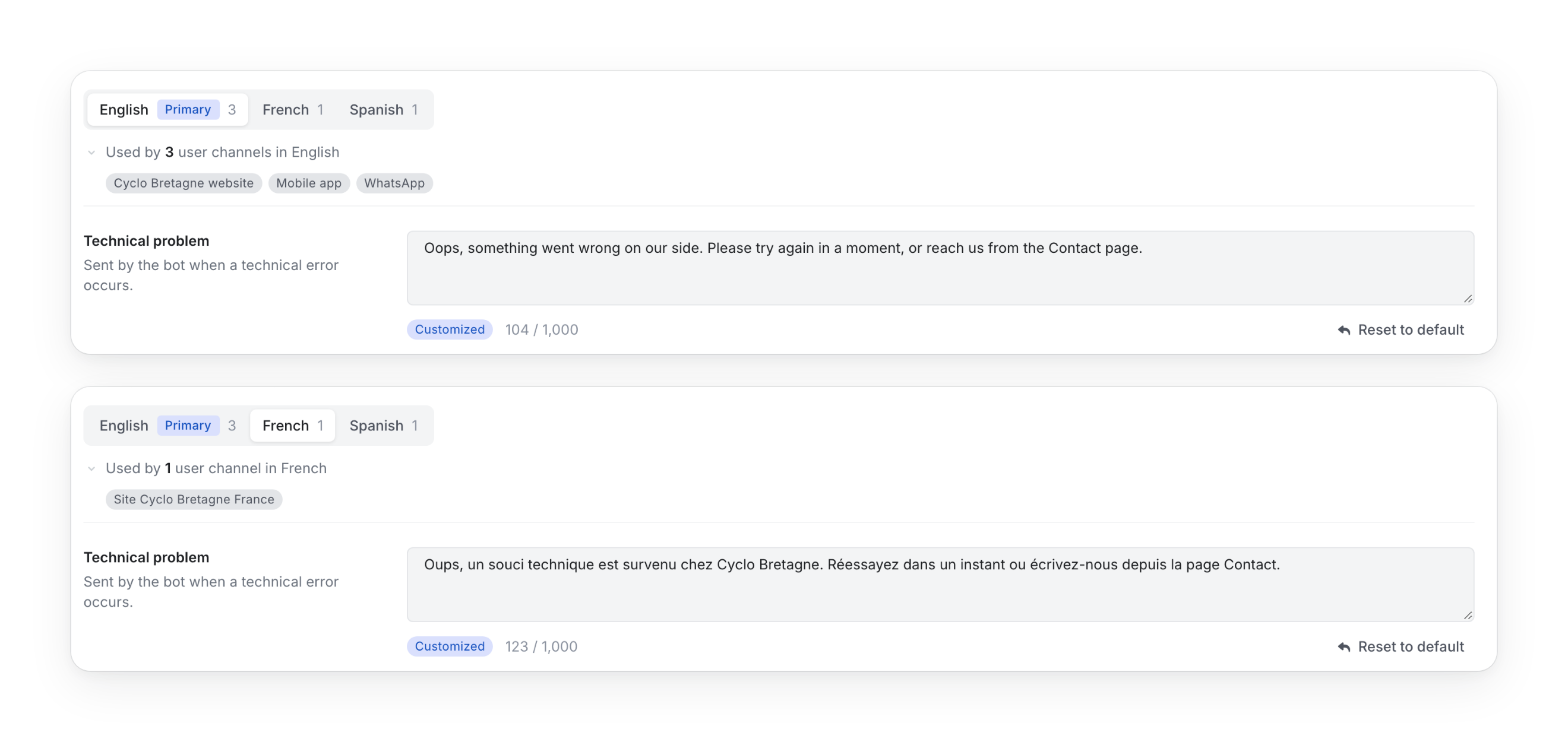
In your customer's language, in your own words
Write each message once per language of your bot. Each user channel sends the text written for its language. Prefer not to write them all? Default texts are ready in French, English, German, Spanish, Italian, Dutch and Portuguese.
- Your words: change any message in Settings › Error messages. Click Start from the default text to adapt it, or Reset to default to go back to it
- Everything in one place: your former Fallback text is now the Technical problem message
- No risk: 1,000 characters per message, one Save for the whole tab, and a warning if you leave with unsaved changes
Fewer dead ends for your customers
A problem no longer ends the conversation.
- A refused message no longer blocks the rest: when the AI's safety filters refuse a message, the customer can keep asking questions
- No more silence on long messages: a message over 2,000 characters now gets an answer asking for a shorter one. With a human agent in the conversation, nothing changes
- No more waiting for nothing: when the AI fails or takes too long, the customer receives your message instead of waiting
No action required
Your customers already receive the default texts above. To write your own, open Settings › Error messages, available to Managers and Platform Administrators.
Two more messages, Attachment not supported and File not accepted, are already in the tab and will start working with the upcoming update on files.
For a complete walkthrough, check out the Error messages documentation.