

Conversation History, Use Case Navigation & Platform Improvements
This release gives your Gen AI prompts conversation memory, adds one-click navigation to referenced use cases, makes verbatim search follow the channel language, and ships a set of fixes across the widget and the dashboard.
Give your Gen AI prompts conversation memory
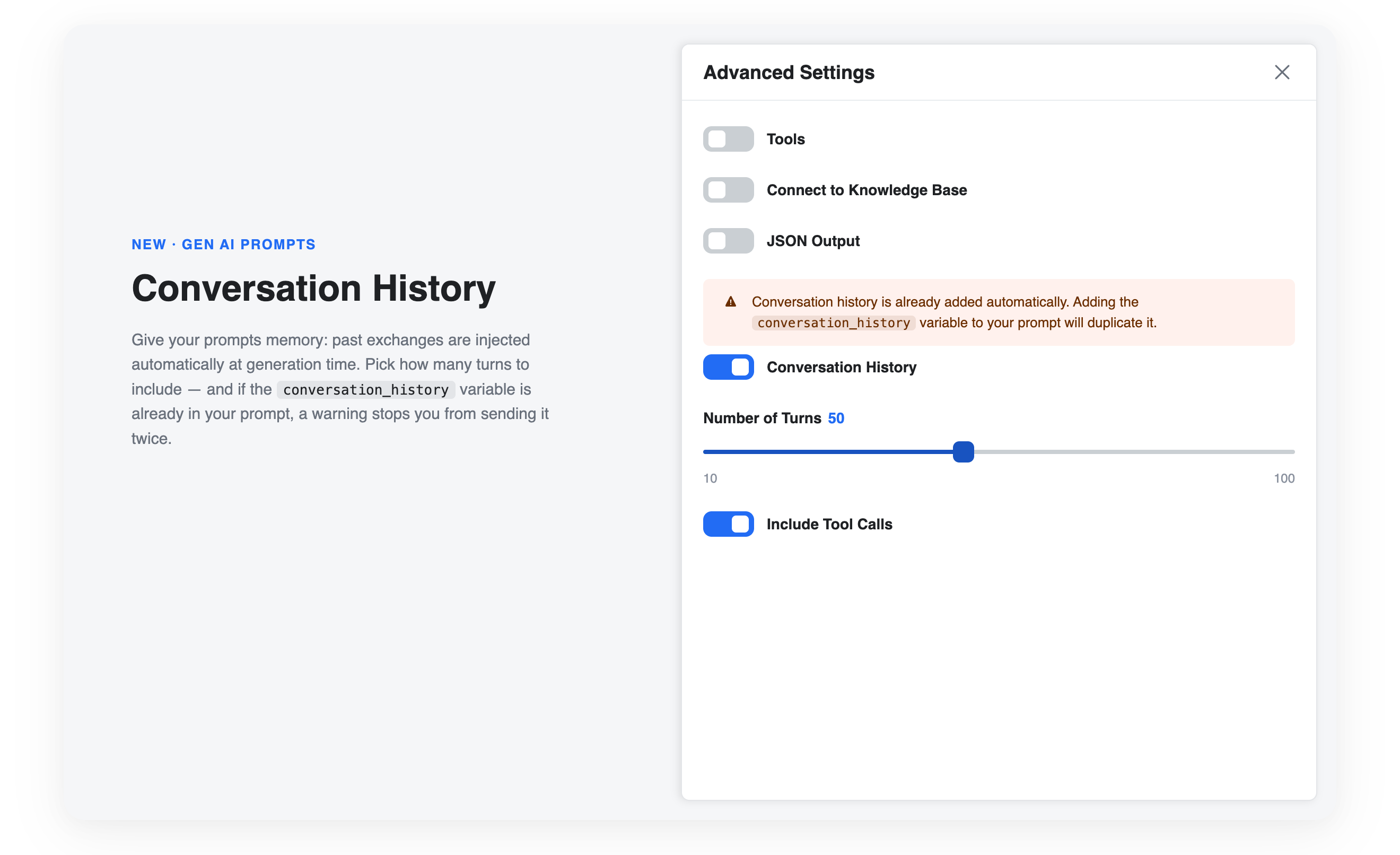
Your AI steps can now remember the conversation. A new Conversation History option in the Advanced Settings of your Gen AI prompts automatically injects the past exchanges into the prompt at generation time — no manual variable wiring needed.
- Conversation History: enable it per prompt from the Advanced Settings panel — the history is added automatically when the answer is generated
- Number of Turns: control how much context is sent with a slider, from 10 to 100 turns (50 by default)
- Include Tool Calls: optionally include the tool calls made during the conversation in the injected history
- Duplicate guard: if your System or User Prompt already uses the
conversation_historyvariable, a warning tells you the history would be sent twice — saving tokens and keeping your prompt clean
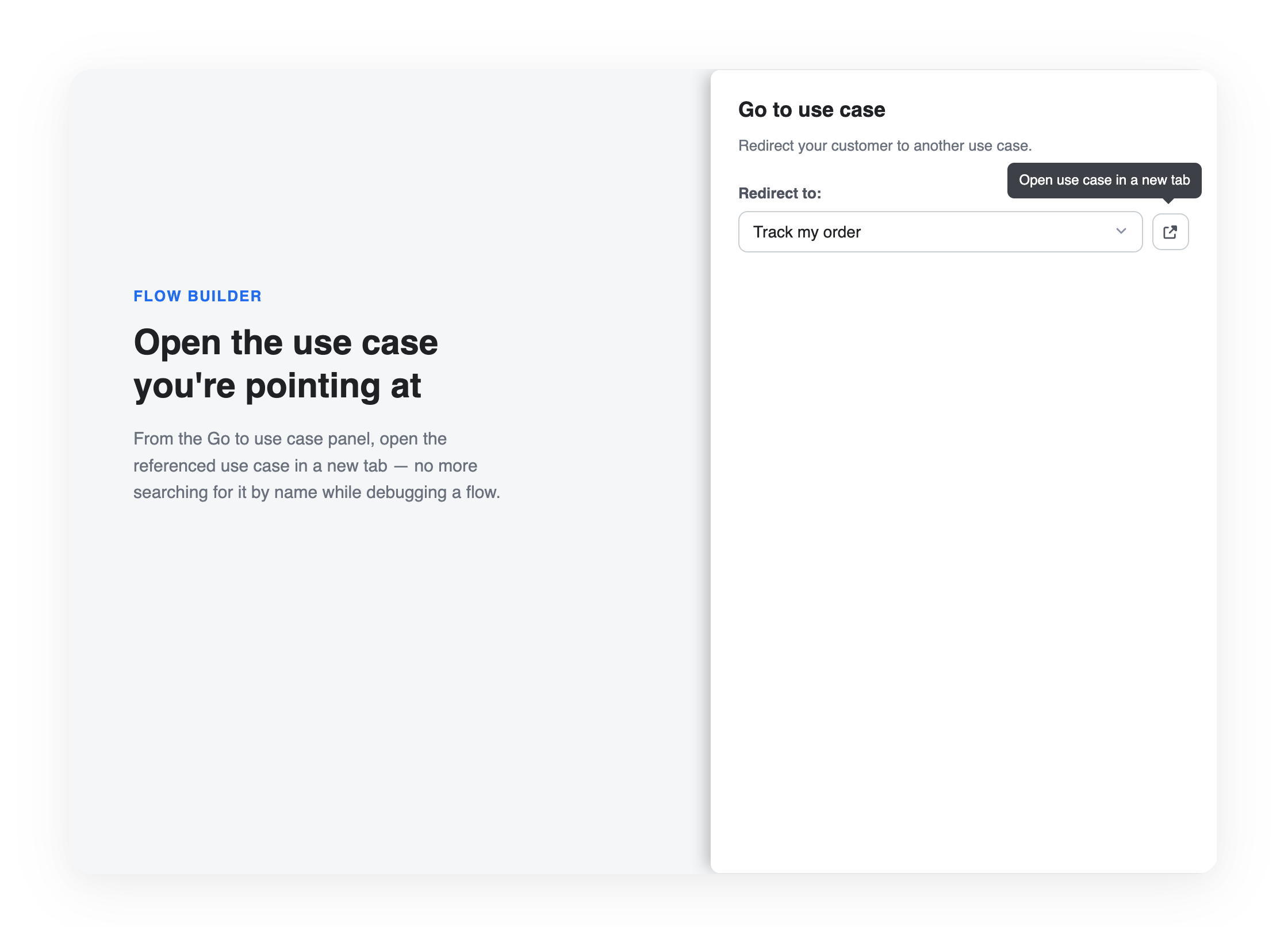
Open the use case you're pointing at
No more hunting for the use case referenced in a flow. In the Go to use case panel, a new button opens the selected target use case directly in a new tab — a real time saver when inspecting or debugging a flow.
- One-click navigation: jump to the referenced use case without searching for it or retyping its name
- Knowledge Hub access: when an agent is selected, the same button takes you straight to the Louis Knowledge Hub
- Safe by default: the button stays disabled until a valid use case is selected
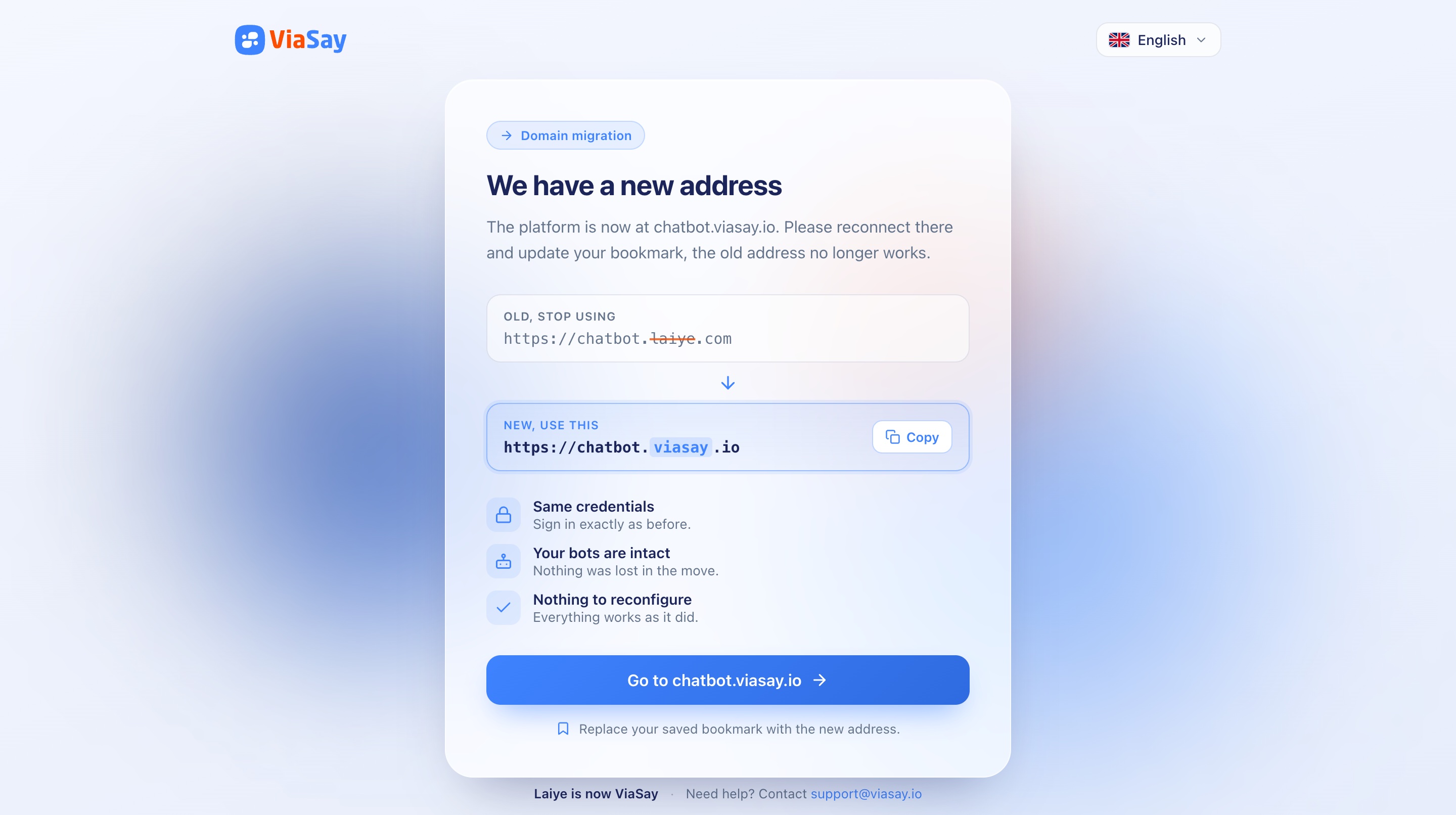
A smooth landing for laiye.com visitors
The legacy domain now guides you home. Visitors landing on any laiye.com address are redirected to a dedicated migration page inviting them to reconnect on viasay.io and update their bookmarks.
Fixes & improvements
- Widget sources: source titles now use the full available width after the widget is resized — the "…" truncation only applies when the text actually overflows
- Preview source links: a Knowledge Hub document now opens reliably from a Preview source link, even when it isn't on the currently loaded page of the document list
- Freshchat configuration: pasting a full URL or subdomain into the channel configuration now auto-cleans the input down to the bare identifier
- Use case list: the use cases list no longer renders empty after a reload or a tab switch
No action required
All improvements are automatically available on your platform. You'll find Conversation History in the Advanced Settings of your Gen AI prompts in the Flow Builder.
For a complete walkthrough, check out the Conversation History documentation.