

added
Answer Steps — Quick Replies Now Optional
September 1st, 2026
Quick replies are now optional on Answer steps. Your bot can send several messages in a row and move straight to the next step — no button click required.
Chain steps without waiting for a click
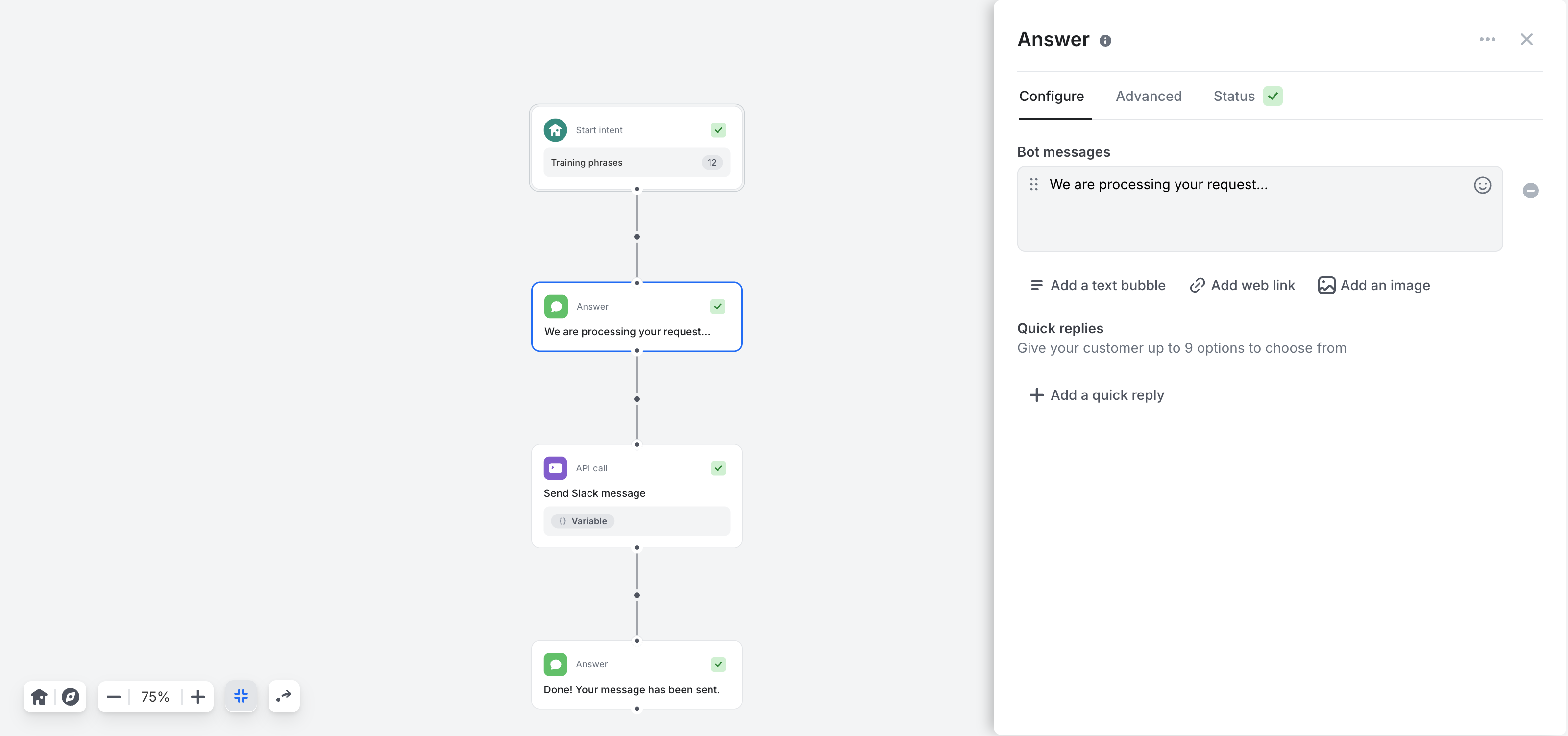
An Answer step can now flow directly into the next step. Connect it to any step — another Answer, an API call, a Generate with AI step — and the bot continues as soon as its messages are sent.
- Automatic transition: when an Answer step has no quick replies, it links straight to the next step
- Several answers in a row: a single user message can trigger a whole sequence — confirm the request, call an API, then share the result
- No more placeholder buttons: you no longer need an "OK" quick reply just to move the conversation forward
Switch between quick replies and automatic transitions
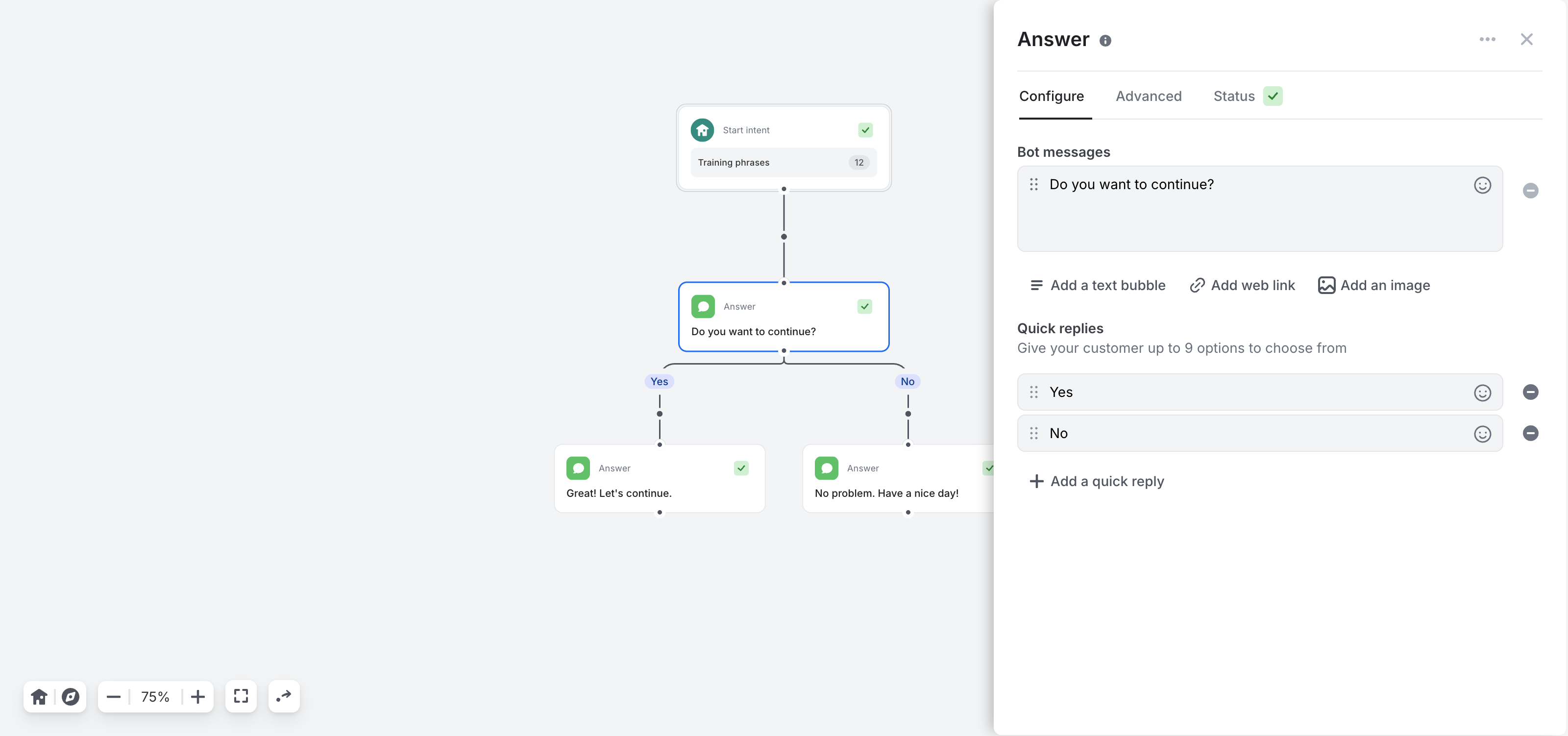
Nothing changes for your existing flows — quick replies work exactly as before. You can now switch an Answer step between the two modes without rebuilding anything:
- Remove the last quick reply: its link becomes an automatic transition, and the steps that follow are preserved
- Add a quick reply: the automatic transition turns back into a quick reply pointing to the same step
- One mode at a time: an Answer step either offers quick replies or moves on automatically, never both
Small improvements & fixes
- Answers from steps marked as AI-generated are now always tagged as AI-generated, including when they deliver Generate with AI output
- Quick reply titles are automatically cleaned of leading and trailing spaces
No action required
Automatic transitions are available now for all bots. Open any Answer step in the flow builder to try them — existing steps keep their quick replies exactly as configured.
For a complete walkthrough, check out the Answers documentation.