

Major Updates: Louis AI V3 — Trace for Flow Builder & Refresh Rate
Louis AI V3 is a major upgrade focused on three things: accuracy, reliable doc discovery, and better control for support teams.
This release introduces a new answer pipeline, stronger reasoning, improved guidance management, full Flow Builder logs, and automatic document refresh to keep your knowledge up to date.
Happy New Year — this is our first big release of 2026, and the best is yet to come.
Louis AI V3
We’ve upgraded Louis AI end-to-end to deliver more accurate answers, better doc discovery, and stronger brand control.
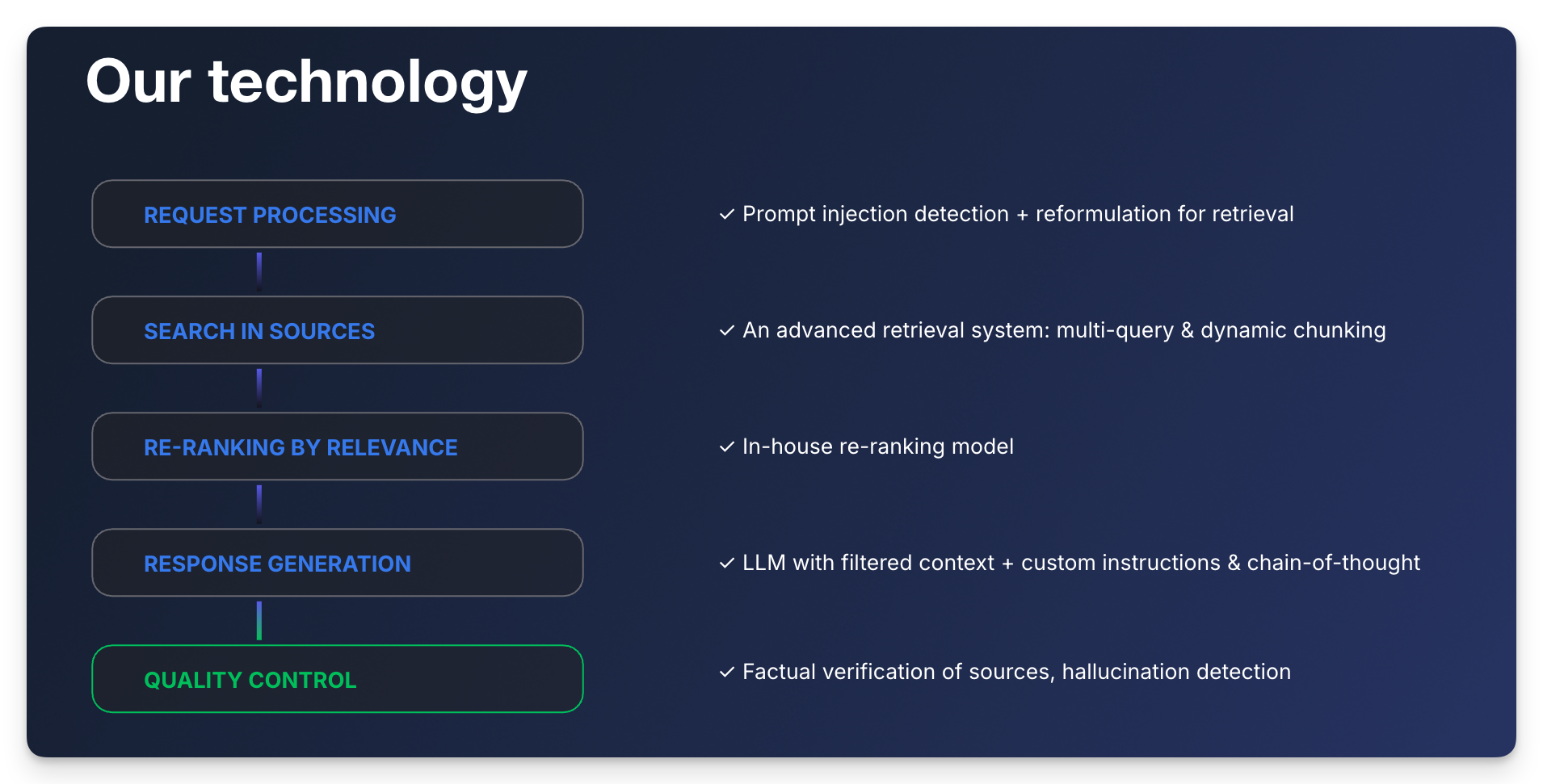
New pipeline process (higher accuracy, fewer hallucinations)
Louis now follows a more robust answer pipeline:
- Refine the user query
- Retrieve relevant content
- Rerank for precision (custom model)
- Generate the response
- Validate accuracy + optimize performance
2. Better prompts, better reasoning
We improved the core prompt strategy and reasoning flow so Louis:
- stays closer to your sources
- answers more directly
- handles multi-step questions more reliably
3. Date comprehension (temporal awareness)
Louis now understands today’s date, which improves answers involving:
- deadlines, renewals, “this week / next week”
- time-based policies and exceptions
4. Better guidance following (more on-brand, more consistent)
Guidance instructions are applied more reliably across tone, escalation rules, and support policies.
5. Better retrieval with custom reranking (find the right doc, faster)**
We implemented a custom rerank model to ensure Louis consistently surfaces the most relevant document chunks — especially when multiple docs are similar.
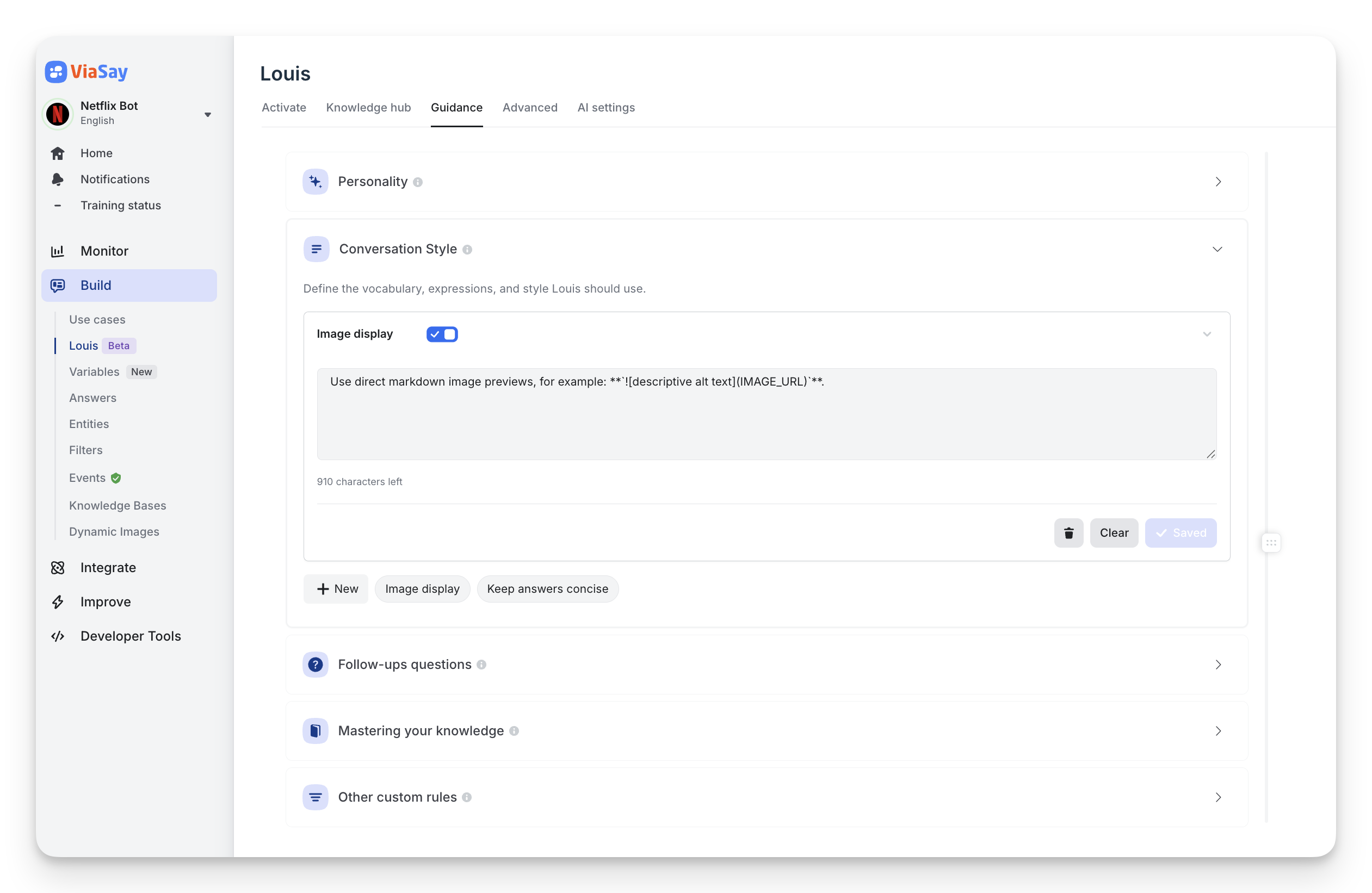
New: Guidance management (UI)
You can now manage guidance one by one, with full control:
- Enable / disable any guidance instantly (no need to delete it)
- Edit and iterate safely without impacting the rest
- Keep your setup clean by activating only what matters
Major news: Flow Builder Logs (full traceability)
Logs are finally here — and they’re built for real debugging.
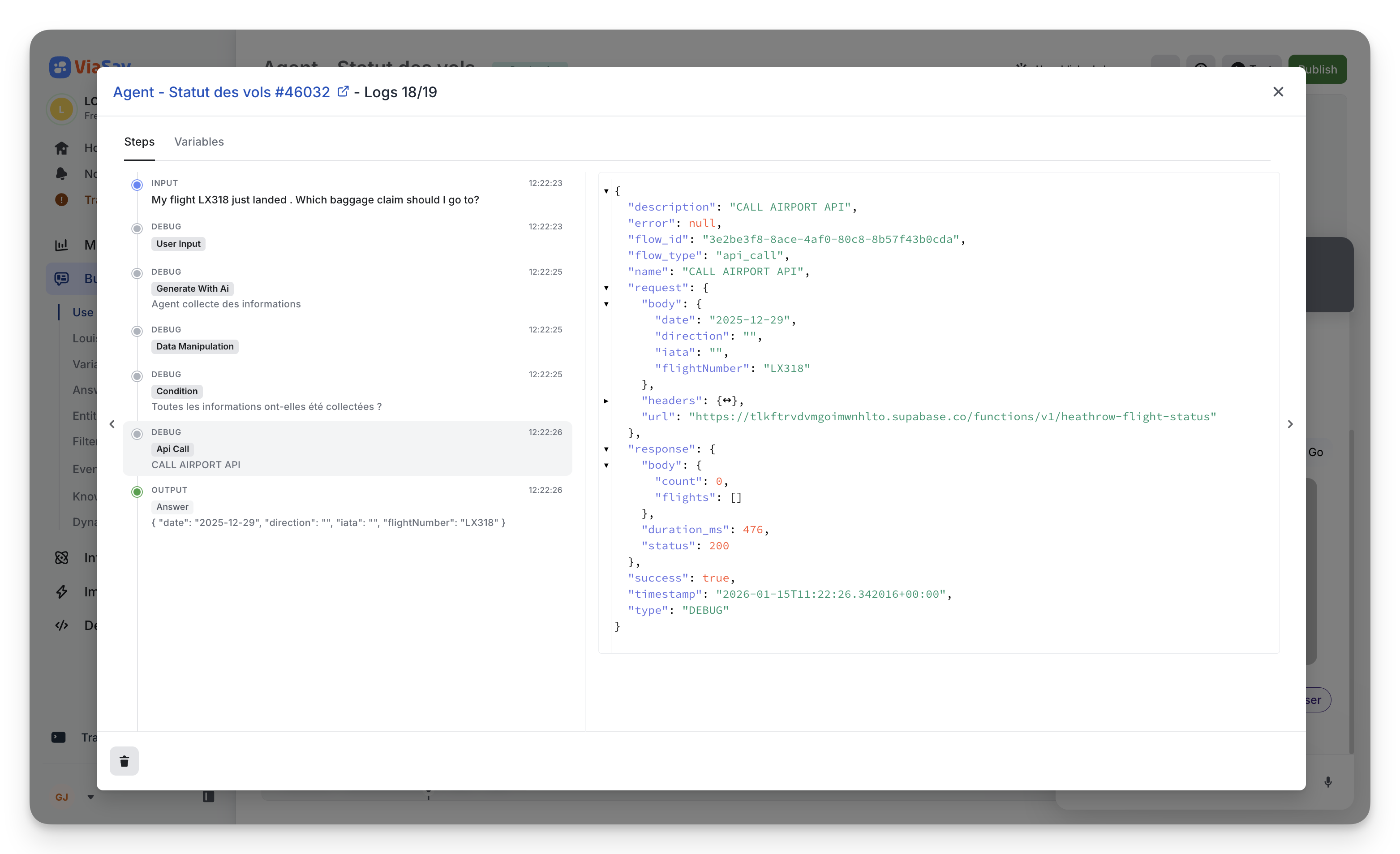
You now get a complete execution trace of your bot:
- Each step = one log entry (input, AI generation, conditions, API calls, data manipulation, output, etc.)
- See exactly what happened at every step, in order
- Inspect the state of every variable at any moment via the Variables tab
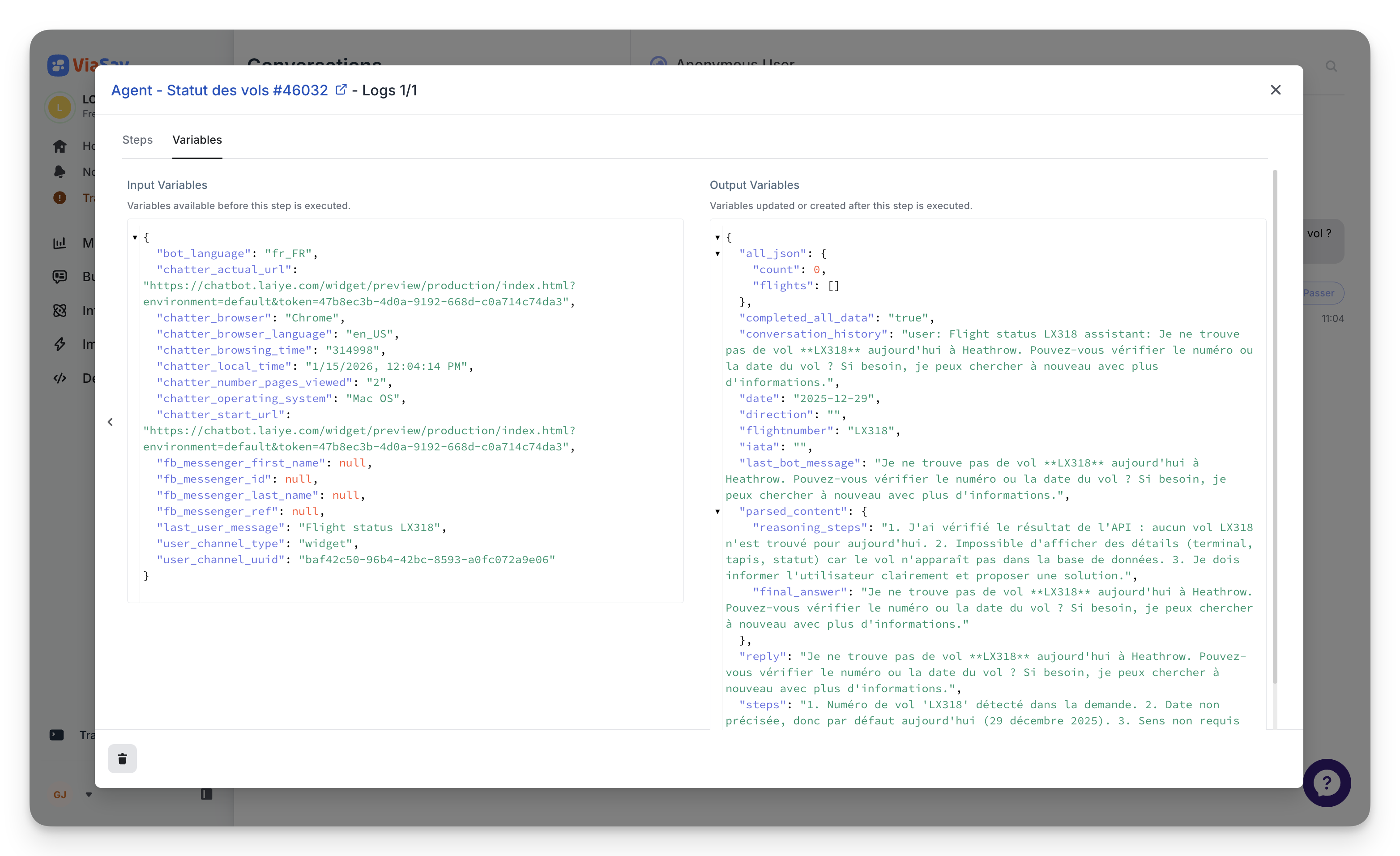
- Debug while building and investigate decisions from real conversations
Where to find them
- In the Flow Builder, click Test → open the Inspector → Access logs
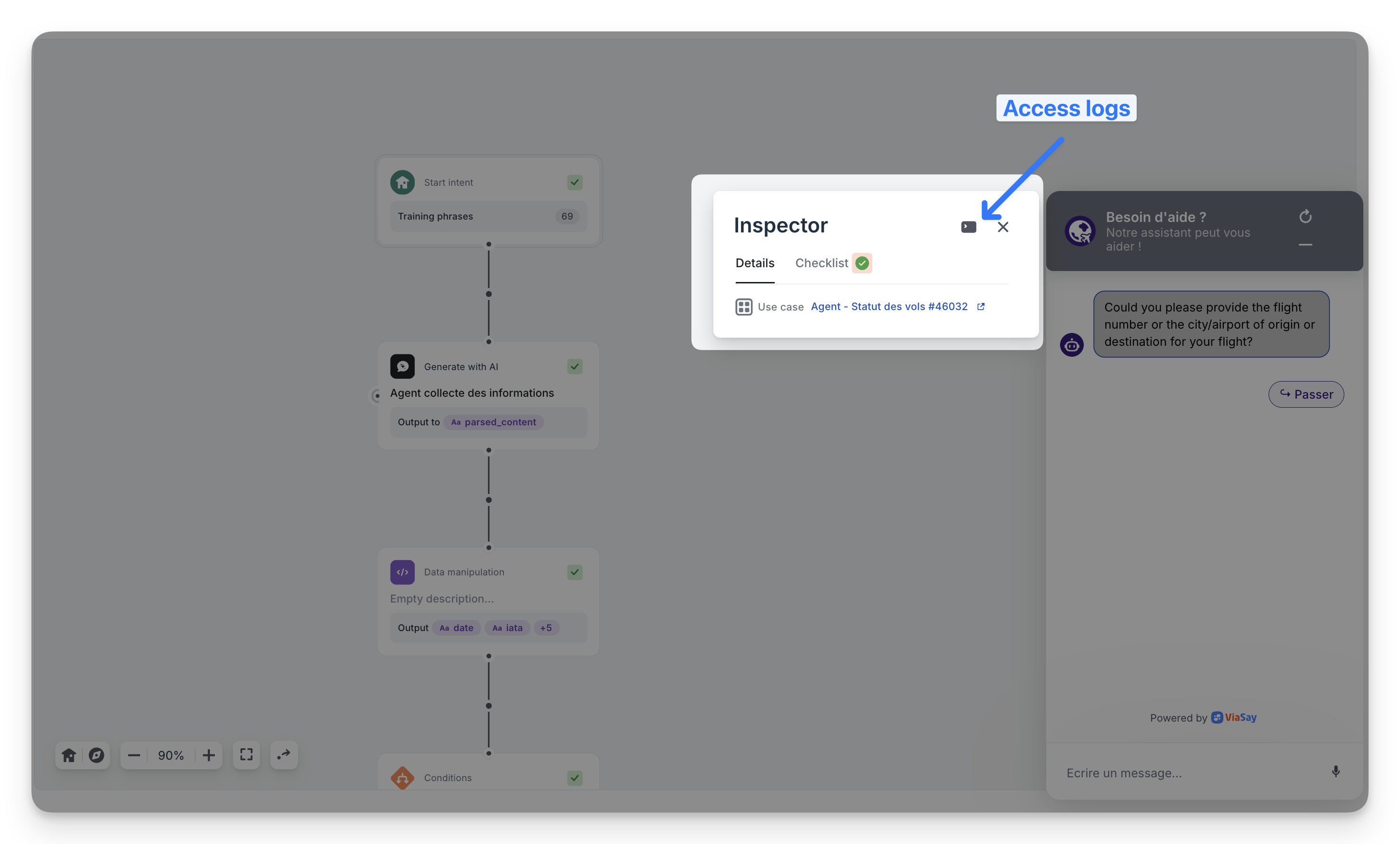
You can now know which use cased triggered for a specific message !
- In Conversations, click Trace to understand why the bot answered that way
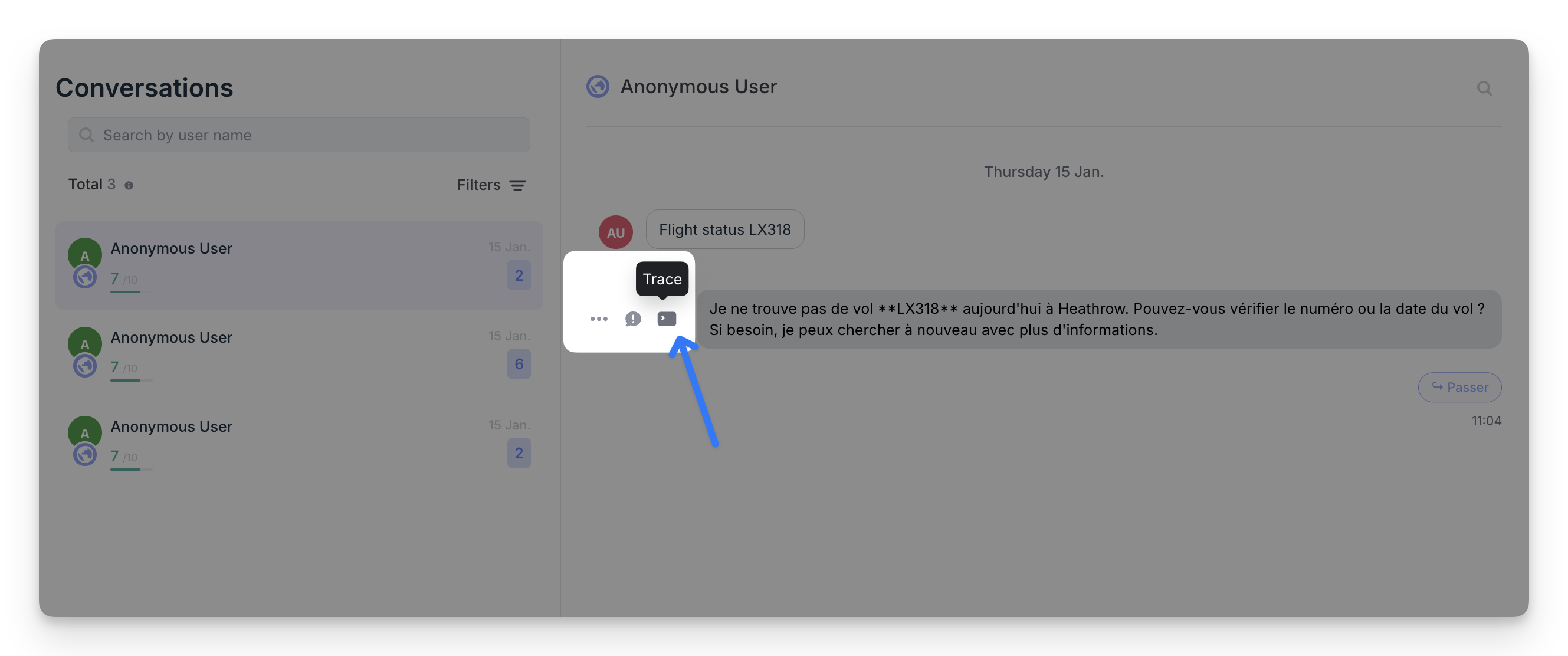
Note: the current view is intentionally “verbose” to maximize detail. We’ll simplify the display soon, but the traceability is already complete.
Document refresh rate (always up-to-date content)
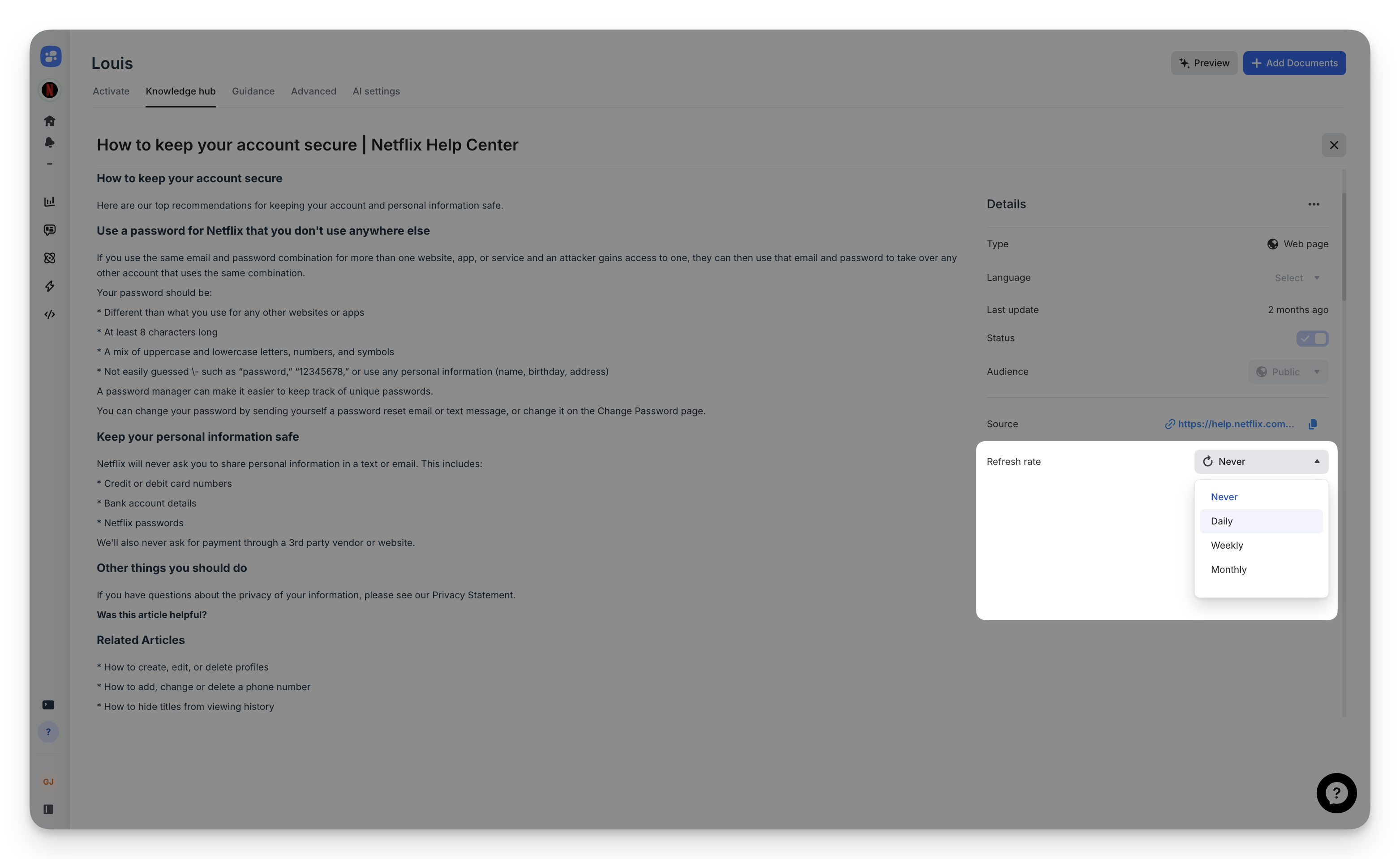
Each document now has its own refresh rate.
When enabled, Louis will re-fetch the source automatically to keep answers aligned with the latest version of your content (help center pages, web pages, etc.).
- Set refresh per document: Never / Daily / Weekly / Monthly
- Refresh runs at 3:00 AM (UTC+2)
- Best for content that changes often (policies, pricing, FAQs)
Minor update: Better FAQ / Q&A parsing in Mayday
We shipped a small but important improvement to Mayday for FAQ-style content (question/answer formats).
Previously, when the question was only in the page title, it could be missed during document retrieval — which reduced match quality.
Now, Mayday duplicates the title into the question field, so the query has the full context and the right documents are found more consistently.
Result: better retrieval on FAQ pages with zero change required on your side.