

LiveChat handover — a "No agent available" branch to keep the conversation moving
Until now, when a LiveChat handover found no agent available, your bot sent a fallback message with a few quick replies — and then waited for the customer to tap one. The LiveChat handover step now has a "No agent available" branch: when nobody is there to pick up, the conversation continues automatically on the steps you connect to it — create a ticket, hand over to an AI Agent, jump to another use case — with no dead end and no extra click for your customer.
The branch is optional. Existing bots keep the exact behavior they have today until you decide to connect it.
Connect the branch in one gesture
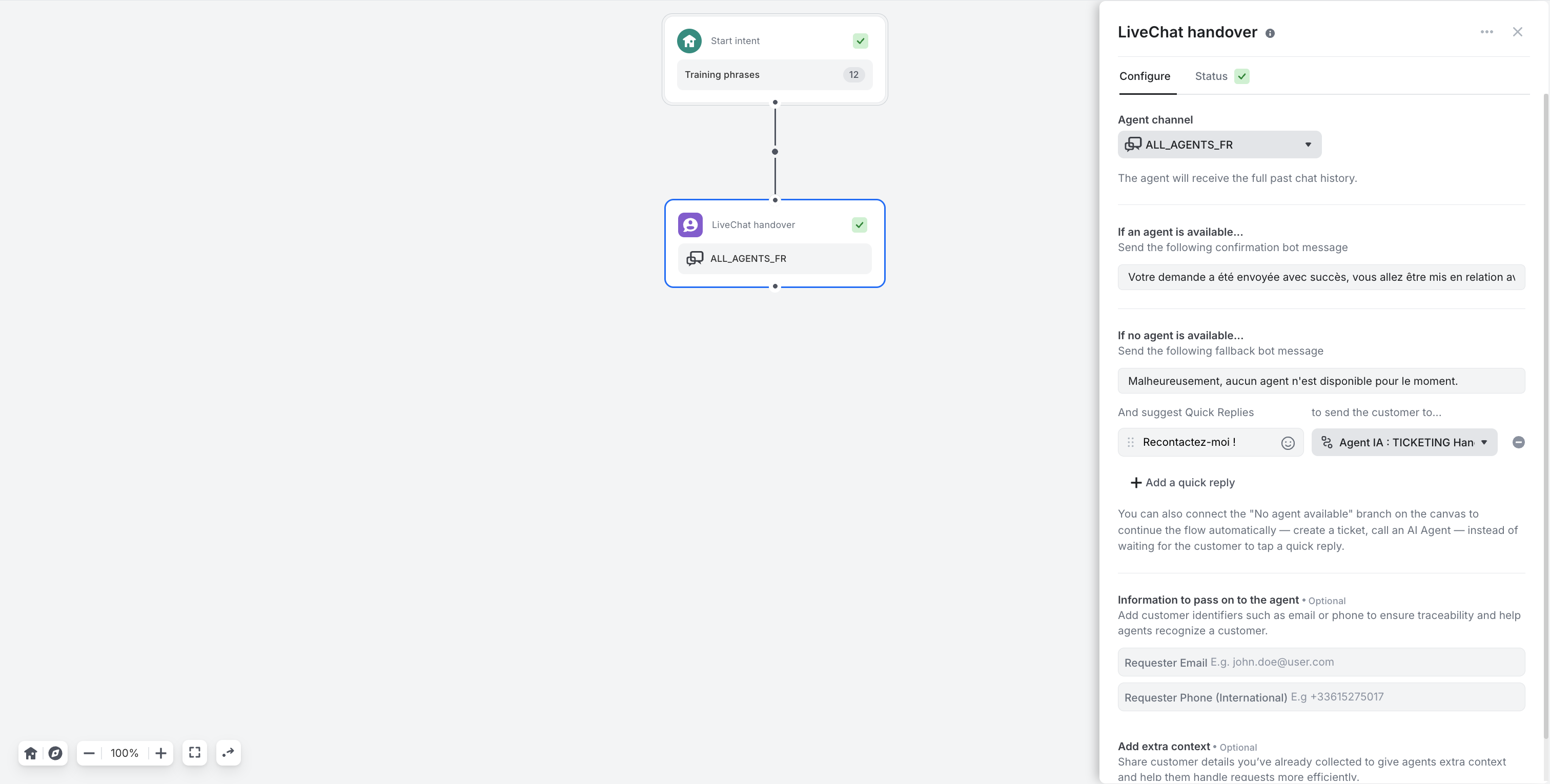
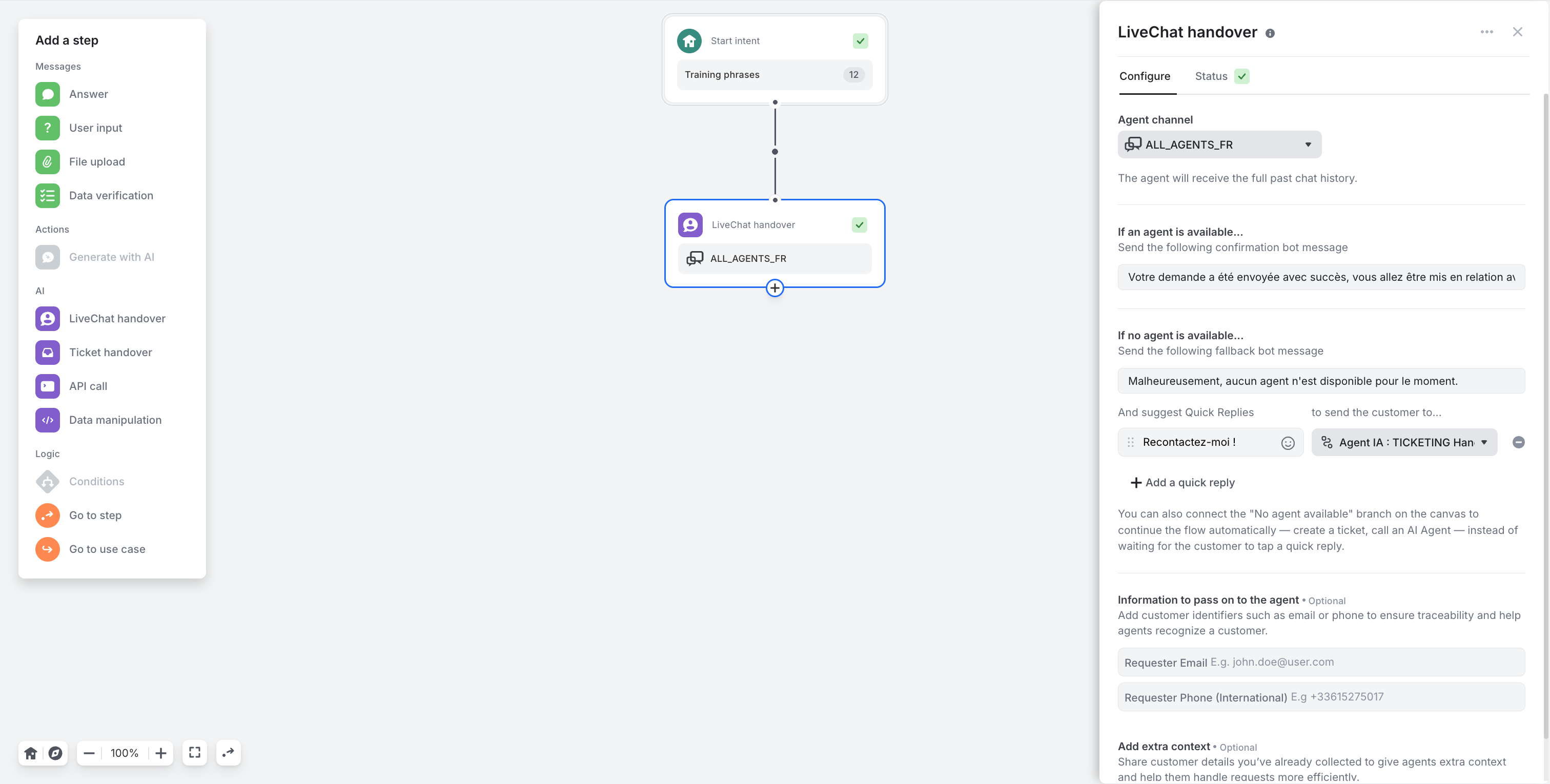
The LiveChat handover step now has an output on the canvas. Hover it and the familiar + appears underneath — the same one you use under an Answer or an API call step.
- Click the + — the Add a step panel opens, with the usual choices: Answer, User input, Ticket handover, API call, Go to step, Go to use case…
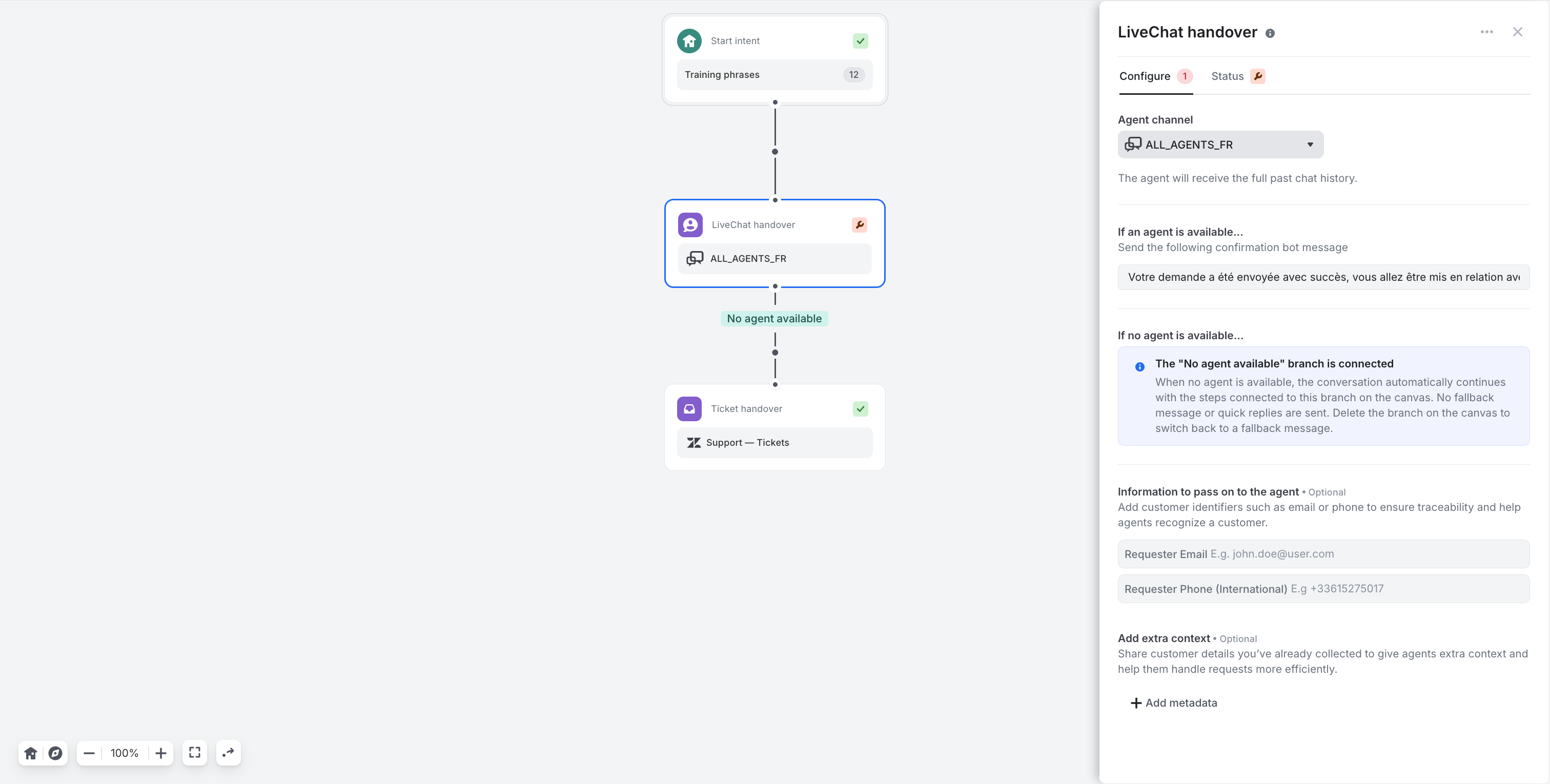
- Pick a step. In a single move, it is created under the LiveChat handover and connected by a branch labelled No agent available.
- Configure that step and carry on building — you can chain as many steps as you need under the branch.
There is no toggle to hunt for: connecting a step activates the branch, deleting it turns the branch off.
Your fallback message is never lost
Nothing is deleted when you connect the branch. As soon as a step is connected, the If no agent is available… section of the panel is replaced by an information card:
The "No agent available" branch is connected — When no agent is available, the conversation automatically continues with the steps connected to this branch on the canvas. No fallback message or quick replies are sent. Delete the branch on the canvas to switch back to a fallback message.
Delete the branch and the section comes back with your fallback message and your quick replies exactly as you had configured them. They were never erased — only inactive.
If the availability check itself fails, the branch takes over
No agent, or no answer — same outcome for your customer. If the availability check cannot be completed (live chat provider unreachable, timeout), the step behaves as if no agent were available and follows the branch when one is connected. Your customer never sees a technical error; the detail stays visible in the conversation trace.
What your customers experience
- An agent is available — unchanged: confirmation message, then transfer to the agent.
- No agent available, branch connected — no "nobody is available" message, no quick replies: the flow moves straight on to the steps of the branch.
- No agent available, no branch — today's behavior: fallback message and quick replies.
- The availability check fails — treated as "no agent available".
A good first branch is a Ticket handover: the customer leaves a request instead of leaving the conversation. An AI Agent works just as well when you would rather keep them in the chat.
Small improvements & fixes
- Analytics filters, everywhere they belong — your language and channel filters now apply consistently across every chart and quality metric, including CX Score and resolution rate.