

Knowledge Management Upgrade — Document states & language scoping
This release reworks the Knowledge Hub end-to-end: every document now has an explicit lifecycle state, search and retrieval can be scoped by language, and the documents list scales to large knowledge bases with bulk actions.
Document states — Live, Draft, Archived
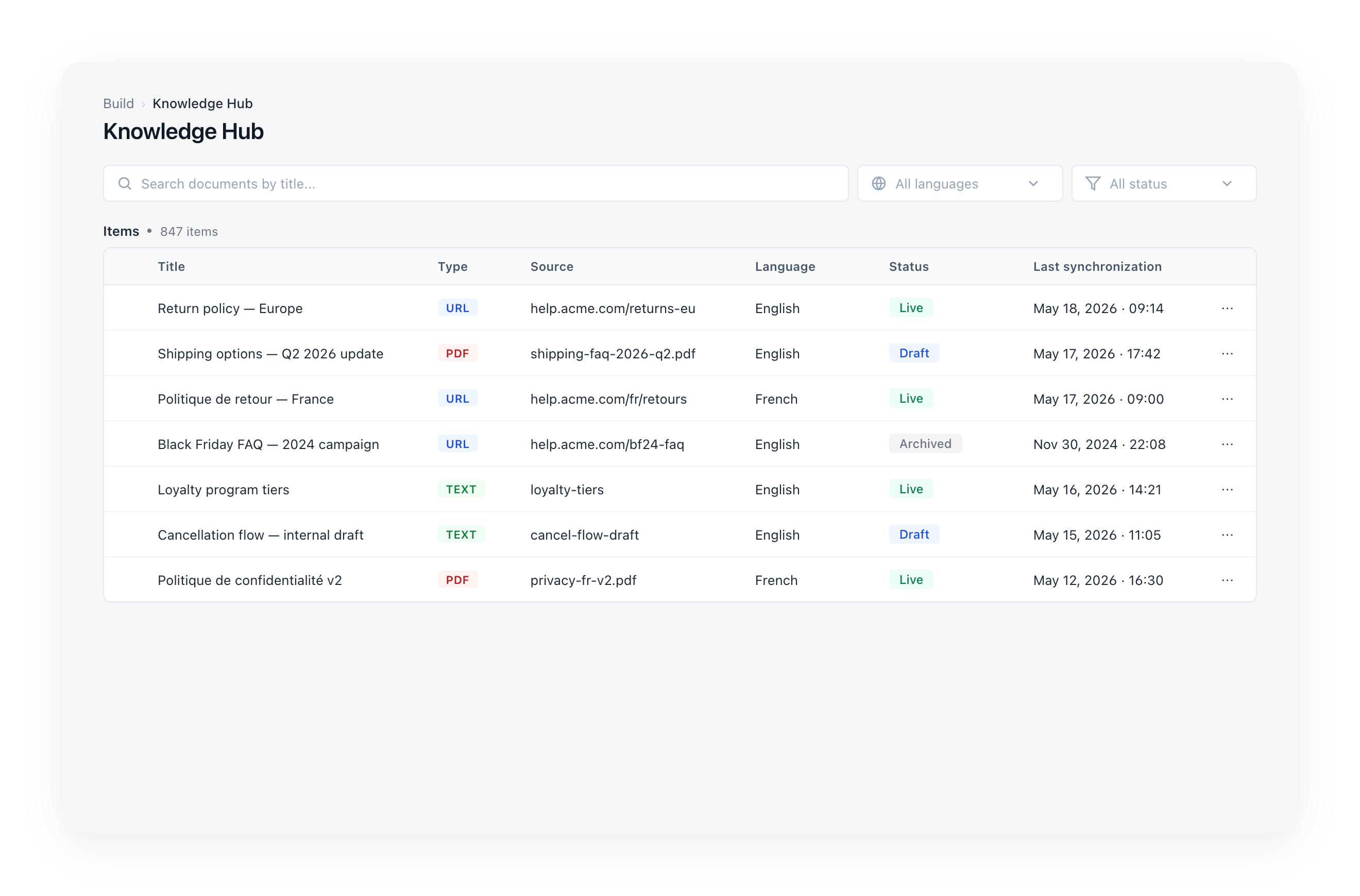
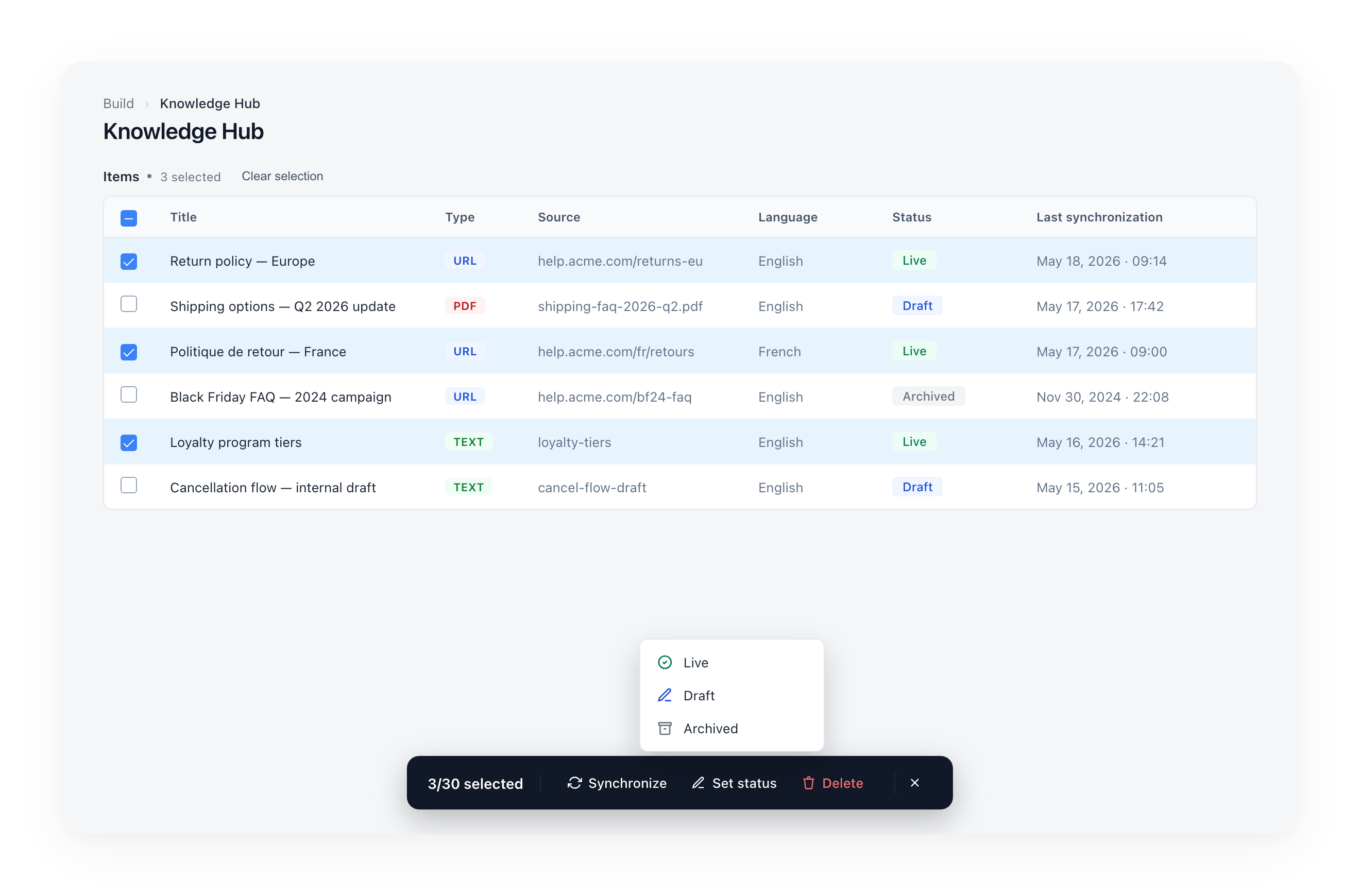
Every document now has a state that decides whether the assistant uses it. The status is shown as a color-coded pill in the documents table and can be filtered with the new All status dropdown.
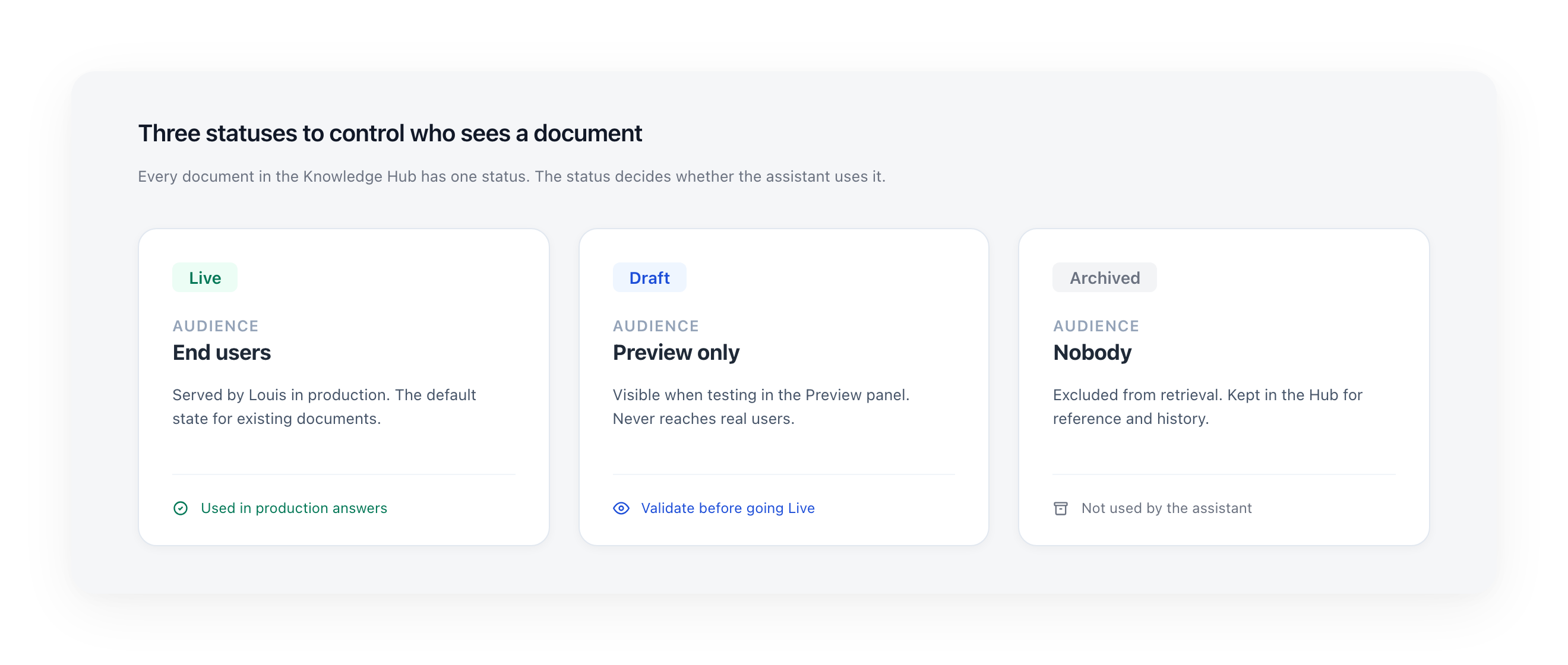
- Live: served by the assistant in production. Existing documents are migrated to Live by default — no manual action required.
- Draft: visible in Preview only. Use it to validate content before going Live.
- Archived: excluded from retrieval. Kept in the Hub for reference.
Language-based search — opt-in
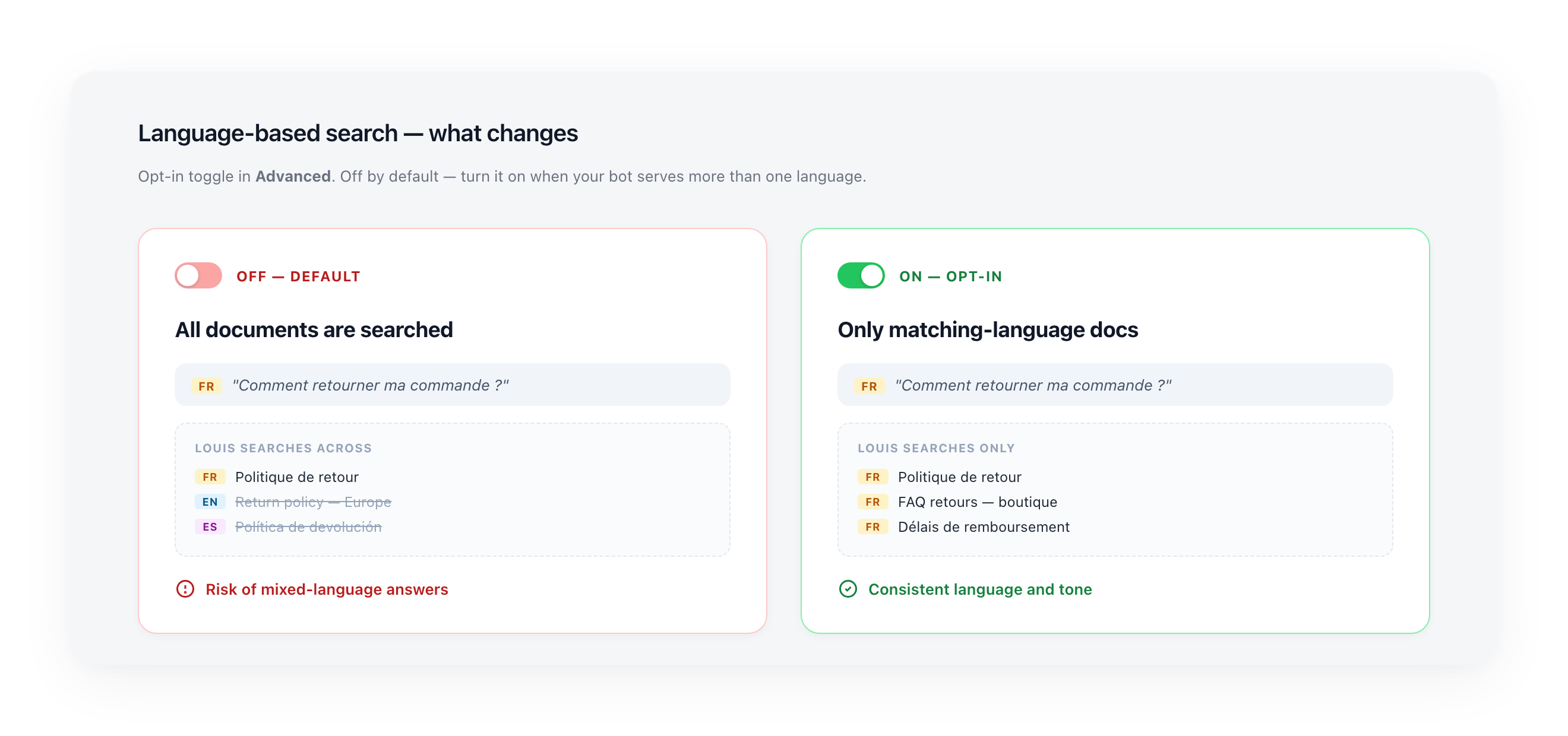
The problem. If your bot serves users in several languages, a French question can match an English document just because the wording is close. The assistant ends up grounding its answer on the wrong language, or even replying in the wrong language.
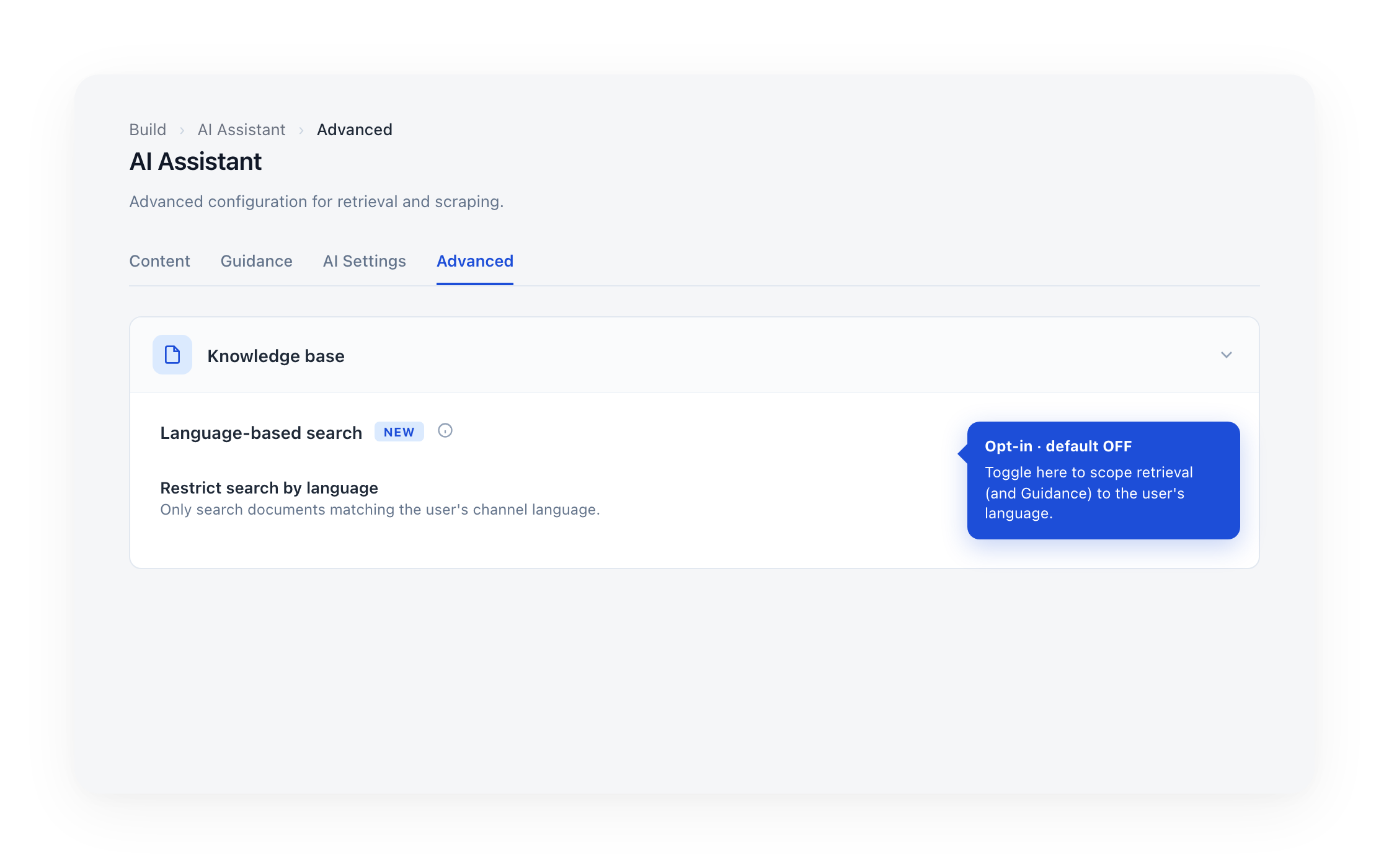
The fix. Turn on Language-based search in Advanced > Knowledge base. Once enabled, retrieval only considers documents that match the user's channel language. This release also extends the same scoping to the Guidance tab, so language-specific guidance stays grouped with the rest of its language.
Who should turn it on
- Bots serving more than one language with documents in each — this is where mixing hurts the most.
- Bots where you've already seen the assistant answer in the wrong language or surface content from a different market.
Who can ignore it
- Single-language bots — there's nothing to scope, leave it off.
- Bots where all documents are already correctly tagged by language and answers are consistent — no need to flip it.
Before turning it on
Make sure each document has the correct Language set. If a document is mistagged, it stops being retrieved for its real audience.
Bulk "Set status" and synchronize
Multiple documents can now be moved between states in one action. Selecting documents in the list opens a floating action bar with three operations and a clear counter.
- Set status: opens a popover with Live, Draft, and Archived options; up to 30 documents per batch.
- Synchronize: re-pulls the latest content for the selected sources.
- Delete: removes the selected documents.
Smoother large lists
The documents list now loads 20 documents at a time with infinite scroll, and the items count next to the title reflects the filtered total returned by the server.
No action required
Available now for all instances in Build > Knowledge Hub. Existing documents are migrated to Live by default.
For a complete walkthrough, check out the Knowledge Hub documentation.