

added
Analytics: open the conversations behind a source, and fixed chart bars
November 4th, 2026
This update brings two things: conversations opened straight from your sources in Analytics, and a fix for the chart bars that could open the wrong period.
Open the conversations behind a source
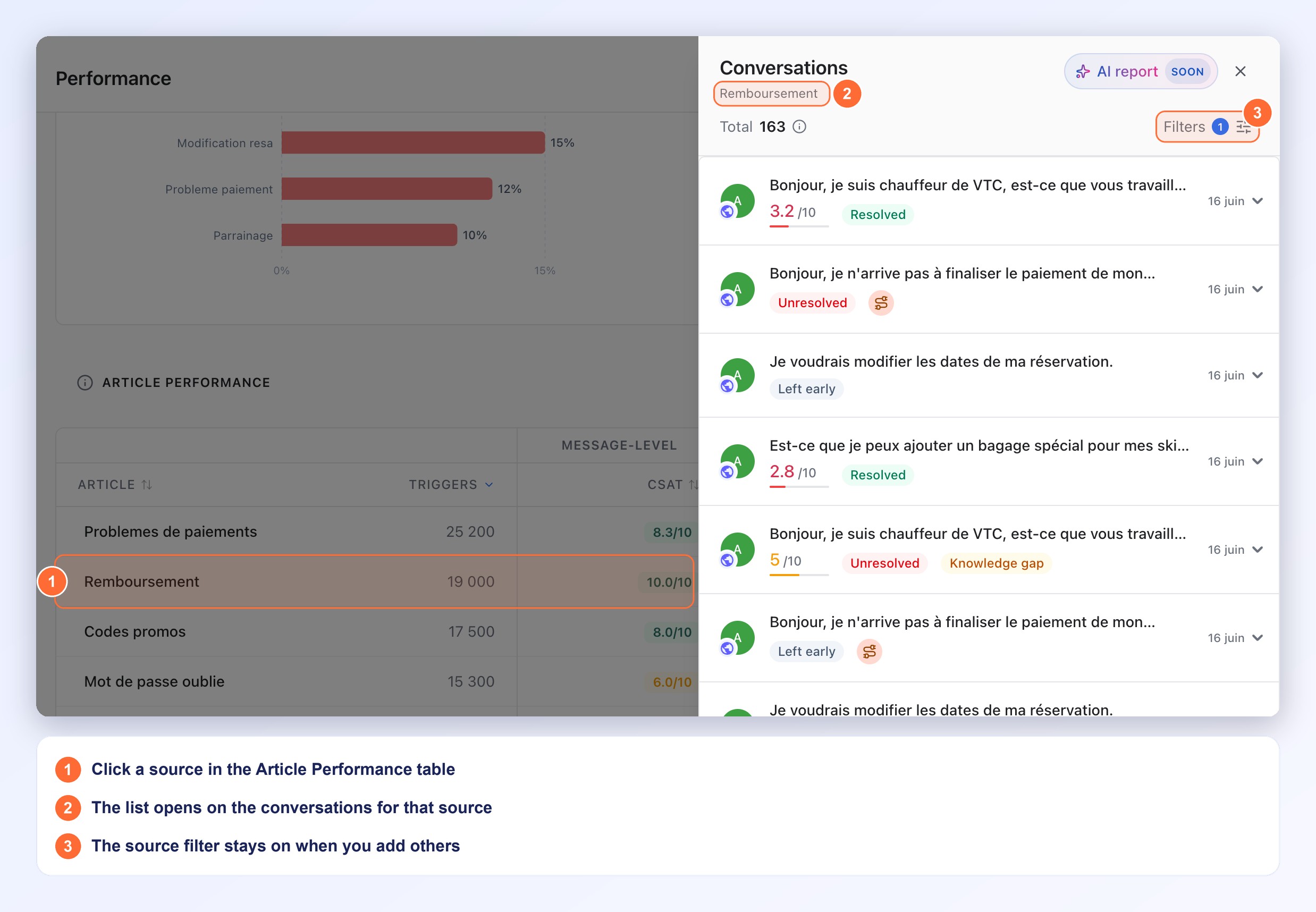
Before, the source lists showed how much a knowledge source or a starting page was used, but not the conversations behind the figures. Now one click opens them.
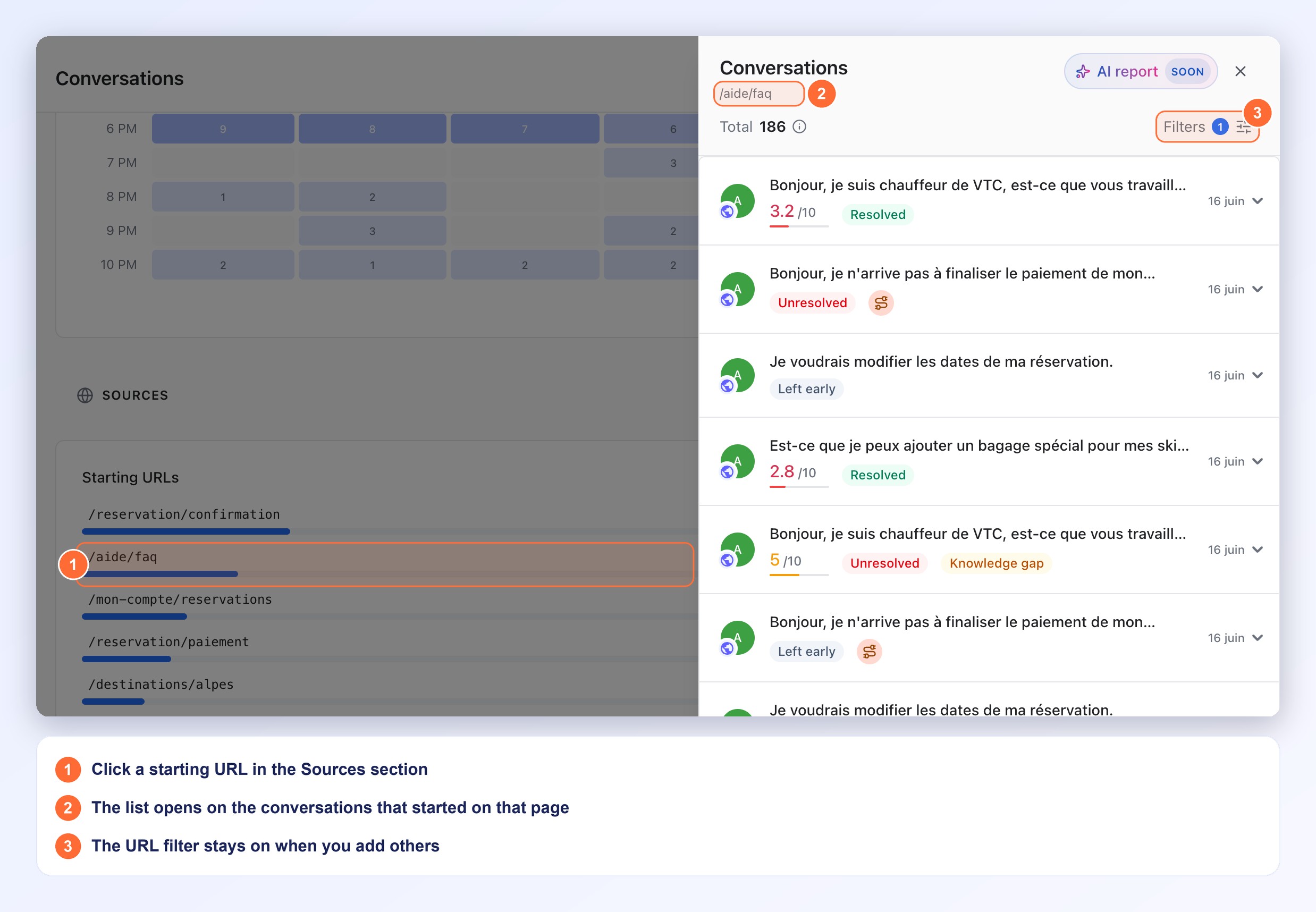
- Where to click: a row of Article Performance (Performance tab), a row of CSAT by Knowledge Source (Sentiment tab), or a URL of Starting URLs (Sources section of the Conversations tab)
- What opens: the Conversations panel, with the name of the source or the URL under its title, on the conversations linked to it
- Your filters still apply: the period, languages and channels selected at the top of the page narrow the list as usual
- Refine it: the Filters button shows 1 active filter. The source or URL filter stays on when you add others
- Periods ending before 2026: Article Performance and CSAT by Knowledge Source can show a blurred sample behind a lock instead of your data. Its rows are not clickable
Each chart bar opens its own period
Before, in the AI Resolution over time chart (Performance) and the CX Score over time chart (Sentiment), a bar could open the conversations of an earlier period when the periods before it had no data. Now each bar opens the period it shows.
- AI Resolution over time: the bar opens the resolved conversations of that period
- CX Score over time: the bar opens the conversations of that period
No action required
These changes are available in Analytics as soon as you open it. For a complete walkthrough, check out the Performance report, Sentiment report and Conversations report documentation.